Introduction
If there is no sound coming from your device there is a good chance your speakers are broken. This guide will show you how to replace the speakers in the Leader Impression i10A-LE tablet.
What you need
-
-
-
Start with your Leader Impression i10A-LE with the word "Impression" closest to you and the camera in the top left corner.
 Ask FixBot
-
-
-
-
Start by prying the back off by using plastic opening tools
-
Using the plastic tools slide the flat end into the device.
-
Gently pry the back piece until you hear a popping noise.
-
Once the back is loose, remove it from the device and set aside.
-
-
-
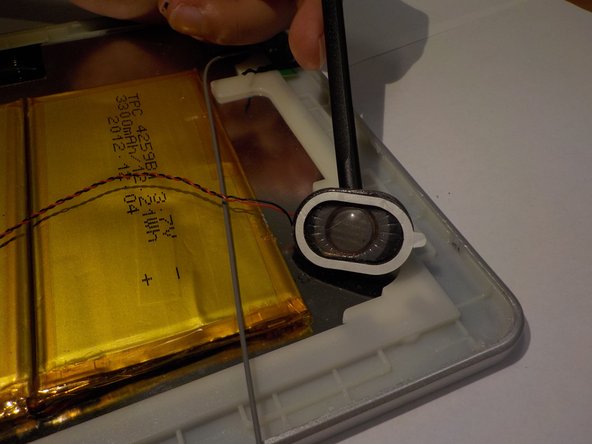
Use the spudger to pry both of the speakers from the tablet.
-
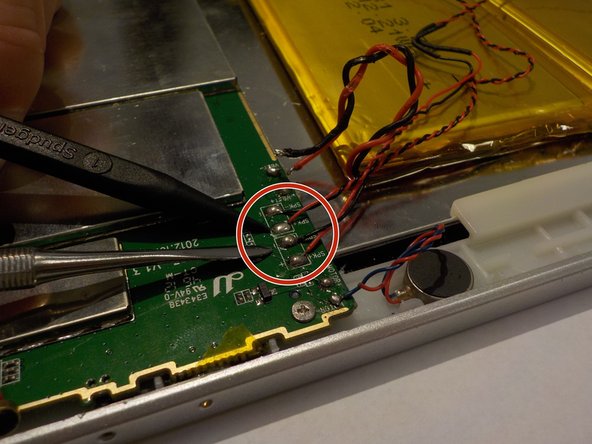
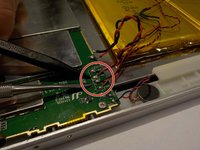
Follow both sets of speaker wires to the motherboard where they are connected.
-
Desolder the wire connections from the motherboard.
-
-


To reassemble your device, follow these instructions in reverse order.

