What you need
-
-
-
Start with your Leader Impression i10A-LE with the word "Impression" closest to you and the camera in the top left corner.
 Ask FixBot
-
-
-
-
Use the plastic prying tools to crack open the back of the device.
-
Once cracked, use more plastic prying tools to fully remove the back panel. A popping noise will occur when each clip is opened.
-
Remove the back panel and set aside.
-
-
-
The battery pack is glued to the device.
-
Use a spudger to pry the battery pack from the glue.
-
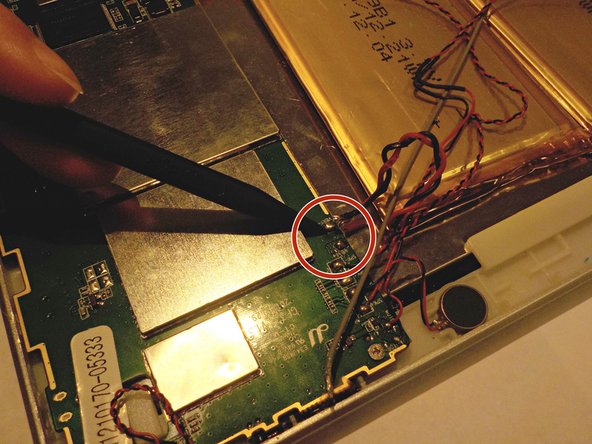
Desolder the positive (red) and negative (black) power leads.
-
-


To reassemble your device, follow these instructions in reverse order.

Team

Western Carolina University, Team 1-3, Virtue Fall 2016 Member of Western Carolina University, Team 1-3, Virtue Fall 2016
WCU-VIRTUE-F16S1G3
5 Members
60 Guides authored
