
LG Xenon Motherboard Replacement

Micaela Saqui and 9 other contributors
Last updated on Jan 9, 2025
Views: 1.6K
View statistics:
- Past 24 Hours:
- 1
- Past 7 Days:
- 11
- Past 30 Days:
- 77
- All Time:
- 1,643
Comments: 0
No one has left comments on this guide. Will you be first?
Go to guide commentsCompleted: 2 3
2 people have marked this guide "completed." Will you be next?
3 people have marked this guide "completed." Including you — great job!
Favorites: 0 1
No one has favorited (and subscribed to) this guide. Will you be the first?
1 person has favorited (and subscribed to) this guide — and that's you!
Introduction
Go to step 1 ↓If your LG Xenon GR500 is not turning on from water exposure or drop impact, the issue may be resolved by replacing the motherboard. Handling the motherboard is considered a risky repair that can cause further damage to the device if not operated correctly, so proceed cautiously. This guide will show you how to remove and replace the motherboard carefully.
What you need
Tools


-
-
-
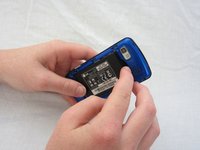
Use your thumb to press on the small ridge at the bottom of the phone, then push upward to slide off the back casing.
-
-
-
-
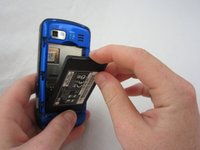
Use your index finger to pull the top of the battery out from the top center divot. Then pull the battery towards yourself to remove it from the compartment.
-
-
-
-
-
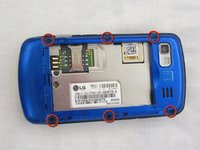
Use a Phillips #00 screwdriver to remove the six 2.4mm screws, which secure the back panel.
-
-
-
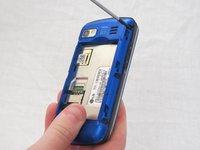
Push a spudger or small tool under the inner edge of the back panel and gently pry upward to separate it from the main body.
-
-
-
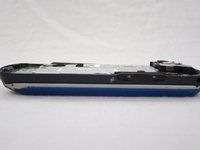
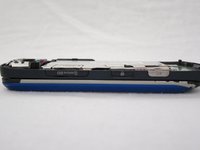
Pop off the camera, lock, and volume buttons from the side of the phone using tweezers.
-
-
-
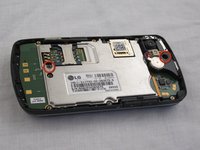
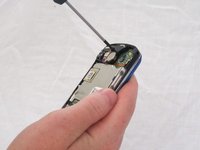
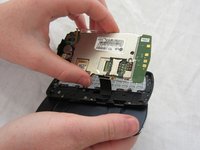
Use the Phillips #00 screwdriver to remove the two 3mm screws, which secure the motherboard.
-
-
-
-
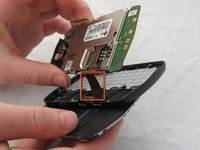
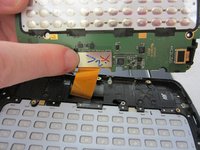
Carefully unclip the metal tab to separate the connector cable from the motherboard.
-
-
-
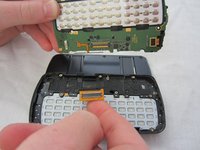
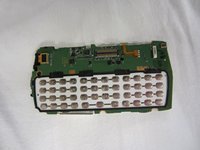
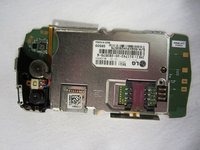
Once the connector cable is detached from the motherboard, you have successfully removed the motherboard from the phone.
-
-

 Ask FixBot














To reassemble your device, follow these instructions in reverse order.
Cancel: I did not complete this guide.
2 other people completed this guide.

Team

Cal Poly, Team 9-41, Regan Spring 2012 Member of Cal Poly, Team 9-41, Regan Spring 2012
CPSU-REGAN-S12S9G41
5 Members
96 Guides authored
