
LG VX9800 LCD Screens Replacement

Aaron Rowley and 8 other contributors
Last updated on Jul 10, 2025
Views: 2.7K
View statistics:
- Past 24 Hours:
- 0
- Past 7 Days:
- 9
- Past 30 Days:
- 41
- All Time:
- 2,697
Comments: 0
No one has left comments on this guide. Will you be first?
Go to guide commentsCompleted: 1 2
1 person has marked this guide "completed." Will you be next?
2 people have marked this guide "completed." Including you — great job!
Favorites: 1 2
1 person has favorited (and subscribed to) this guide. Will you be next?
2 people have favorited (and subscribed to) this guide — including you!
Missing Steps
Oops! This guide is currently missing one or more important steps.
Better Introduction
Improve this guide by completing or revising its introduction.
Introduction
Go to step 1 ↓The LCD screens are connected as one unit, and therefore should be removed together.
What you need
Tools
-
Spudger4.9


-
-
-
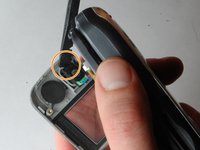
Remove the two triangular pads at the top of the two speakers.
-
These pads have adhesive to keep them situated, so you may want to use a fine-tipped object, such as a screwdriver or a pen, to remove them. It is easiest to place the fine-tipped object in the small indent in the corner of these pads.
 Ask FixBot
-
-
-
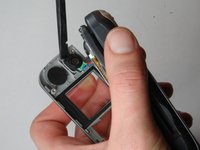
Remove the two rubber cylinders from their shafts. These cover more screws.
-
This requires a little more effort, so you may need to "dig" them out.
-
-
-
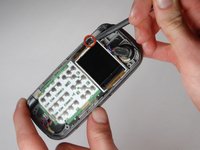
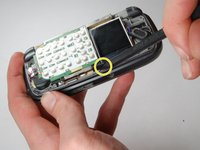
Starting on the side with red square, pry the faceplate upwards with the flat end of a spudger.
-
Continue to slide the flat edge along the seam of the faceplate.
-
-
-
-
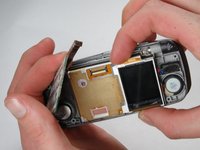
Lift the dislodged faceplate off the motherboard while being mindful of the wires still attached to it.
-
-
-
The faceplate is still attached through speakers that travel from the ear-piece to the motherboard.
-
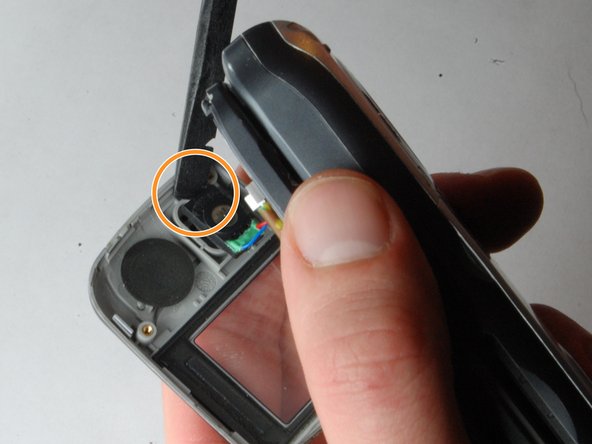
Carefully wedge the flat or pointed end of the spudger beneath the ear-piece and the faceplate.
-
This may require a bit of force, as the ear-piece is stuck to the faceplate with adhesive.
-
-
-
-
-
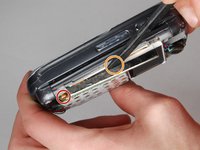
Wedge the spudger into the small gap between the phone and the metal casing of the motherboard.
-
Slide the spudger underneath the metal and along the edge. The motherboard should begin to rise.
-
Now use the spudger to lift the other side of the motherboard.
-
-
-
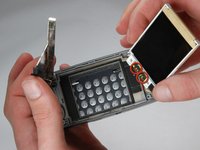
Gently pull the LCD screen upwards.
-
Remove the speaker wires from the LCD screen.
-
Replace the LCD screen and solder the wires to the new screen.
-
-


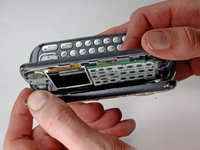
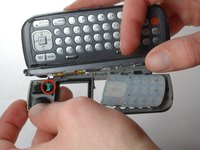


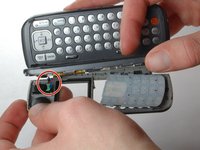




To reassemble your device, follow these instructions in reverse order. Take your e-waste to an R2 or e-Stewards certified recycler.
Cancel: I did not complete this guide.
One other person completed this guide.

Team

Cal Poly, Team 16-32, Maness Winter 2010 Member of Cal Poly, Team 16-32, Maness Winter 2010
CPSU-MANESS-W10S16G32
4 Members
48 Guides authored
