Free Shipping on Domestic Orders $75+

LG VX8700 Front Bezel Replacement

What you need

    1. LG VX8700 Front Bezel Replacement, Battery: step 1, image 1 of 2 LG VX8700 Front Bezel Replacement, Battery: step 1, image 2 of 2
      • Power the phone off.

      • Slide the back cover off using the release latch with your fingers to expose the battery.

      Ask FixBot

      Add Comment

    2. LG VX8700 Front Bezel Replacement: step 2, image 1 of 2 LG VX8700 Front Bezel Replacement: step 2, image 2 of 2
      • Lift one side of the battery using a plastic opening tool or your fingers.

      • Carefully remove the battery and set it aside.

      • When installing the new battery, align the metal pins with those of the phone.

      Ask FixBot

      Add Comment

    1. LG VX8700 Front Bezel Replacement, Front Bezel: step 3, image 1 of 1
      • Turn your phone around and open the flip phone. The screen is now facing you.

      • Locate the two grey rubber plugs on the bottom corners of the screen. These plugs cover up two screws.

      • Remove the two grey screw-covers.

      Ask FixBot

      Add Comment

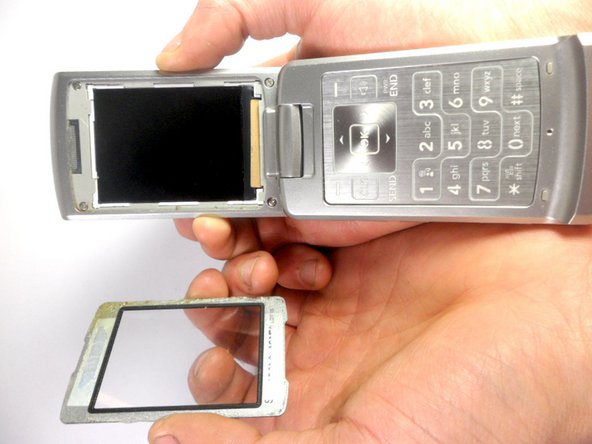
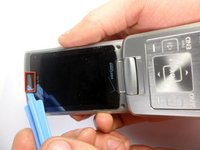
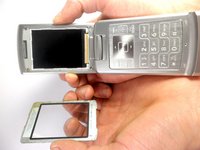
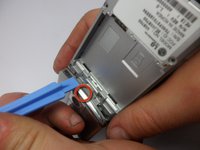
    2. LG VX8700 Front Bezel Replacement: step 4, image 1 of 2 LG VX8700 Front Bezel Replacement: step 4, image 2 of 2
      • Use the ejection tab at the top to remove the screen.

      • There is a gap between the case and the screen near the ear piece.

      • Insert the plastic opening tool in the gap and pry up the screen.

      • The plastic screen cover is glued onto the phone. It may be difficult to pry off.

      Ask FixBot

      Add Comment

    3. LG VX8700 Front Bezel Replacement: step 5, image 1 of 1
      • Unscrew the four corners of the screen using 3.21mm screws to separate the top cover of the phone.

      Ask FixBot

      Add Comment

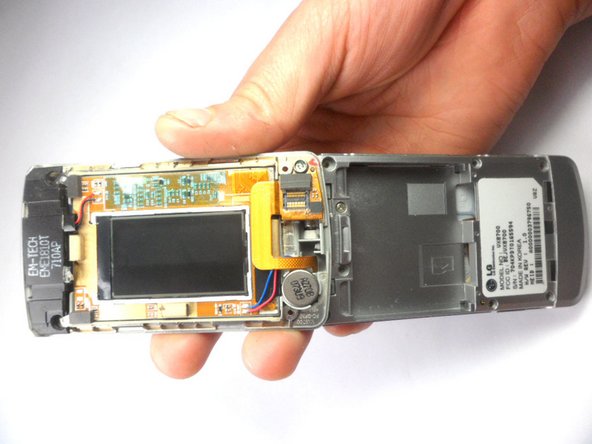
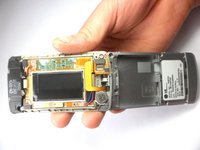
    4. LG VX8700 Front Bezel Replacement: step 6, image 1 of 2 LG VX8700 Front Bezel Replacement: step 6, image 2 of 2
      • Turn your phone around. The battery side will be facing you.

      • Insert the plastic opening tool into the groove to remove the top cover of the phone.

      • Carefully open the cover.

      Ask FixBot

      Add Comment

Conclusion

To reassemble your device, follow these instructions in reverse order.

Cancel: I did not complete this guide.

Stanley Thomas

Member since: 01/20/12

41 Reputation

4 Guides authored

Team

Cal Poly, Team 8-16, Maness Winter 2012 Member of Cal Poly, Team 8-16, Maness Winter 2012

CPSU-MANESS-W12S8G16

4 Members

84 Guides authored

0 Guide Comments

Add Comment

View Statistics:

Past 24 Hours: 0

Past 7 Days: 0

Past 30 Days: 22

All Time: 1,425