
LG VX8560 Keypad Replacement

Jack Foley and 6 other contributors
Last updated on Jan 5, 2024
Views: 665
View statistics:
- Past 24 Hours:
- 0
- Past 7 Days:
- 6
- Past 30 Days:
- 36
- All Time:
- 665
Comments: 0
No one has left comments on this guide. Will you be first?
Go to guide commentsCompleted: 1 2
1 person has marked this guide "completed." Will you be next?
2 people have marked this guide "completed." Including you — great job!
Favorites: 0 1
No one has favorited (and subscribed to) this guide. Will you be the first?
1 person has favorited (and subscribed to) this guide — and that's you!
Introduction
Go to step 1 ↓Device & Model: LG VX8560
When the keys are sticky or not working, you can replace the keypad yourself. The keys get dirty or misaligned and sometimes the receivers are dead. In this guide, you will learn how to replace the keypad.
What you need
Tools


-
-
-
Remove the battery by sliding the battery cover off the phone.
-
Unscrew all 4 screws along the edge of the phone using the Philips #00 Screwdriver.
 Ask FixBot
-
-
-
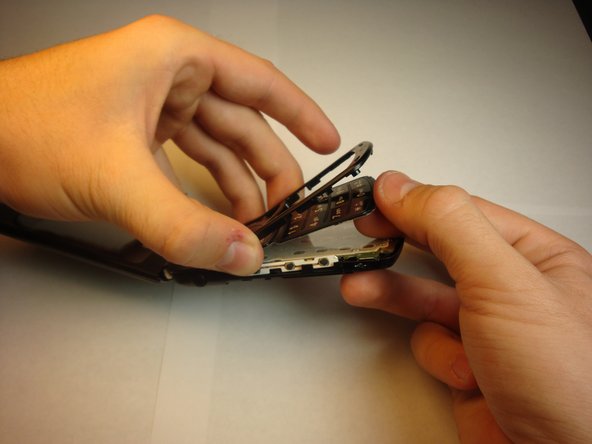
Insert the iFixit Opening Tool between the phone’s keypad cover and the back cover, and gently pull apart.
-
-
-
-
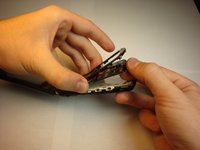
Gently snap the cover frame back to the right position.
-
Replace the screws using the Phillips #00 Screwdriver.
-
Insert the battery and snap the back cover on.
-
-


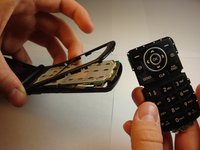
The keypad is successfully replaced.
Cancel: I did not complete this guide.
One other person completed this guide.

Team

Cal Poly, Team 13-62, Johann Spring 2013 Member of Cal Poly, Team 13-62, Johann Spring 2013
CPSU-JOHANN-S13S13G62
4 Members
72 Guides authored
