Free Shipping on Domestic Orders $75+

LG VX5200 motherboard replacement

What you need

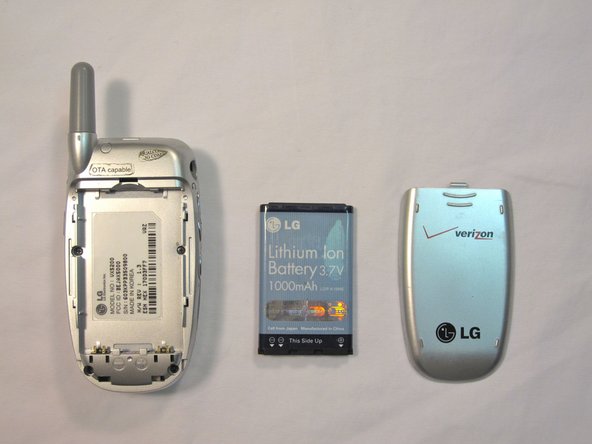
  1. LG VX5200 motherboard replacement, Battery: step 1, image 1 of 2 LG VX5200 motherboard replacement, Battery: step 1, image 2 of 2
    • Turn the phone on its back.

    Ask FixBot

    Add Comment

  2. LG VX5200 motherboard replacement: step 2, image 1 of 2 LG VX5200 motherboard replacement: step 2, image 2 of 2
    • Orient the phone as shown.

    • Remove the battery cover by pushing upward with your thumb.

    Ask FixBot

    Add Comment

  3. LG VX5200 motherboard replacement: step 3, image 1 of 2 LG VX5200 motherboard replacement: step 3, image 2 of 2
    • Place your fingernail at the top of the battery and pry the battery out towards you.

    Ask FixBot

    Add Comment

  4. LG VX5200 motherboard replacement, LG VX5200 Rear Body Panel Disassembly: step 4, image 1 of 1
    • Orient the phone as shown with the battery already removed.

    Ask FixBot
    Add Comment

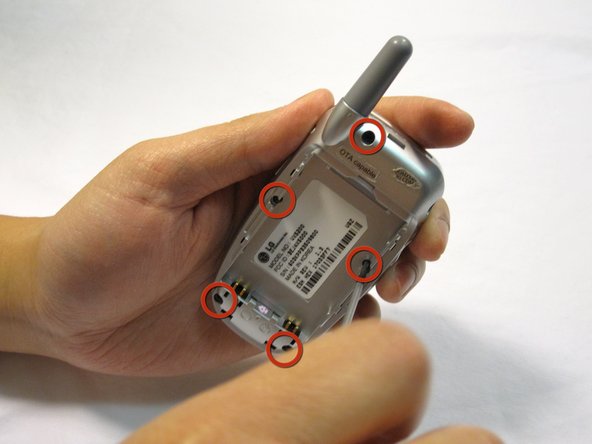
  5. LG VX5200 motherboard replacement: step 5, image 1 of 3 LG VX5200 motherboard replacement: step 5, image 2 of 3 LG VX5200 motherboard replacement: step 5, image 3 of 3
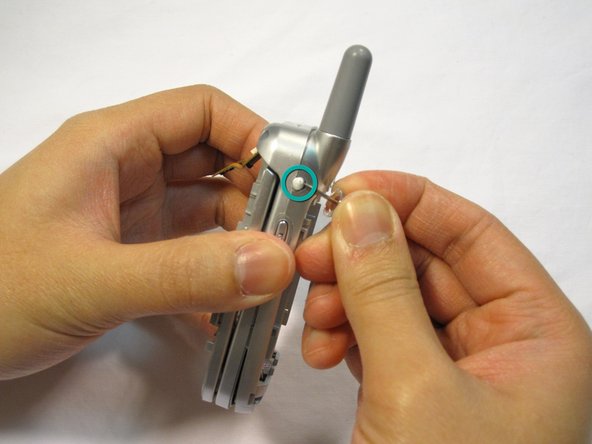
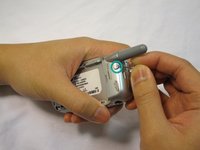
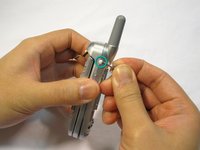
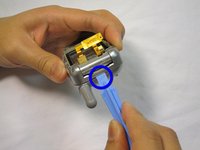
    • Remove the 2 plastic plugs located on the side and upper quadrant of the rear body panel by using the push-pin and lifting outwards.

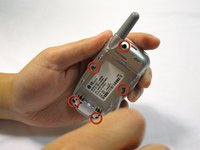
    • Use a Phillips #00 screwdriver to remove the 5 screws as shown here.

    Ask FixBot
    Add Comment

  6. LG VX5200 motherboard replacement: step 6, image 1 of 3 LG VX5200 motherboard replacement: step 6, image 2 of 3 LG VX5200 motherboard replacement: step 6, image 3 of 3
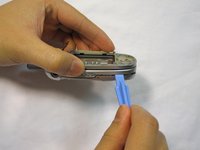
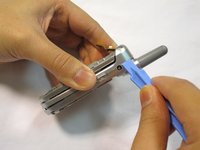
    • Place an iPod opener tool in the seam above the antenna.

    • Run the tool around the perimeter of the entire phone.

    Ask FixBot
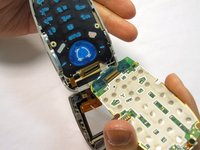
    Add Comment

  7. LG VX5200 motherboard replacement: step 7, image 1 of 1
    • Check to see that your device looks like the attached photo.

    Ask FixBot

    Add Comment

  8. LG VX5200 motherboard replacement, main board: step 8, image 1 of 3 LG VX5200 motherboard replacement, main board: step 8, image 2 of 3 LG VX5200 motherboard replacement, main board: step 8, image 3 of 3
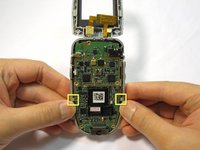
    • Locate the tabs that hold the logic board in place.

    • Pull the outer frame of the phone outwards to release the board from the tabs.

    Ask FixBot

    Add Comment

  9. LG VX5200 motherboard replacement: step 9, image 1 of 3 LG VX5200 motherboard replacement: step 9, image 2 of 3 LG VX5200 motherboard replacement: step 9, image 3 of 3
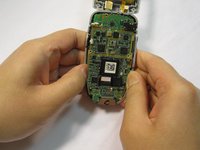
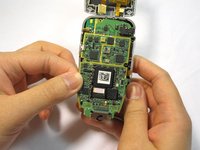
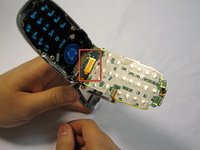
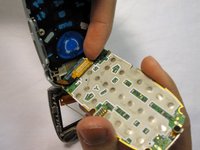
    • Locate the copper connection (orange-colored) on the back of the board.

    • Pry the connector free from the board with your fingernail.

    Ask FixBot

    Add Comment

  10. LG VX5200 motherboard replacement: step 10, image 1 of 1
    • Check to see that your device looks like the image shown.

    • Note: The image is shown with the LCD screen removed. This is not necessary for logic board removal.

    Ask FixBot

    Add Comment

Conclusion

To reassemble your device, follow these instructions in reverse order.

Cancel: I did not complete this guide.

2 other people completed this guide.

Douglas Blaalid

Member since: 01/13/10

282 Reputation

8 Guides authored

Team

Cal Poly, Team 4-13, Forte Winter 2010 Member of Cal Poly, Team 4-13, Forte Winter 2010

CPSU-FORTE-W10S4G13

5 Members

25 Guides authored

0 Guide Comments

Add Comment

View Statistics:

Past 24 Hours: 1

Past 7 Days: 5

Past 30 Days: 48

All Time: 3,165