Free Shipping on Domestic Orders $75+

LG V30 Rear Camera Replacement

What you need

Video Overview

  1. LG V30 Rear Camera Replacement, Rear Camera: step 1, image 1 of 3 LG V30 Rear Camera Replacement, Rear Camera: step 1, image 2 of 3 LG V30 Rear Camera Replacement, Rear Camera: step 1, image 3 of 3
    • Insert a SIM card eject tool into the small hole on the right side of the phone to release the SIM card tray from the phone.

    • Pull the SIM card tray out from the phone.

    Ask FixBot

    Add Comment

  2. LG V30 Rear Camera Replacement: step 2, image 1 of 2 LG V30 Rear Camera Replacement: step 2, image 2 of 2
    • Use a heat gun to apply heat to the back cover.

    Ask FixBot

    Add Comment

  3. LG V30 Rear Camera Replacement: step 3, image 1 of 3 LG V30 Rear Camera Replacement: step 3, image 2 of 3 LG V30 Rear Camera Replacement: step 3, image 3 of 3
    Tool used on this step:
    Plastic Cards
    $2.99
    Buy
    • Use a suction cup to lift up the back cover up.

    • Insert the edge of a plastic card into the space created between the cover and frame.

    Ask FixBot

    Add Comment

  4. LG V30 Rear Camera Replacement: step 4, image 1 of 3 LG V30 Rear Camera Replacement: step 4, image 2 of 3 LG V30 Rear Camera Replacement: step 4, image 3 of 3
    • Insert a second card where you have created an opening with the first card and slide it along the bottom edge of the phone.

    Ask FixBot

    Add Comment

  5. LG V30 Rear Camera Replacement: step 5, image 1 of 3 LG V30 Rear Camera Replacement: step 5, image 2 of 3 LG V30 Rear Camera Replacement: step 5, image 3 of 3
    • Continue to slide the cards around the remaining three edges to release the adhesive.

    Ask FixBot

    Add Comment

  6. LG V30 Rear Camera Replacement: step 6, image 1 of 3 LG V30 Rear Camera Replacement: step 6, image 2 of 3 LG V30 Rear Camera Replacement: step 6, image 3 of 3
    • Remove the back cover.

    Ask FixBot

    Add Comment

  7. LG V30 Rear Camera Replacement: step 7, image 1 of 1
    • Remove the ten Phillips #000 screws from the midframe.

    Ask FixBot

    Add Comment

  8. LG V30 Rear Camera Replacement: step 8, image 1 of 3 LG V30 Rear Camera Replacement: step 8, image 2 of 3 LG V30 Rear Camera Replacement: step 8, image 3 of 3
    • Using a plastic spudger, pry up the midframe of the phone.

    Ask FixBot

    Add Comment

  9. LG V30 Rear Camera Replacement: step 9, image 1 of 2 LG V30 Rear Camera Replacement: step 9, image 2 of 2
    • Remove the midframe.

    Ask FixBot

    Add Comment

  10. LG V30 Rear Camera Replacement: step 10, image 1 of 3 LG V30 Rear Camera Replacement: step 10, image 2 of 3 LG V30 Rear Camera Replacement: step 10, image 3 of 3
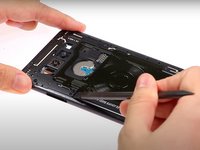
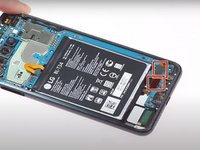
    • Use the plastic spudger to pry up the four press fit connectors on the top portion of the motherboard.

    Ask FixBot

    Add Comment

  11. LG V30 Rear Camera Replacement: step 11, image 1 of 3 LG V30 Rear Camera Replacement: step 11, image 2 of 3 LG V30 Rear Camera Replacement: step 11, image 3 of 3
    • Pry up the speaker panel with a plastic spudger and remove it from the phone.

    Ask FixBot

    Add Comment

  12. LG V30 Rear Camera Replacement: step 12, image 1 of 3 LG V30 Rear Camera Replacement: step 12, image 2 of 3 LG V30 Rear Camera Replacement: step 12, image 3 of 3
    • Use a spudger to pry up the two press fit connectors on the bottom portion of the midframe.

    Ask FixBot

    Add Comment

  13. LG V30 Rear Camera Replacement: step 13, image 1 of 3 LG V30 Rear Camera Replacement: step 13, image 2 of 3 LG V30 Rear Camera Replacement: step 13, image 3 of 3
    • Use a spudger to pry up the motherboard and lift it out of the phone's frame.

    Ask FixBot

    Add Comment

  14. LG V30 Rear Camera Replacement: step 14, image 1 of 3 LG V30 Rear Camera Replacement: step 14, image 2 of 3 LG V30 Rear Camera Replacement: step 14, image 3 of 3
    • Flip over the motherboard.

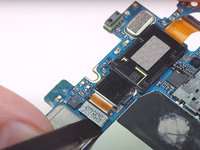
    • Using a plastic spudger, pry up the press fit connector for the first camera.

    Ask FixBot

    Add Comment

  15. LG V30 Rear Camera Replacement: step 15, image 1 of 2 LG V30 Rear Camera Replacement: step 15, image 2 of 2
    Tool used on this step:
    Tweezers
    $4.99
    Buy
    • Remove the camera with a pair of ESD safe tweezers.

    Ask FixBot

    Add Comment

  16. LG V30 Rear Camera Replacement: step 16, image 1 of 3 LG V30 Rear Camera Replacement: step 16, image 2 of 3 LG V30 Rear Camera Replacement: step 16, image 3 of 3
    • Pry up the second camera with a spudger.

    • The press fit connector has already been disconnected, but the camera module is still lightly adhered to the motherboard.

    • Remove the second camera with a pair of tweezers.

    Ask FixBot

    Add Comment

Conclusion

To reassemble your device, follow these instructions in reverse order.

Cancel: I did not complete this guide.

2 other people completed this guide.

Witrigs

Member since: 11/24/15

71,019 Reputation

377 Guides authored

1 Guide Comment

Does this make it no longer waterproof?

Rob Hoover - Reply Share

Add Comment

View Statistics:

Past 24 Hours: 0

Past 7 Days: 9

Past 30 Days: 32

All Time: 2,853