Introduction
If your device isn’t turning on even after a charge, the battery may be faulty. Before you remove the battery, be advised that there may be a strong adhesive holding the battery with the phone. Use this guide to replace the battery in your device.
What you need
-
-
-
Use a pair of iOpeners by heating them in a microwave and placing the hot pads on the edges of the phone.
-
Allow to sit for 1-2 minutes to heat up the adhesive.
 Ask FixBot
-
-
-
Insert an Opening Tool into the seam between the rear glass and side of the phone.
-
Pry the glass off just enough to insert an Opening Pick.
-
Slide the Opening Tool around the edges of the device, placing Opening Picks regularly.
-
-
-
Once all edges of the device are lifted free, use a Suction Handle to gently pull the rear glass off the device.
-
-
-
-
-
-
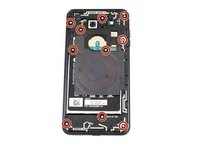
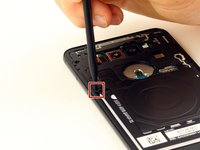
Gently push down on the small black tab with a Spudger to release the protective board.
-
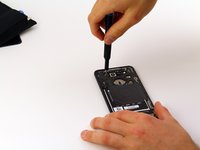
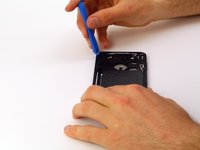
Slide an Opening Tool between the phone and the protective board and slide along the edges of the phone to unclip it.
-
Carefully wiggle the board back and forth while gently pulling to unclip the last attachment point.
-
-
-
Slide an Opening Tool between the lower protective board and the phone to unclip.
-
Slide the tool along the remaining edges of the protective board until it pops off.
-
-
-
Gently pry each visible ribbon cable away from the motherboard to disconnect them.
-
-
-
-
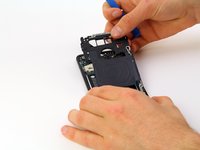
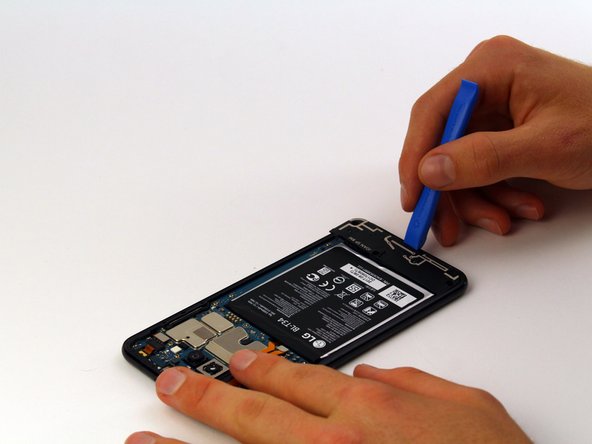
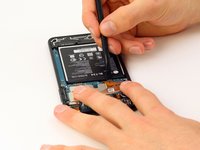
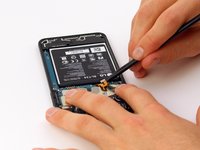
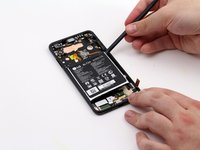
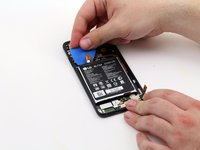
Use a Spudger to get between the battery and the phone and pry each edge of the battery away from the board.
-
Insert Opening Picks if needed to keep the battery elevated.
-
-









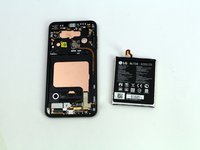
To reassemble your device, follow these instructions in reverse order.
Cancel: I did not complete this guide.
One other person completed this guide.

Team

Cal Poly, Team S1-G3, Maness Spring 2019 Member of Cal Poly, Team S1-G3, Maness Spring 2019
CPSU-MANESS-S19S1G3
4 Members
60 Guides authored
1 Guide Comment
I did this and now my phone’s touch screen is unresponsive. The power button and volume buttons work and the phone turns on, but I cannot unlock my phone due to the touch screen not responding
