
LG V30 Battery Replacement

Witrigs and
Last updated on Mar 4, 2024
Views: 33K
View statistics:
- Past 24 Hours:
- 5
- Past 7 Days:
- 44
- Past 30 Days:
- 248
- All Time:
- 33,261
Comments: 13
1 comment on steps, 12 guide comments.
Go to guide commentsCompleted: 14 15
14 people have marked this guide "completed." Will you be next?
15 people have marked this guide "completed." Including you — great job!
Favorites: 3 4
3 people have favorited (and subscribed to) this guide. Will you be next?
4 people have favorited (and subscribed to) this guide — including you!
Community-Contributed Guide
An awesome member of our community made this guide. It was not created by iFixit staff.
What you need


Introduction
Go to step 1 ↓This guide will show you how to replace the battery in the LG V30 (and V30+) smartphone. If your battery is draining too quickly or has stopped charging fully, replacing the battery should alleviate your issues.
This guide involves removing the back cover of your device, so you will need replacement adhesive to reattach the back cover to the phone. This guide also involves removing the battery of your device, which is attached to the inside of the phone using adhesive. You will need replacement adhesive to reattach the battery to the inside of the phone.
Before disassembling your device, be sure the battery is charged below 25%. If accidentally punctured or damaged, the battery can catch fire and/or explode; if discharged below 25%, the chances of fire/explosion are decreased.
Alternatively, use this LG V30 Battery Replacement video to replace the battery in your LG V30 smartphone.
Video Overview
LG V30 Battery Repair Guide
-
-
-
Drain the battery's charge below 25%.
-
Power off the phone by pressing and holding the Power/Lock key on the backside of the phone for three seconds. Tap the Power Off option and Power Off to confirm.
 Ask FixBot
-
-
-
Insert and gently push the SIM card ejector tool (or an unfolded paperclip) into the small hole on the left side of the phone.
-
Press gently to eject the SIM tray.
-
Remove the SIM card tray from the device.
-
-
-
Use a heat gun to lightly heat the edges of the back to soften the adhesive that connects the back cover to the rest of the frame.
-
-
Tool used on this step:Plastic Cards$2.99
-
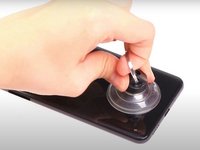
Use a suction cup to lift up the back cover up.
-
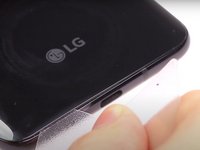
Insert the edge of a plastic card into the space created between the cover and frame.
-
-
-
Insert a second card where you have created an opening with the first card and slide it along the bottom edge of the phone.
-
-
-
-
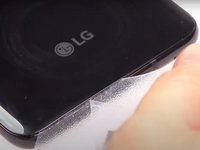
Continue to slide the cards around the remaining three edges to release the adhesive.
-
-
-
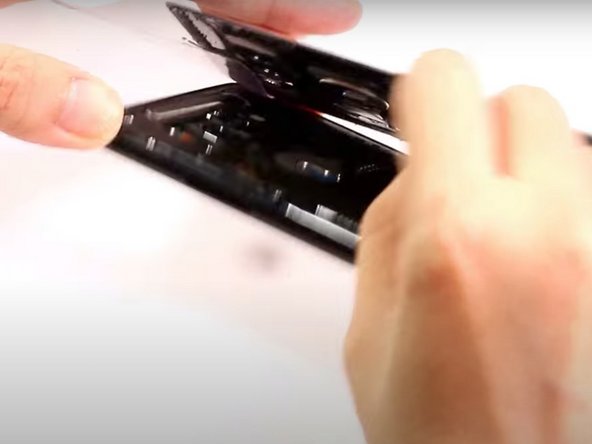
Carefully remove the back cover, making sure that the adhesive is sliced through on all sides.
-
-
-
Carefully pull the midframe from the rest of the phone's body.
-
The midframe is connected to the main body with a small slot on the right side of the midframe. Carefully free the frame from this slot by gently wiggling and pulling outwards at the same time.
-
-
-
Use the plastic spudger to pry up the four press-fit connectors on the top portion of the motherboard.
-
-
-
Pry up the speaker panel with a plastic spudger and remove it from the phone.
-
-
-
Use a heat gun to apply heat to the front face of the phone. This will soften the adhesive used to secure the phone's battery.
-
Alternatively, you can place a heated iOpener across the top of the battery for approximately three minutes to soften the adhesive holding the battery to the device.
-
-
-
Insert a plastic card at the bottom edge of the battery
-
Gently work the plastic card around the left side of the battery, separating the battery from its adhesive.
-
-
-
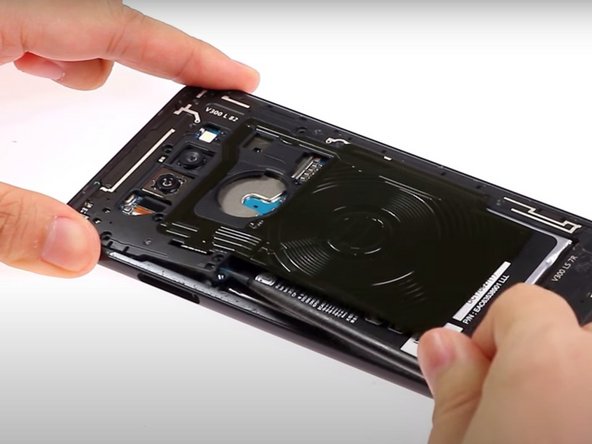
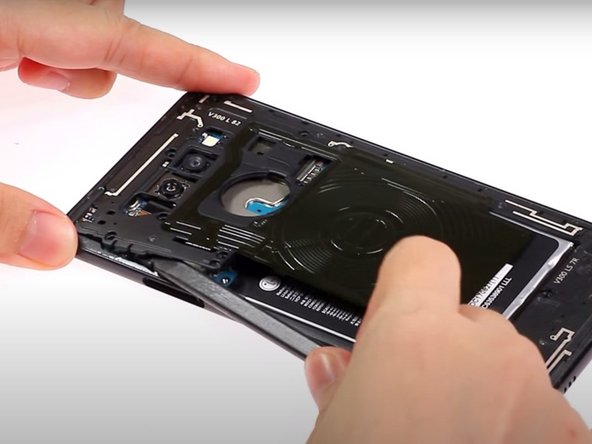
Use the plastic card to pry the battery upwards from its slot.
-
Use your fingers to lift the battery away from the phone.
-
-














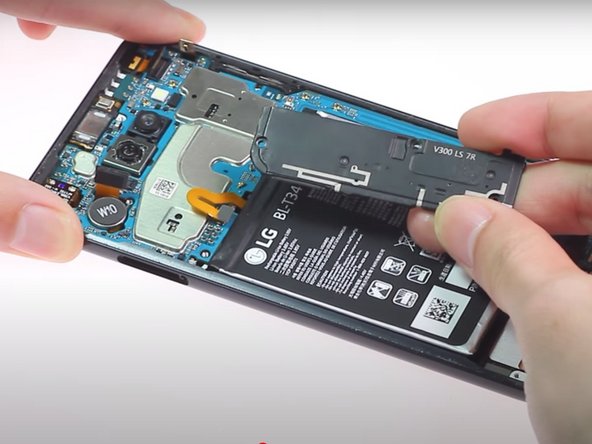


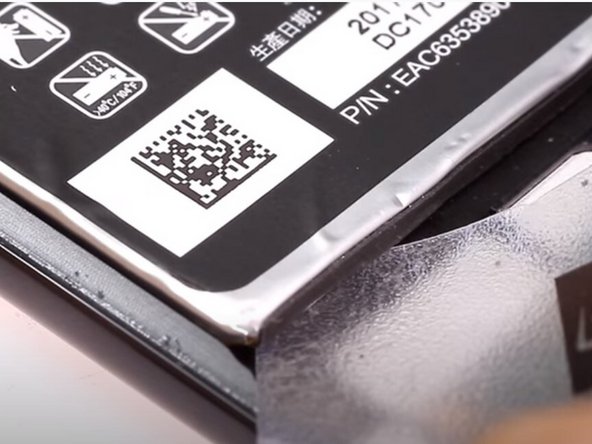




To reassemble your device, follow these instructions in reverse order. After installing a new battery, run down its charge completely. Then, charge the battery fully. This will calibrate the new battery. Then, use the phone normally.
Cancel: I did not complete this guide.
14 other people completed this guide.

12 Guide Comments
Suction cups on both sides, heatgun on the back pannel, then lift. Much easier. And you don't have to worry about breaking the back panel.
Why can’t the idiots at LG, or indeed any other company, make a phone with an MQA capable DAC, and a replaceable battery?
it is not about idiocy. When you do not conform to a set battery shape you can configure the insides of a phone for more performance and features. That being said the LG V30 does have a standard battery shape. So in this case it is a desire to create built in obsolescence. After all it is believed in the western world cell phone sales are flat.
And..as long as the battery is in the phone it can be used to track you…
