Free Shipping on Domestic Orders $75+

LG UD501KOJ5 Dehumidifier Sensor Replacement

What you need

    1. LG UD501KOJ5 Dehumidifier Sensor Replacement, Humidity Sensor: step 1, image 1 of 2 LG UD501KOJ5 Dehumidifier Sensor Replacement, Humidity Sensor: step 1, image 2 of 2
      • Unplug the dehumidifier then put on work gloves to protect your hands.

      • Remove the water collection bucket and set it aside.

      • Remove the air filter from the bottom of the front grille.

      Ask FixBot

      Add Comment

    2. LG UD501KOJ5 Dehumidifier Sensor Replacement: step 2, image 1 of 2 LG UD501KOJ5 Dehumidifier Sensor Replacement: step 2, image 2 of 2
      • Using your Phillips #0 screwdriver, remove the two screws which are attached at the bottom of the front grille.

      • Lift the front grille up and off the front of the frame, carefully set it in front of the dehumidifier.

      • The control board wire harness is still attached to the back of the front grille.

      Ask FixBot

      Add Comment

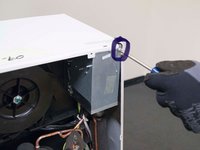
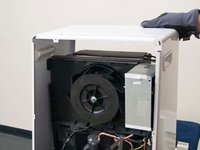
    3. LG UD501KOJ5 Dehumidifier Sensor Replacement: step 3, image 1 of 3 LG UD501KOJ5 Dehumidifier Sensor Replacement: step 3, image 2 of 3 LG UD501KOJ5 Dehumidifier Sensor Replacement: step 3, image 3 of 3
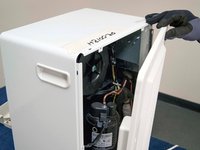
      • Remove the screws that secure the back panel to the dehumidifier.

      • Carefully remove the back panel from the dehumidifier.

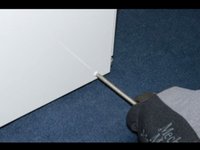
      • Remove the screws at the side.

      Ask FixBot

      Add Comment

    4. LG UD501KOJ5 Dehumidifier Sensor Replacement: step 4, image 1 of 3 LG UD501KOJ5 Dehumidifier Sensor Replacement: step 4, image 2 of 3 LG UD501KOJ5 Dehumidifier Sensor Replacement: step 4, image 3 of 3
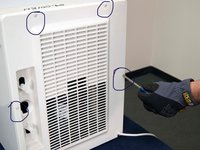
      • Remove the screws located at both sides of the back panel.

      • Remove the screws on the top left and top right which are connected to the control box.

      • Carefully remove the outer case.

      Ask FixBot

      Add Comment

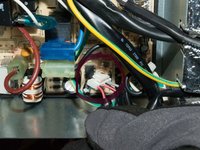
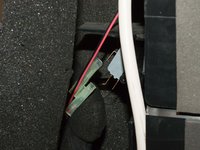
    5. LG UD501KOJ5 Dehumidifier Sensor Replacement: step 5, image 1 of 3 LG UD501KOJ5 Dehumidifier Sensor Replacement: step 5, image 2 of 3 LG UD501KOJ5 Dehumidifier Sensor Replacement: step 5, image 3 of 3
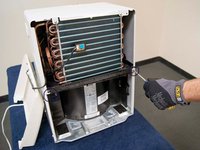
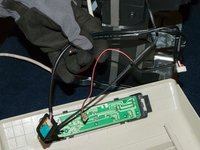
      • Disconnect the sensor wire harness from the electronic control board.

      • Disconnect the wire harness from the collection bucket float switch.

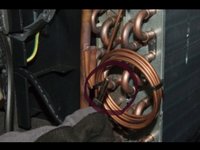
      • Pull the evaporator thermistor out of the copper sleeve on the side of the evaporator coil.

      Ask FixBot

      Add Comment

    6. LG UD501KOJ5 Dehumidifier Sensor Replacement: step 6, image 1 of 2 LG UD501KOJ5 Dehumidifier Sensor Replacement: step 6, image 2 of 2
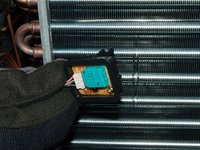
      • Remove the humidity sensor from the evaporator fins.

      • Pull the sensor assembly out of the dehumidifier.

      • Remove any dust build-up with a dry cloth.

      • Push the new humidity sensor in place on the front of the evaporator fins.

      Ask FixBot

      Add Comment

Conclusion

To reassemble your device, follow these instructions in reverse order.

Cancel: I did not complete this guide.

Gabrielle Campbell

Member since: 05/12/21

133 Reputation

1 Guide authored

1 Guide Comment

I think the model number may be wrong.

https://www.lg.com/us/support/product/lg...

Hugh McNally - Reply Share

Add Comment

View Statistics:

Past 24 Hours: 3

Past 7 Days: 22

Past 30 Days: 98

All Time: 3,551