Free Shipping on Domestic Orders $75+

LG Tribute Rear-Facing Camera Replacement

What you need

  1. LG Tribute Rear-Facing Camera Replacement, Battery: step 1, image 1 of 2 LG Tribute Rear-Facing Camera Replacement, Battery: step 1, image 2 of 2
    • Use the plastic opening tool to pry off the back cover.

    Ask FixBot

    Add Comment

  2. LG Tribute Rear-Facing Camera Replacement: step 2, image 1 of 1
    • Lift the battery out of place.

    • When replacing the battery, the (+) and (-) symbols must match up with the phone's charging nodes.

    Ask FixBot

    Add Comment

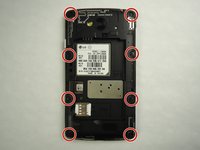
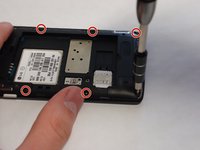
  3. LG Tribute Rear-Facing Camera Replacement, Mid-panel: step 3, image 1 of 2 LG Tribute Rear-Facing Camera Replacement, Mid-panel: step 3, image 2 of 2
    • Remove eight 4mm screws using a Phillips head 000 screwdriver (PH000).

    Ask FixBot

    Add Comment

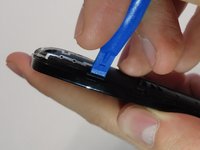
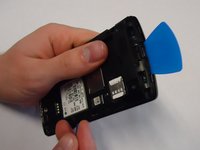
  4. LG Tribute Rear-Facing Camera Replacement: step 4, image 1 of 2 LG Tribute Rear-Facing Camera Replacement: step 4, image 2 of 2
    • Use a plastic opening tool to loosen the tabs around the edge of the phone.

    • Inserting a thin piece of plastic will help prevent opened tabs from locking back into place.

    • This step can be frustrating, but requires patience. Avoid the temptation to pry the panel loose. Using excessive force may break the delicate tabs.

    Ask FixBot

    Add Comment

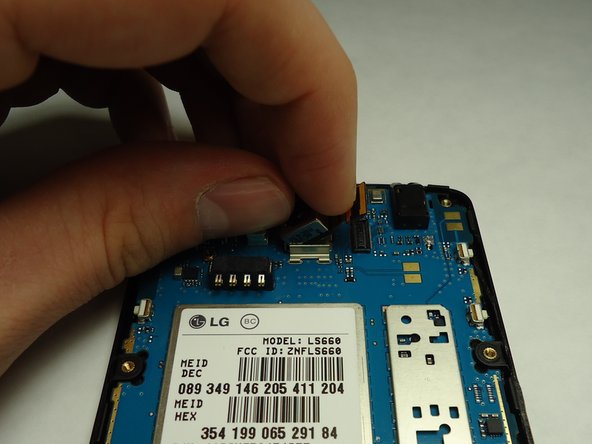
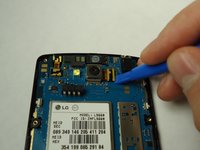
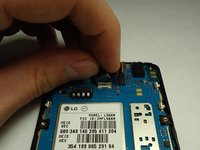
  5. LG Tribute Rear-Facing Camera Replacement, Rear Facing Camera: step 5, image 1 of 2 LG Tribute Rear-Facing Camera Replacement, Rear Facing Camera: step 5, image 2 of 2
    • Disconnect the rear facing camera from the motherboard using a plastic opening tool.

    • Lift the rear facing camera out of its housing.

    Ask FixBot

    Add Comment

Conclusion

To reassemble your device, follow these instructions in reverse order.

Cancel: I did not complete this guide.

2 other people completed this guide.

0 Guide Comments

Add Comment

View Statistics:

Past 24 Hours: 1

Past 7 Days: 10

Past 30 Days: 40

All Time: 887