
LG TP 1100 Keypad Replacement

Johnny Inlow and 9 other contributors
Last updated on Jul 1, 2025
Views: 1.9K
View statistics:
- Past 24 Hours:
- 1
- Past 7 Days:
- 5
- Past 30 Days:
- 32
- All Time:
- 1,892
Comments: 0
No one has left comments on this guide. Will you be first?
Go to guide commentsCompleted: 0 1
No one has marked this guide "completed." Will you be the first?
1 person has marked this guide "completed." It's you — great job!
Favorites: 0 1
No one has favorited (and subscribed to) this guide. Will you be the first?
1 person has favorited (and subscribed to) this guide — and that's you!
Mismatched Prerequisites
This guide does not have a proper prerequisite guide. Help match it to its ideal partner by finding it or writing one!
Introduction
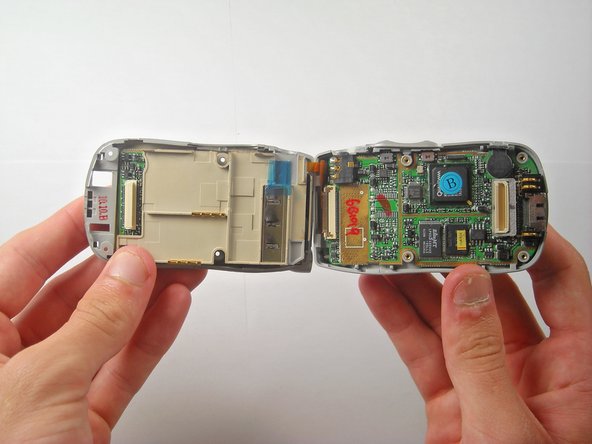
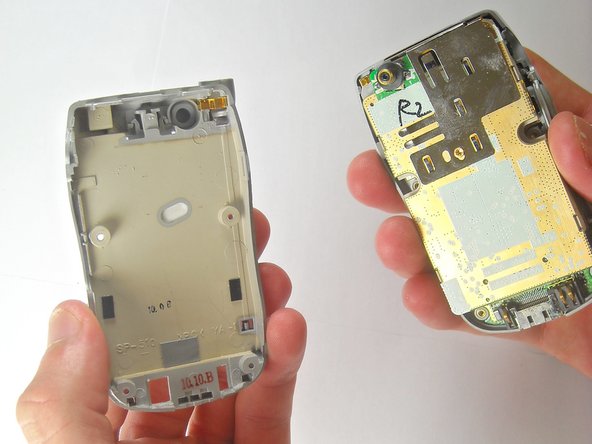
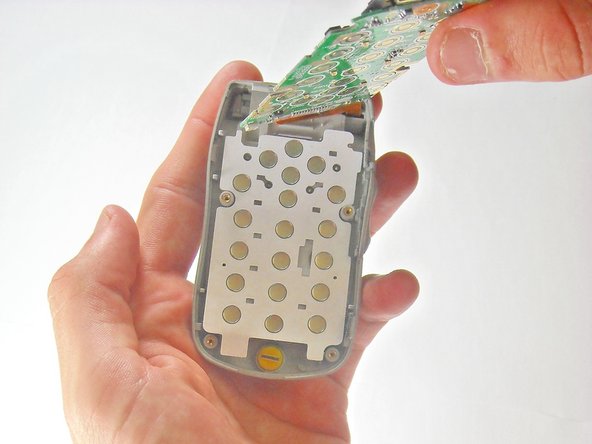
Go to step 1 ↓If you're having difficulty inputting numbers into your LG TP 1100 phone, this guide will show you how to replace the keypad. The keypad of this phone allows the input of numbers to your device by pressing the desired button.
If the phone won't power on no matter what button is pressed, it's most likely an issue with the battery rather than the keypad, and the battery should either be removed and reinserted or replaced.
With time, pressing a specific button may not enter the desired number. This could be due to an alignment issue or foreign object trapped beneath the keypad, in which the device should be disassembled to rectify the issue. If the keypad still doesn't work, this means it has to be replaced.
Before beginning the steps provided in this guide, power down the device completely and make sure to disconnect it from any external power source.
What you need
Tools


 Ask FixBot




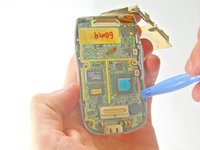
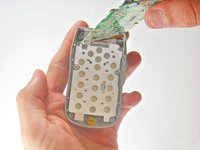


To reassemble your device, follow these instructions in reverse order.

Team

Cal Poly, Team 27-91, Amido Spring 2010 Member of Cal Poly, Team 27-91, Amido Spring 2010
CPSU-AMIDO-S10S27G91
5 Members
72 Guides authored
