Free Shipping on Domestic Orders $75+

LG Spectrum Motherboard Replacement

What you need

  1. LG Spectrum Motherboard Replacement, Battery: step 1, image 1 of 2 LG Spectrum Motherboard Replacement, Battery: step 1, image 2 of 2
    • Using your thumbnail, lift up on the notch in the middle of the bottom side of the phone.

    Ask FixBot

    Add Comment

  2. LG Spectrum Motherboard Replacement: step 2, image 1 of 1
    • Using either your thumbnail or a plastic opening tool, lift up on the battery using the notch in the bottom left hand corner of the battery and remove it from the phone.

    Ask FixBot

    Add Comment

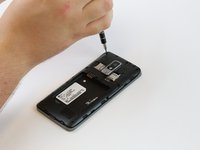
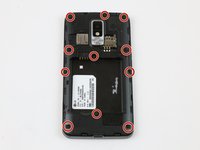
  3. LG Spectrum Motherboard Replacement, Sim/SD Port: step 3, image 1 of 2 LG Spectrum Motherboard Replacement, Sim/SD Port: step 3, image 2 of 2
    • Remove eleven 4mm Phillips #000 screws with a PH000 screwdriver.

    • Use the magnetic mat to keep the screws in one place.

    Ask FixBot

    Add Comment

  4. LG Spectrum Motherboard Replacement: step 4, image 1 of 1
    • Use the plastic opening tool to firmly pry up the plastic backing around the perimeter of the phone.

    Ask FixBot

    Add Comment

  5. LG Spectrum Motherboard Replacement: step 5, image 1 of 1
    • Detach the black rectangular film attached to the SIM/SD card plate with a plastic opening tool.

    Ask FixBot

    Add Comment

  6. LG Spectrum Motherboard Replacement: step 6, image 1 of 1
    • Hook the plastic opening tool underneath the plate and gently lift it up.

    Ask FixBot

    Add Comment

  7. LG Spectrum Motherboard Replacement: step 7, image 1 of 1
    • Gently wiggle the plate side-to-side while pulling up to release it from the metal clamps holding it in.

    Ask FixBot

    Add Comment

  8. LG Spectrum Motherboard Replacement, Motherboard: step 8, image 1 of 2 LG Spectrum Motherboard Replacement, Motherboard: step 8, image 2 of 2
    • Use the plastic opening tool to lift up the connector that holds the camera to the board.

    Ask FixBot

    Add Comment

  9. LG Spectrum Motherboard Replacement: step 9, image 1 of 1
    • Pull the camera gently out of its housing in the motherboard with your fingers.

    Ask FixBot

    Add Comment

  10. LG Spectrum Motherboard Replacement: step 10, image 1 of 2 LG Spectrum Motherboard Replacement: step 10, image 2 of 2
    • Using the plastic opening tool, gently pry up the audio port connector.

    Ask FixBot

    Add Comment

  11. LG Spectrum Motherboard Replacement: step 11, image 1 of 1
    • Remove the audio port from the motherboard with either your hand or the plastic opening tool.

    Ask FixBot

    Add Comment

  12. LG Spectrum Motherboard Replacement: step 12, image 1 of 2 LG Spectrum Motherboard Replacement: step 12, image 2 of 2
    • Detach the two cable connector wires from the motherboard with the plastic opening tool.

    • Detach the remaining five connectors from the phone with the plastic opening tool.

    Ask FixBot

    Add Comment

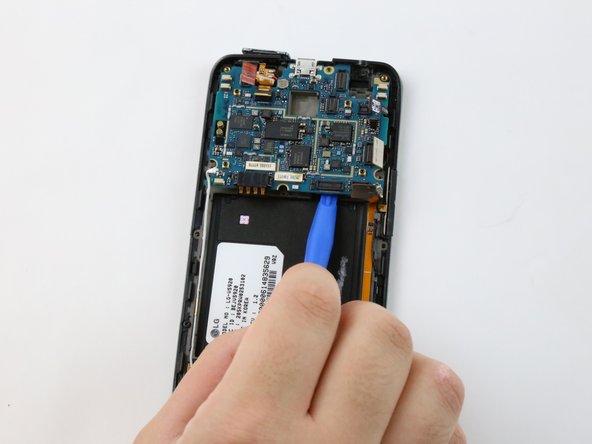
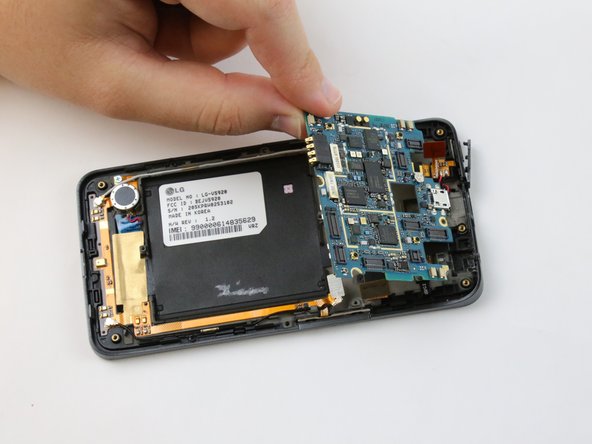
  13. LG Spectrum Motherboard Replacement: step 13, image 1 of 2 LG Spectrum Motherboard Replacement: step 13, image 2 of 2
    • Hook the plastic opening tool underneath the motherboard and firmly lift it out of the phone casing.

    Ask FixBot

    Add Comment

Conclusion

To reassemble your device, follow these instructions in reverse order.

Cancel: I did not complete this guide.

Aiman Sallam

Member since: 02/10/16

506 Reputation

5 Guides authored

Team

USF Tampa, Team 1-4, Sullivan Spring 2016 Member of USF Tampa, Team 1-4, Sullivan Spring 2016

USFT-SULLIVAN-S16S1G4

3 Members

10 Guides authored

0 Guide Comments

Add Comment

View Statistics:

Past 24 Hours: 0

Past 7 Days: 4

Past 30 Days: 30

All Time: 918