
LG Realm Front Facing Camera Replacement

Ryan St Martin and
Last updated on Aug 2, 2024
Views: 1K
View statistics:
- Past 24 Hours:
- 4
- Past 7 Days:
- 20
- Past 30 Days:
- 90
- All Time:
- 1,041
Comments: 0
No one has left comments on this guide. Will you be first?
Go to guide commentsCompleted: 4 5
4 people have marked this guide "completed." Will you be next?
5 people have marked this guide "completed." Including you — great job!
Favorites: 0 1
No one has favorited (and subscribed to) this guide. Will you be the first?
1 person has favorited (and subscribed to) this guide — and that's you!
Markup Mishap
This guide needs better markups. Help out by correcting or making some markup annotations.
Better Introduction
Improve this guide by completing or revising its introduction.
What you need
Tools


Introduction
Go to step 1 ↓Before continuing, make sure the device is powered down. Also make sure that the battery and back casing are removed.
-
-
-
To remove the back, insert thumbnail into MicroUSB port, and pull up to loosen back.
-
Use nail to loosen case on all four sides. Once loose, remove back case.
 Ask FixBot
-
-
-
-
-
-
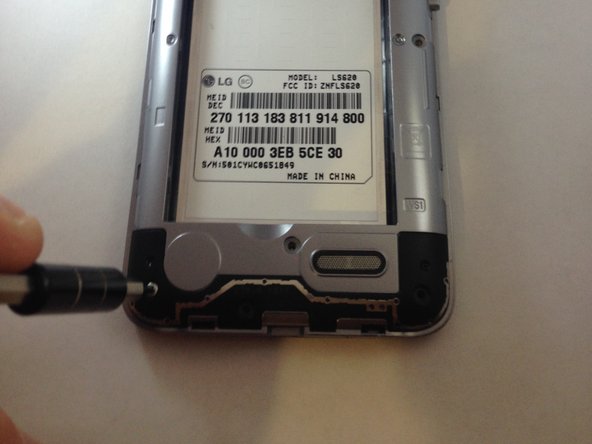
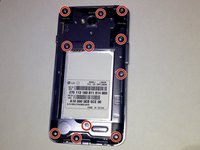
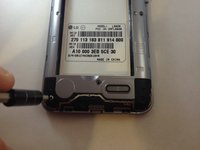
Once the back cover and battery are removed, use the Phillips #J000 screwdriver to remove all 11 screws located around the plastic midframe.
-
-
-
Using the plastic opening tool, carefully pry and separate the plastic midframe from the rest of the phone.
-
-
-
-
-
Locate the front facing camera in the top left hand corner of the motherboard. Using the plastic opening tool, separate the ribbon cable from the phone.
-
-
-
After removing this ribbon cable, you will be able to easily remove the front facing camera with your fingers.
-
-




To reassemble your device, follow these instructions in reverse order.
Cancel: I did not complete this guide.
4 other people completed this guide.

Team

Marist, Team 1-5, Laflen Spring 2016 Member of Marist, Team 1-5, Laflen Spring 2016
MARS-LAFLEN-S16S1G5
2 Members
60 Guides authored
