Free Shipping on Domestic Orders $75+

LG Optimus T Camera and Camera Mount Replacement

What you need

  1. LG Optimus T Camera and Camera Mount Replacement, Camera: step 1, image 1 of 2 LG Optimus T Camera and Camera Mount Replacement, Camera: step 1, image 2 of 2
    • Working on your device while it is turned on may result in electric shock. Make sure to shut down your device before you begin.

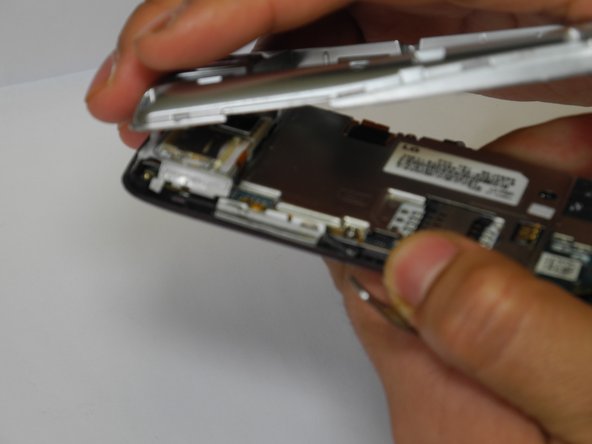
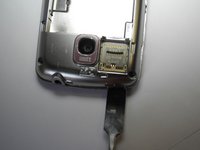
    • Use a plastic opening tool to remove the phone's back cover. At the top of the phone there are indentations to insert the spudger and pop the case off

    Ask FixBot

    Add Comment

  2. LG Optimus T Camera and Camera Mount Replacement: step 2, image 1 of 1
    • Remove the battery by pulling up on the battery using the indentation to the left of the camera lens

    Ask FixBot

    Add Comment

  3. LG Optimus T Camera and Camera Mount Replacement: step 3, image 1 of 1
    • Use a J0 screwdriver to remove the 6 highlighted screws

    Ask FixBot

    Add Comment

  4. LG Optimus T Camera and Camera Mount Replacement: step 4, image 1 of 2 LG Optimus T Camera and Camera Mount Replacement: step 4, image 2 of 2
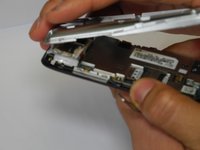
    • Remove interior case using indentations on the top and bottom to insert the spudger to pop off the interior case

    • You might have difficulty popping the interior case off. You may use the metal spudger here with caution if the plastic one fails

    Ask FixBot

    Add Comment

  5. LG Optimus T Camera and Camera Mount Replacement: step 5, image 1 of 1
    • Unhook the connector tab

    Ask FixBot

    Add Comment

  6. LG Optimus T Camera and Camera Mount Replacement: step 6, image 1 of 1
    • Remove SD card mount by inserting the plastic opening tool on the right side of the device to pop mount off

    Ask FixBot

    Add Comment

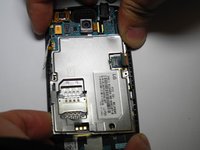
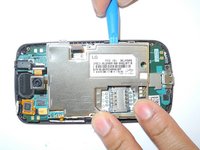
  7. LG Optimus T Camera and Camera Mount Replacement: step 7, image 1 of 2 LG Optimus T Camera and Camera Mount Replacement: step 7, image 2 of 2
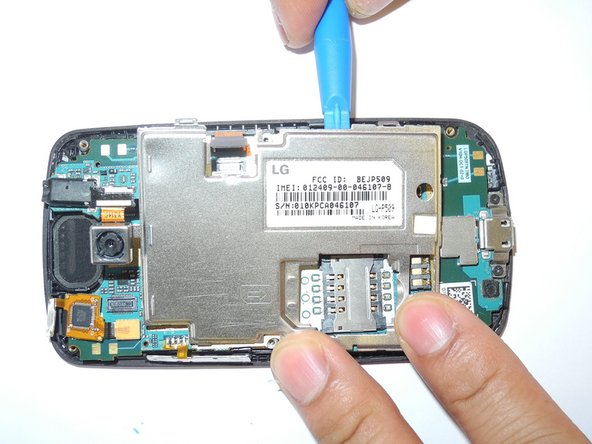
    • Remove metal panel by inserting plastic opening tool into the four retaining points and remove panel

    Ask FixBot

    Add Comment

  8. LG Optimus T Camera and Camera Mount Replacement: step 8, image 1 of 1
    Tool used on this step:
    Tweezers
    $4.99
    Buy
    • disconnect camera connector from motherboard by spudger

    • Once disconnected, remove camera using tweezers

    Ask FixBot

    Add Comment

Conclusion

To reassemble your device, follow these instructions in reverse order.

Cancel: I did not complete this guide.

stacey

Member since: 02/07/17

219 Reputation

2 Guides authored

Team

Ohio State, Team 1-3, Wilder Spring 2017 Member of Ohio State, Team 1-3, Wilder Spring 2017

OSU-WILDER-S17S1G3

4 Members

5 Guides authored

0 Guide Comments

Add Comment

View Statistics:

Past 24 Hours: 1

Past 7 Days: 3

Past 30 Days: 19

All Time: 284