Free Shipping on Domestic Orders $75+

LG Optimus L7 P705 SIM Card Slot Replacement

What you need

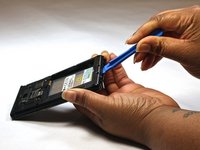
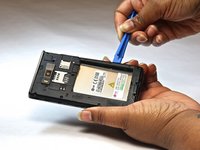
  1. LG Optimus L7 P705 SIM Card Slot Replacement, Home Button: step 1, image 1 of 2 LG Optimus L7 P705 SIM Card Slot Replacement, Home Button: step 1, image 2 of 2
    • Insert a plastic opening tool between the seams of the device and pry the back cover away from the phone.

    • Remove the battery and SIM card.

    Ask FixBot

    Add Comment

  2. LG Optimus L7 P705 SIM Card Slot Replacement: step 2, image 1 of 1
    • Remove the twelve screws using the Phillips 000 screwdriver.

    Ask FixBot

    Add Comment

  3. LG Optimus L7 P705 SIM Card Slot Replacement: step 3, image 1 of 1
    • Remove bottom plate where the charger port is located.

    Ask FixBot

    Add Comment

  4. LG Optimus L7 P705 SIM Card Slot Replacement: step 4, image 1 of 2 LG Optimus L7 P705 SIM Card Slot Replacement: step 4, image 2 of 2
    • Insert a plastic opening tool between the seams of the device and apply some pressure to lift off the cover.

    Ask FixBot

    Add Comment

  5. LG Optimus L7 P705 SIM Card Slot Replacement: step 5, image 1 of 1
    • Flip over to the face of the device.

    • Lift off the glass screen (display).

    Ask FixBot

    Add Comment

  6. LG Optimus L7 P705 SIM Card Slot Replacement: step 6, image 1 of 1
    • Remove the home screen button. Replace as needed.

    Ask FixBot

    Add Comment

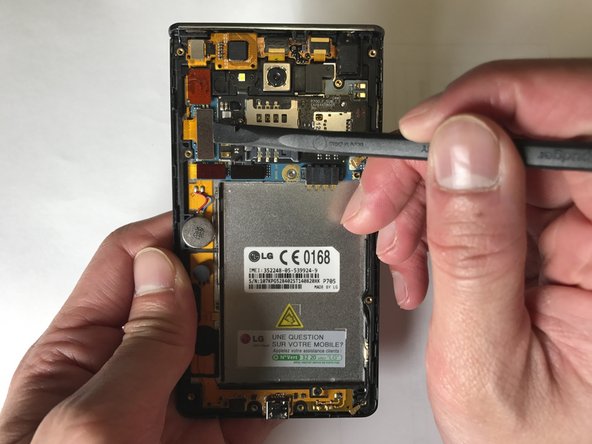
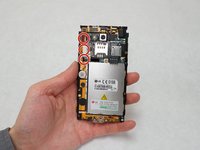
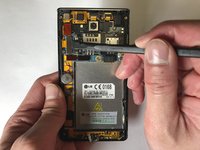
  7. LG Optimus L7 P705 SIM Card Slot Replacement, SIM Card Slot: step 7, image 1 of 2 LG Optimus L7 P705 SIM Card Slot Replacement, SIM Card Slot: step 7, image 2 of 2
    • Flip over to the back of the device

    • Using the plastic spudger, lift off the three board-to-board connectors on the left-hand side of the device.

    Ask FixBot

    Add Comment

  8. LG Optimus L7 P705 SIM Card Slot Replacement: step 8, image 1 of 1
    • Using a plastic spudger, lift off the wire connector at the right bottom of the board.

    Ask FixBot

    Add Comment

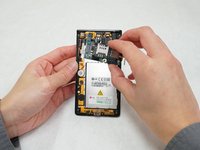
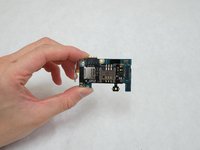
  9. LG Optimus L7 P705 SIM Card Slot Replacement: step 9, image 1 of 2 LG Optimus L7 P705 SIM Card Slot Replacement: step 9, image 2 of 2
    • Detach the mount including both the SIM card and the motherboard from the device.

    Ask FixBot

    Add Comment

Conclusion

To reassemble your device, follow these instructions in reverse order.

Cancel: I did not complete this guide.

Yanxiang Ding

Member since: 01/25/17

101 Reputation

1 Guide authored

Team

IUPUI, Team 2-2, Baechle Spring 2017 Member of IUPUI, Team 2-2, Baechle Spring 2017

IUPUI-BAECHLE-S17S2G2

4 Members

3 Guides authored

0 Guide Comments

Add Comment

View Statistics:

Past 24 Hours: 1

Past 7 Days: 5

Past 30 Days: 25

All Time: 893