Introduction
Got a cracked or busted screen on your LG Optimus L7 P705? No worries. This guide will help you swap out the display and get your phone looking (and working) like new again. We’ll walk you through each step, from popping off the back cover to removing the screen, using just a few tools.
Before you begin, ensure the phone is powered off and that you're working on a clean, safe surface.
What you need
-
-
-
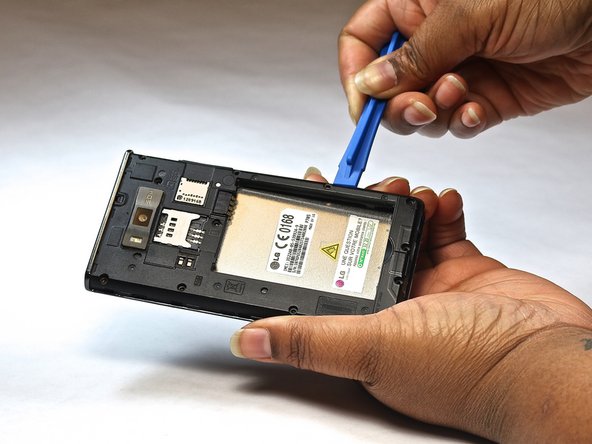
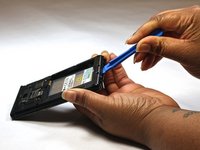
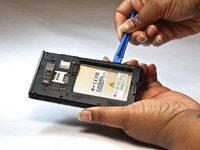
Use a plastic opening tool to gently pry the back cover away from the phone by inserting it into the seam around the edges.
-
Once the cover is off, remove the battery and SIM card.
 Ask FixBot
-
-
-
Using a Phillips #000 screwdriver, remove the twelve 3mm screws around the frame, including those near the SIM and SD card slots.
-
-
-
-
Carefully remove the bottom plastic plate located around the charging port area.
-
-
-
Insert a plastic opening tool along the seam of the phone’s frame and gently apply pressure to lift off the midframe cover.
-
-
-
Flip the phone over so the screen is facing up.
-
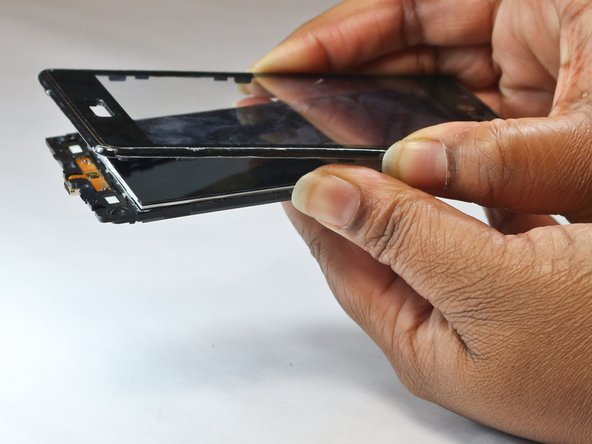
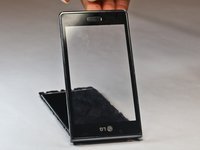
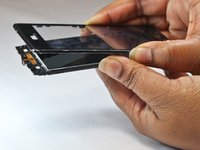
Carefully lift and remove the glass screen (display) from the front of the device.
-
-



To reassemble your device, follow these instructions in reverse order. Take your e-waste to an R2 or e-Stewards certified recycler.
Cancel: I did not complete this guide.
8 other people completed this guide.

Team

USF Tampa, Team 9-1, Leahy Fall 2014 Member of USF Tampa, Team 9-1, Leahy Fall 2014
USFT-LEAHY-F14S9G1
3 Members
60 Guides authored
