
LG Optimus Fuel Screen Replacement

Jason Owen and
Last updated on Aug 2, 2019
Views: 1.6K
View statistics:
- Past 24 Hours:
- 3
- Past 7 Days:
- 16
- Past 30 Days:
- 100
- All Time:
- 1,555
Comments: 0
No one has left comments on this guide. Will you be first?
Go to guide commentsCompleted: 4 5
4 people have marked this guide "completed." Will you be next?
5 people have marked this guide "completed." Including you — great job!
Favorites: 2 3
2 people have favorited (and subscribed to) this guide. Will you be next?
3 people have favorited (and subscribed to) this guide — including you!
What you need
Tools


Introduction
Go to step 1 ↓Replace your screen if you have broken the screen itself or if the touchscreen has become unresponsive.
-
-
-
Use the opening on the right side of the phone to pull off the plastic back cover.
 Ask FixBot
-
-
-
Use the curved opening at the center-bottom of the battery to carefully remove the old battery.
-
-
-
-
-
-
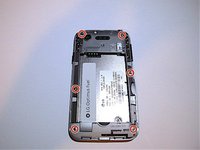
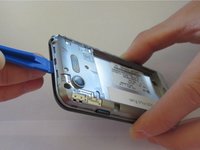
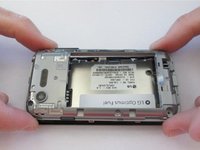
Remove the 6 screws using a size PH00 Phillips head screwdriver, and a plastic opening tool to fully remove the back panel.
-
-
-
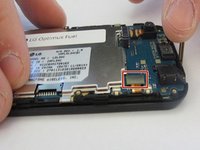
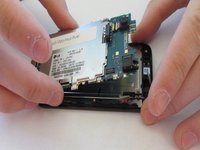
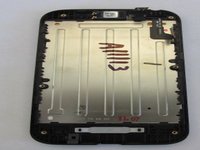
Pull back on the two circuit connections that attach to the main circuit board. Then remove the circuit board from behind the screen.
-
-




To reassemble your device, follow these instructions in reverse order.
Cancel: I did not complete this guide.
4 other people completed this guide.

Team

University of Kentucky Louisville, Team 1-4, Matravers Spring 2016 Member of University of Kentucky Louisville, Team 1-4, Matravers Spring 2016
LOUISVILLE-MATRAVERS-S16S1G4
4 Members
60 Guides authored
