Free Shipping on Domestic Orders $75+

LG Notebook LGC40 A410 WiFi module Replacement

What you need

  1. LG Notebook LGC40 A410 WiFi module Replacement, Locate the keys to unlock and release the battery: step 1, image 1 of 1
    • Put the notebook upside down, preferably on top of a soft surface so any movement doesn't scratch the top cover.

    • Locate the keys to unlock and release the battery

  2. LG Notebook LGC40 A410 WiFi module Replacement, Unlock the battery: step 2, image 1 of 1
    • Slide the unlock key in the indicated direction to unlock the battery

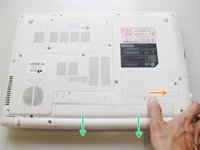
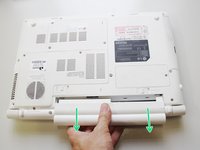
  3. LG Notebook LGC40 A410 WiFi module Replacement, Release and remove the battery: step 3, image 1 of 2 LG Notebook LGC40 A410 WiFi module Replacement, Release and remove the battery: step 3, image 2 of 2
    • Slide and hold the release key in the indicated direction

    • Pull out the battery

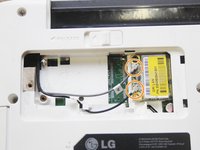
  4. LG Notebook LGC40 A410 WiFi module Replacement, Remove the WiFi module cover: step 4, image 1 of 1
    • With the notebook upside down, locate the WiFi module cover and unscrew the philips screw.

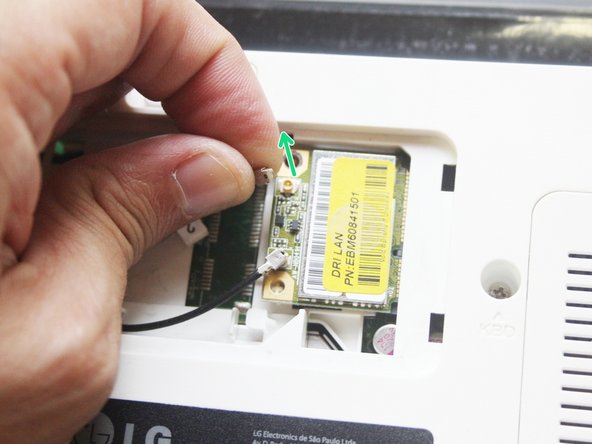
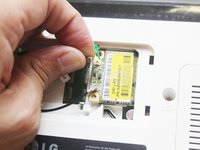
  5. LG Notebook LGC40 A410 WiFi module Replacement, Remove the antenna connectors: step 5, image 1 of 2 LG Notebook LGC40 A410 WiFi module Replacement, Remove the antenna connectors: step 5, image 2 of 2
    • Locate the antenna connectors on the WiFi module

    • Holding the antenna connectors with the tips of your fingers, carefully pull them out of the WiFi module board.

  6. LG Notebook LGC40 A410 WiFi module Replacement, Remove the WiFi module: step 6, image 1 of 1
    • Remove the philips screw

    • Lift the WiFi module by the edge where the screw is located

    • Pull the WiFi module from the motherboard connector

Conclusion

To reassemble your device, follow these instructions in reverse order.

One other person completed this guide.

Claudio Felix

Member since: 01/01/16

893 Reputation

7 Guides authored

0 Guide Comments

Add Comment

View Statistics:

Past 24 Hours: 1

Past 7 Days: 3

Past 30 Days: 17

All Time: 1,494