
LG Neon II Camera Replacement

Last updated on Mar 27, 2018
Views: 864
View statistics:
- Past 24 Hours:
- 3
- Past 7 Days:
- 13
- Past 30 Days:
- 95
- All Time:
- 864
Comments: 0
No one has left comments on this guide. Will you be first?
Go to guide commentsCompleted: 0 1
No one has marked this guide "completed." Will you be the first?
1 person has marked this guide "completed." It's you — great job!
Favorites: 0 1
No one has favorited (and subscribed to) this guide. Will you be the first?
1 person has favorited (and subscribed to) this guide — and that's you!
Action Shots
Be an action hero! This guide needs images that better demonstrate how to perform specific actions.
Needs Better Images
Better photos will improve this guide. Help out by taking, editing, or uploading new ones!
Introduction
Go to step 1 ↓The LG Neon II GW370, a cell phone released in 2010, is complete with a camera, music player, and slide out QWERTY keyboard. It comes in a variety of colors, the most common being blue, green, orange, red, and black.
What you need


-
-
-
To gain access to the phone’s speaker, grip the phone firmly in an inverted position with the back of the unit facing up and the LG insignia positioned away from you.
-
Using both hands as support, use your thumbs to gently guide the rear housing away and in the direction of the arrow.
 Ask FixBot
-
-
-
After removing the phone’s back-panel, securely cushion the front of the phone on a soft surface such as a cloth or your hand.
-
Gently insert a spudger under the lip of the battery, preferably the lip away from the camera eye.
-
Gently pry the battery out of its seated position.
-
-
-
-
-
To separate the button board/circuit module from the phone main frame, firmly, but gently, unscrew (counter-clockwise) the seven outside 4 mm screws along the rear outside rim of the main body.
-
-
-
Locate the lifted portion of plastic on the bottom end of the phone near the charger.
-
Slide the plastic opening tool underneath this lip, and gently pry the black plastic cover off.
-
-
-
Loosen the two captive screws on the metal plate near the center of the phone using the Phillips #0 Screwdriver.
-
-
-
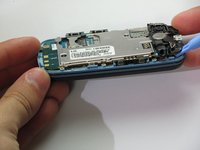
Using the plastic opening tool, gently pry the circuit board from the phone.
-
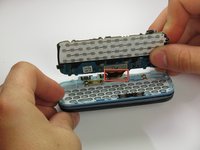
The partially separated circuit board may be attached to the main button area by factory adhesive/tape. If so, use a soft padded surface to rest the mother board on. Your work area will still be accessible without separating the two units.
-
-
-
-
-
-
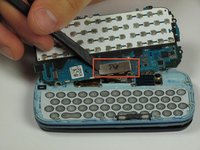
Use the spudger to detach the metal rectangle from the keyboard panel.
-
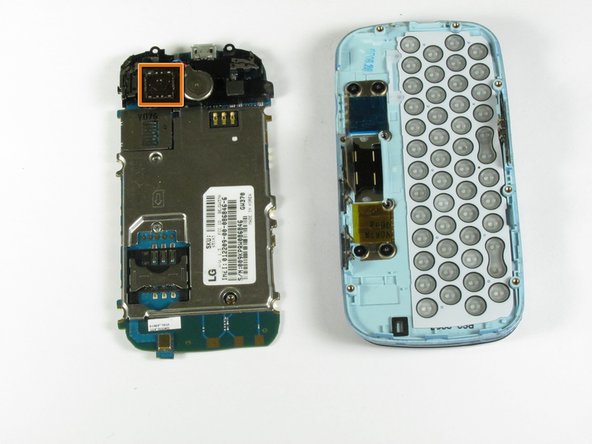
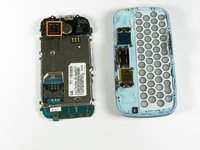
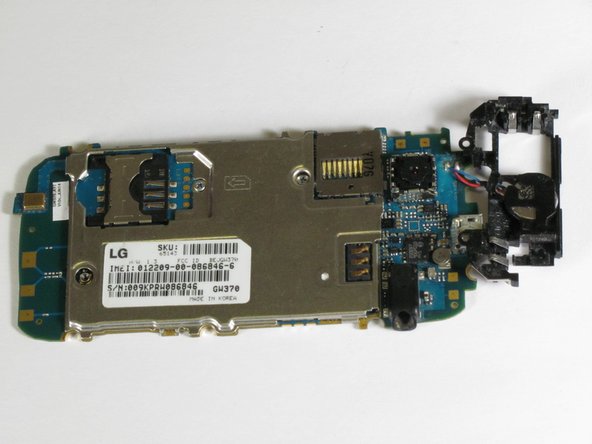
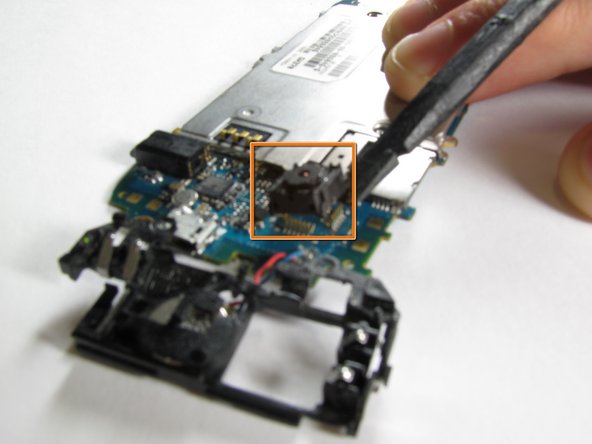
The phone is now in two halves and the camera is visible.
-
-
-
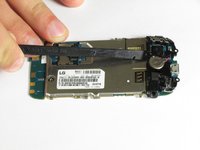
Using the plastic opening tool, gently pry under the four metal edges around the camera to loosen it from the phone.
-
Once the camera is loose it can be removed from the phone and replaced with a new one.
-
-





To reassemble your device, follow these instructions in reverse order.

Team

Cal Poly, Team 1-6, Propen Fall 2012 Member of Cal Poly, Team 1-6, Propen Fall 2012
CPSU-PROPEN-F12S1G6
3 Members
84 Guides authored
