What you need
-
-
-
With one hand, push the rectangular button located on the back top-side of the phone.
-
With your other hand, remove the rear cover.
 Ask FixBot
-
-
-
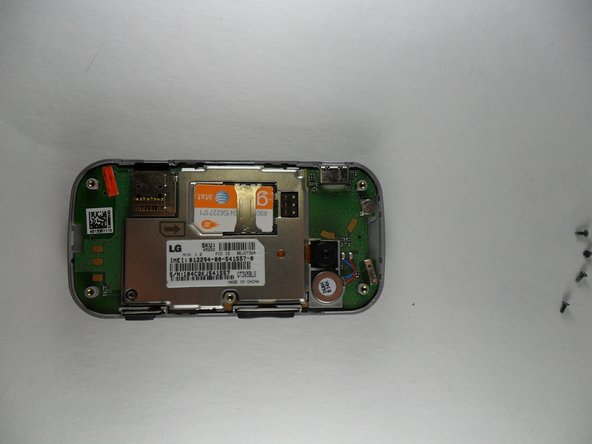
Remove 5 screws, 1 from each corner of the phone and 1 from the center-right of the phone.
-
-
-
Tool used on this step:Tweezers$4.99
-
Once you have removed the rear casing flip it over to see a small circular metal piece with 2 gold springs sticking out of the bottom. That is the speaker.
-
Opposite the 2 small gold springs there will be a small black tab attached to the speaker sitting in a groove. Using tweezers or a small tipped screwdriver lift up on the tab to pop the speaker out.
-
-
-
Replace the broken speaker with a new one (make sure to line up the tab with the groove). Push firmly into place.
-
-




To reassemble your device, follow these instructions in reverse order.

Team

UMass Dartmouth, Team 2-1, Gulbrandsen Fall 2013 Member of UMass Dartmouth, Team 2-1, Gulbrandsen Fall 2013
UMASSD-GULBRANDSEN-F13S2G1
4 Members
45 Guides authored
