Free Shipping on Domestic Orders $75+

LG Motion 4G MS770 Rear Facing Camera Replacement

What you need

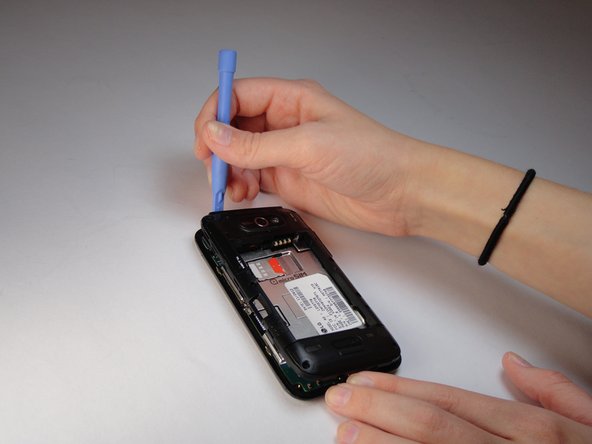
  1. LG Motion 4G MS770 Rear Facing Camera Replacement, Remove the phone's back cover.: step 1, image 1 of 1
    • Use a plastic opening tool to remove the back cover.

    Ask FixBot

    Add Comment

  2. LG Motion 4G MS770 Rear Facing Camera Replacement, Remove the battery.: step 2, image 1 of 1
    • Use a plastic opening tool to remove the battery, lifting from the bottom right corner.

    Ask FixBot

    Add Comment

  3. LG Motion 4G MS770 Rear Facing Camera Replacement, Remove screws.: step 3, image 1 of 1
    • Use a Phillips #00 Screwdriver to remove all eight 4mm screws.

    Ask FixBot

    Add Comment

  4. LG Motion 4G MS770 Rear Facing Camera Replacement: step 4, image 1 of 2 LG Motion 4G MS770 Rear Facing Camera Replacement: step 4, image 2 of 2
    • Use a plastic opening tool to remove the back trim by working around all of the edges.

    Ask FixBot

    Add Comment

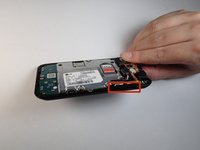
  5. LG Motion 4G MS770 Rear Facing Camera Replacement: step 5, image 1 of 2 LG Motion 4G MS770 Rear Facing Camera Replacement: step 5, image 2 of 2
    • Remove the volume buttons from the side.

    Ask FixBot

    Add Comment

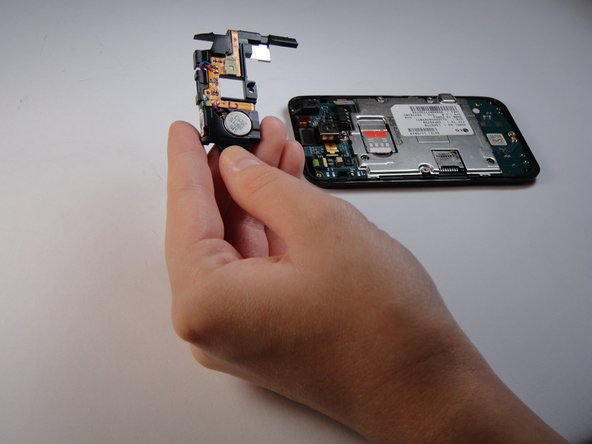
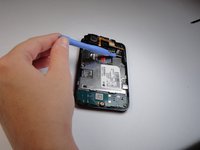
  6. LG Motion 4G MS770 Rear Facing Camera Replacement, Speaker: step 6, image 1 of 2 LG Motion 4G MS770 Rear Facing Camera Replacement, Speaker: step 6, image 2 of 2
    • Use a plastic opening tool to lift the speaker off by prying under the silver square as shown.

    • Note: There is a small tab underneath the speaker that will be lifted off when the speaker is removed.

    Ask FixBot

    Add Comment

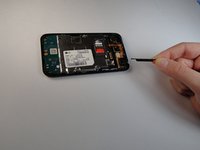
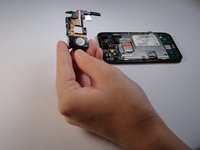
  7. LG Motion 4G MS770 Rear Facing Camera Replacement, Rear Facing Camera: step 7, image 1 of 1
    • Pry slightly underneath the tab attached to the camera until it pops off.

    Ask FixBot

    Add Comment

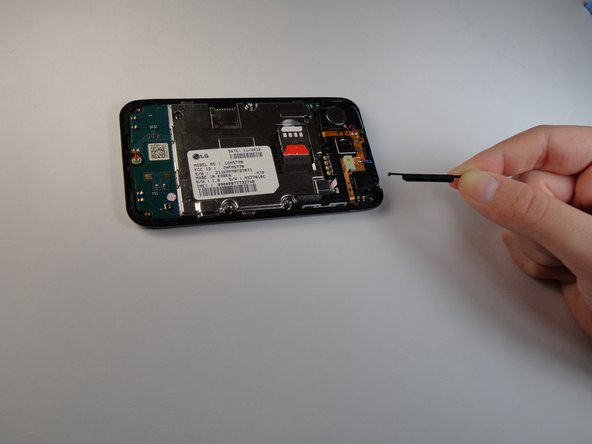
  8. LG Motion 4G MS770 Rear Facing Camera Replacement: step 8, image 1 of 1
    Tool used on this step:
    Tweezers
    $4.99
    Buy
    • Use tweezers to remove the camera, you will need to use some force as it is glued on.

    Ask FixBot

    Add Comment

Conclusion

To reassemble your device, follow these instructions in reverse order.

Cancel: I did not complete this guide.

One other person completed this guide.

Zarna Patel

Member since: 10/08/14

320 Reputation

2 Guides authored

Team

USF Tampa, Team 14-1, Leahy Fall 2014 Member of USF Tampa, Team 14-1, Leahy Fall 2014

USFT-LEAHY-F14S14G1

3 Members

10 Guides authored

0 Guide Comments

Add Comment

View Statistics:

Past 24 Hours: 0

Past 7 Days: 10

Past 30 Days: 30

All Time: 447