Free Shipping on Domestic Orders $75+

LG K40 Battery Replacement

    1. LG K40 Battery Replacement, Separating the back: step 1, image 1 of 2 LG K40 Battery Replacement, Separating the back: step 1, image 2 of 2
      • Slide the tip of an opening pick around the perimeter of the back panel, careful not to insert too deep.

      Ask FixBot

      Add Comment

    2. LG K40 Battery Replacement: step 2, image 1 of 2 LG K40 Battery Replacement: step 2, image 2 of 2
      • Pull the back panel away.

      Ask FixBot

      Add Comment

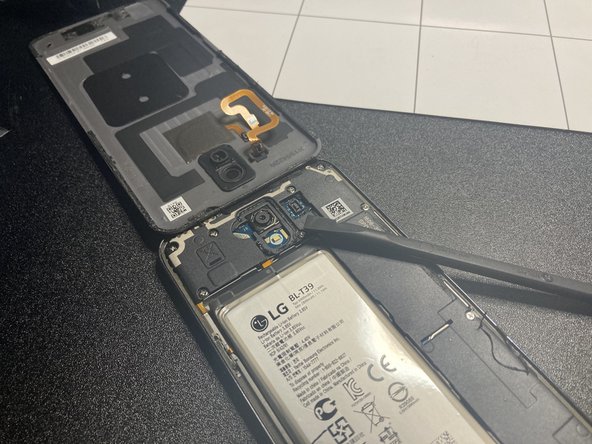
    3. LG K40 Battery Replacement: step 3, image 1 of 2 LG K40 Battery Replacement: step 3, image 2 of 2
      • Watch out, there is a touch sensor cable still attached to the main board.

      Ask FixBot

      Add Comment

    1. LG K40 Battery Replacement, Unscrew: step 4, image 1 of 1
      • Unscrew all screws pictured.

      Ask FixBot

      Add Comment

    2. LG K40 Battery Replacement, Remove plastic cover: step 5, image 1 of 3 LG K40 Battery Replacement, Remove plastic cover: step 5, image 2 of 3 LG K40 Battery Replacement, Remove plastic cover: step 5, image 3 of 3
      • Remove the black plastic as pictured.

      Ask FixBot

      Add Comment

    3. LG K40 Battery Replacement, Disconnect battery: step 6, image 1 of 1
      • Use a spudger or your fingernail to disconnect the battery cable.

      Ask FixBot

      Add Comment

    4. LG K40 Battery Replacement, Remove battery: step 7, image 1 of 3 LG K40 Battery Replacement, Remove battery: step 7, image 2 of 3 LG K40 Battery Replacement, Remove battery: step 7, image 3 of 3
      • Caution: Don't jab the battery with any sharp tools. A punctured battery may leak dangerous chemicals or catch fire.

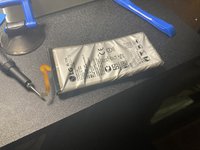
      • Pry up the battery. This will require a lot of force, but fortunately, there aren’t any cables under it.

      • Look at that carnage…

      • You can use adhesive softener to make the job of removing the battery easier.

      Ask FixBot

      Add Comment

Conclusion

To reassemble your device, follow these instructions in reverse order.

Cancel: I did not complete this guide.

One other person completed this guide.

guardian10

Member since: 03/10/22

11,032 Reputation

15 Guides authored

Team

Kid fixers Member of Kid fixers

Community

219 Members

2,021 Guides authored

0 Guide Comments

Add Comment

View Statistics:

Past 24 Hours: 2

Past 7 Days: 13

Past 30 Days: 54

All Time: 1,705