
LG K30 Charging Port Replacement

Alisha Lee and 3 other contributors
Last updated on Dec 18, 2019
Views: 2.9K
View statistics:
- Past 24 Hours:
- 3
- Past 7 Days:
- 19
- Past 30 Days:
- 59
- All Time:
- 2,859
Comments: 9
8 comments on steps, 1 guide comment.
Go to guide commentsCompleted: 0 1
No one has marked this guide "completed." Will you be the first?
1 person has marked this guide "completed." It's you — great job!
Favorites: 0 1
No one has favorited (and subscribed to) this guide. Will you be the first?
1 person has favorited (and subscribed to) this guide — and that's you!
Introduction
Go to step 1 ↓This guide will show you the steps to replace the charging port on the LG K30.
Rather than buying a new phone because it will no longer charge, you can use this guide to replace the charging port. Please be sure to use caution when working with the soldering iron, as it can get very hot.
What you need
Tools
-
-
-
-
-
Spudger4.9


-
-
-
Power off your Phone before beginning disassembly.
-
Use the 'Jimmy' and 'Metal Spudger' to slowly pry open the outsides of the back case.
 Ask FixBot
-
-
-
Remove the thirteen 3.4 mm Phillips #00 screws securing the midframe to the display assembly.
-
-
-
-
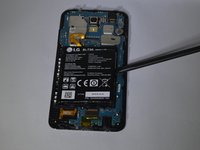
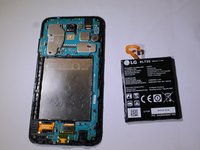
Use the flat end of a spudger to detach the battery connector from the logic board.
-
-
-
-
-
Use a spudger to carefully disconnect the front camera connector.
-
Use a spudger to disconnect the display cable connector.
-
-
-
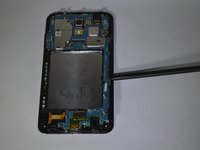
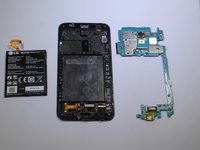
Remove the motherboard assembly from the display assembly with the a spudger or hand.
-
-
-
-
-
For a guide on how to solder and unsolder components; please refer to: How To Solder and Desolder Connections
-
Peel back gold plastic protective film on motherboard to reveal 4 solder points which need to be desoldered with the desoldering wick.
-
-
-
Flip the motherboard over to the backside and use soldering iron to melt the solder on the charging port terminals; use the desoldering wick to remove the solder.
-
-






To reassemble your device, follow these instructions in reverse order.

Team

University of North Alabama, Team S1-G1, Winner Fall 2019 Member of University of North Alabama, Team S1-G1, Winner Fall 2019
UNA-WINNER-F19S1G1
4 Members
36 Guides authored
