Introduction
This guide will help shorten the steps of each guide required for the replacement of each component.
What you need
-
-
-
Remove the two 7mm screws holding the back panel of the phone using the P5 bit and magnetic driver.
-
-
-
Carefully use the plastic opening tool to pry the back panel of the phone from the front screen. This will expose the battery and other parts.
-
-
-
-
Use the Phillips #0 screwdriver to remove the 5mm screw holding the metal bracket that protects the battery's ribbon cable.
-
-
-
Carefully use the plastic opening tool to pry the ribbon cable connecting the battery to the motherboard of the phone.
-
-
-
-
Remove the thirteen 5mm screws holding the plastic shield covering the motherboard using the Phillips #00 screwdriver.
-
-
-
Carefully use the plastic opening tool to pry the plastic shield from the motherboard. This will expose the motherboard and ribbon cables for each component.
-
-

 Ask FixBot


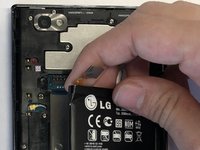
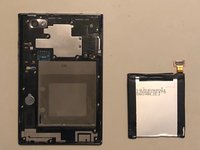


To reassemble your device, follow these instructions in reverse order.

Team

UMass Dartmouth, Team S3-G4, Peak Fall 2018 Member of UMass Dartmouth, Team S3-G4, Peak Fall 2018
UMASSD-PEAK-F18S3G4
3 Members
72 Guides authored
