Free Shipping on Domestic Orders $75+

LG GW910 Camera Replacement

Views: 620

View statistics:

Past 24 Hours:
2
Past 7 Days:
11
Past 30 Days:
68
All Time:
620
Comments: 0

No one has left comments on this guide. Will you be first?

Go to guide comments
Completed: 2

2 people have marked this guide "completed." Will you be next?

Favorites: 0

No one has favorited (and subscribed to) this guide. Will you be the first?

Time Required: 7 minutes
Difficulty: Moderate
LG GW910 Camera Replacement

Introduction

Go to step 1 ↓

This guide will assist you while you take your phone apart. This disassembly is not a very difficult task. There will be a few connectors that will be disconnected during the process. Make sure to be cautious with them so they do not rip. There are many little screws that will be taken off the phone. Make sure that you have a clean and organized work space.

What you need

Tools

    1. LG GW910 Camera Replacement, Motherboard: step 1, image 1 of 2 LG GW910 Camera Replacement, Motherboard: step 1, image 2 of 2
      • Remove the back cover by firmly pressing the triangle and push upwards.

      • Lift the bottom section to remove the cover.

      Ask FixBot

      Add Comment

    2. LG GW910 Camera Replacement: step 2, image 1 of 2 LG GW910 Camera Replacement: step 2, image 2 of 2
      • Remove the battery by lifting from the bottom.

      Ask FixBot

      Add Comment

    3. LG GW910 Camera Replacement: step 3, image 1 of 1
      • Remove six 3mm PH000 screws.

      Ask FixBot

      Add Comment

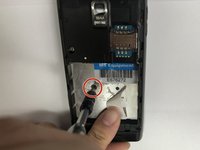
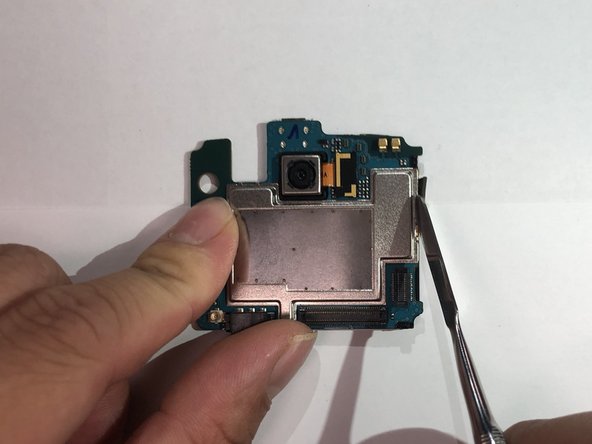
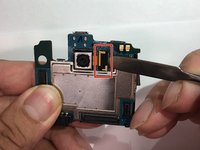
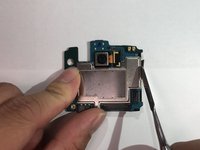
    4. LG GW910 Camera Replacement: step 4, image 1 of 3 LG GW910 Camera Replacement: step 4, image 2 of 3 LG GW910 Camera Replacement: step 4, image 3 of 3
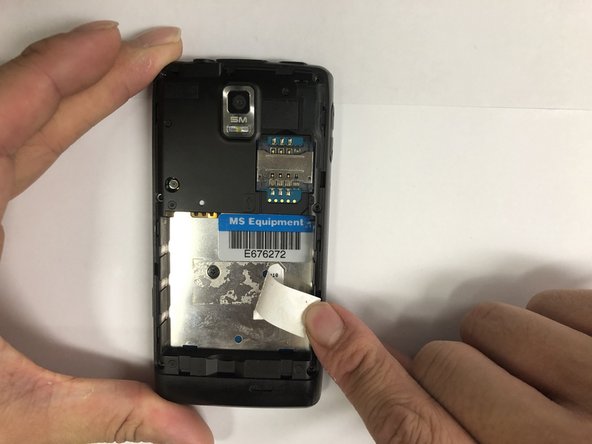
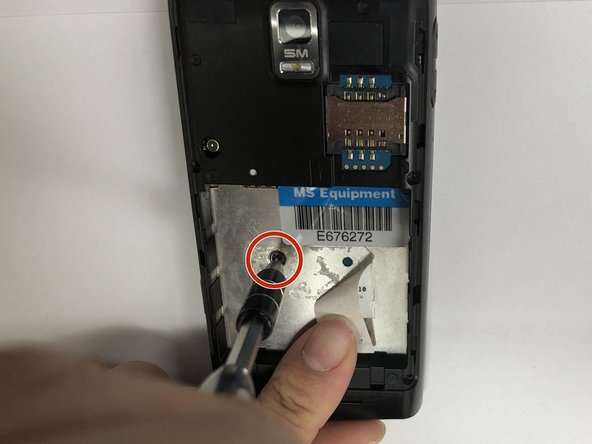
      • Peel off the sticker with the metal spudger.

      • Remove one 1mm PH000 screw.

      Ask FixBot

      Add Comment

    5. LG GW910 Camera Replacement: step 5, image 1 of 1
      • Pry open all four sides of the back-frame gently, using the metal spudger.

      • The back-frame should come out easily.

      • Volume button and shutter button may fall out during the process.

      Ask FixBot

      Add Comment

    6. LG GW910 Camera Replacement: step 6, image 1 of 1
      • Pry off the connector using the iFixit opening tool to remove the communication board.

      Ask FixBot

      Add Comment

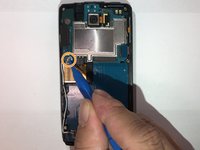
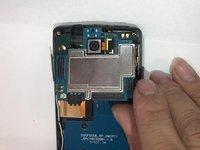
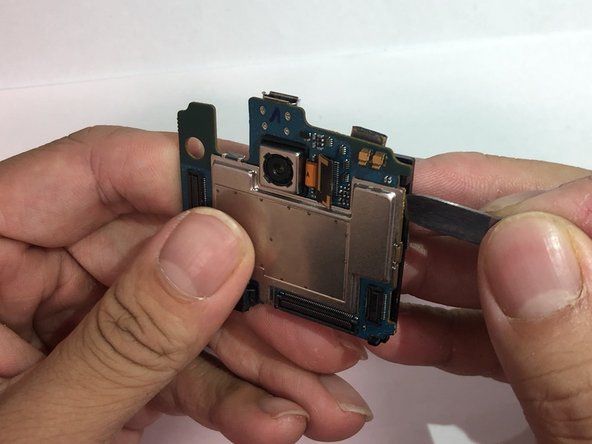
    7. LG GW910 Camera Replacement: step 7, image 1 of 3 LG GW910 Camera Replacement: step 7, image 2 of 3 LG GW910 Camera Replacement: step 7, image 3 of 3
      • Pry off the connectors using the iFixit opening tool.

      • Disconnect the antenna using the iFixit opening tool.

      • The motherboard should be able to be removed easily.

      Ask FixBot

      Add Comment

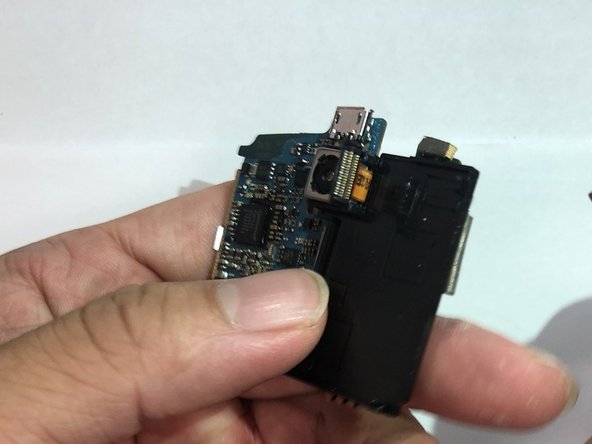
    1. LG GW910 Camera Replacement, Camera: step 8, image 1 of 2 LG GW910 Camera Replacement, Camera: step 8, image 2 of 2
      • Disconnect the connector using the metal spudger.

      • Peel back the tape on the side.

      • Replacement tape might be needed.

      Ask FixBot

      Add Comment

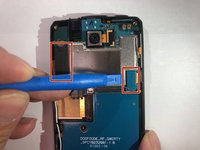
    2. LG GW910 Camera Replacement: step 9, image 1 of 3 LG GW910 Camera Replacement: step 9, image 2 of 3 LG GW910 Camera Replacement: step 9, image 3 of 3
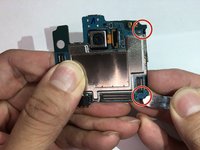
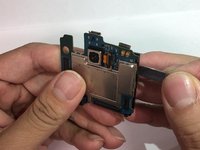
      • Pry open the two plastic hooks using the metal spudger tool.

      • Crack open the black plastic cover using the metal spudger tool. The cover should be easily turned over.

      • The connector might get stuck in the opening while turning over the cover. Twist the connector if needed.

      Ask FixBot

      Add Comment

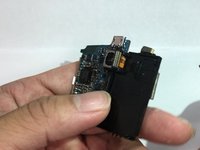
    3. LG GW910 Camera Replacement: step 10, image 1 of 2 LG GW910 Camera Replacement: step 10, image 2 of 2
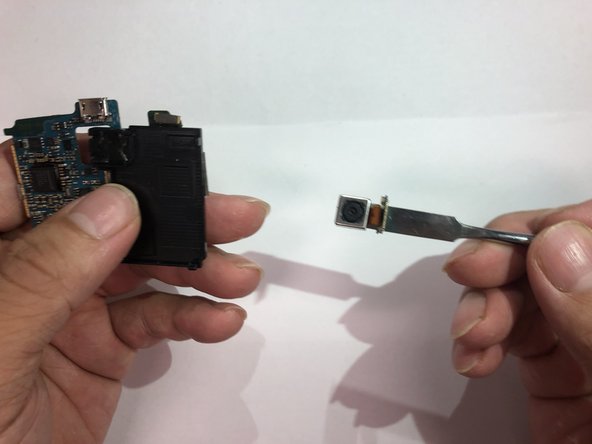
      • Remove the camera unit by prying on it.

      • Adhesive will be needed for reassembly.

      Ask FixBot

      Add Comment

Conclusion

To reassemble your device, follow these instructions in reverse order.

Cancel: I did not complete this guide.

2 other people completed this guide.

Jonas Ke

Member since: 11/06/18

492 Reputation

3 Guides authored

Team

IUPUI, Team S1-G6, Hovde Fall 2018 Member of IUPUI, Team S1-G6, Hovde Fall 2018

IUPUI-HOVDE-F18S1G6

3 Members

36 Guides authored

0 Guide Comments

Add Comment

View Statistics:

Past 24 Hours: 2

Past 7 Days: 11

Past 30 Days: 68

All Time: 620