Free Shipping on Domestic Orders $75+

LG G3 Motherboard Cover Assembly Replacement

What you need

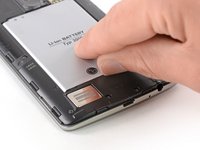
  1. LG G3 Motherboard Cover Assembly Replacement, Back Cover: step 1, image 1 of 2 LG G3 Motherboard Cover Assembly Replacement, Back Cover: step 1, image 2 of 2
    • Power off your phone before beginning disassembly.

    • Insert a thumbnail, or a prying tool like a spudger, into the notch at the bottom left of the back cover.

    • Pry the back cover up to separate its plastic clips.

    Ask FixBot

    Add Comment

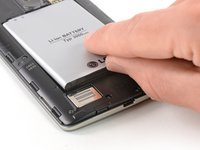
  2. LG G3 Motherboard Cover Assembly Replacement: step 2, image 1 of 2 LG G3 Motherboard Cover Assembly Replacement: step 2, image 2 of 2
    • Lift the back cover to release the rest of the plastic clips and remove it.

    • In case you can't lift the back cover completely, slide your fingernail or your prying tool around the midframe to release the remaining clips.

    • To reinstall the back cover, press it firmly into place until you hear a snap from the plastic clips to form a seamless connection with the rear side of the phone.

    Ask FixBot

    Add Comment

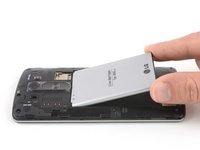
  3. LG G3 Motherboard Cover Assembly Replacement, Battery: step 3, image 1 of 2 LG G3 Motherboard Cover Assembly Replacement, Battery: step 3, image 2 of 2
    • Use a fingernail or a prying tool at the marked notch to lever the battery out of its recess.

    Ask FixBot

    Add Comment

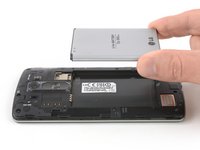
  4. LG G3 Motherboard Cover Assembly Replacement: step 4, image 1 of 2 LG G3 Motherboard Cover Assembly Replacement: step 4, image 2 of 2
    • Lift the battery out of its recess and remove it.

    Ask FixBot

    Add Comment

  5. LG G3 Motherboard Cover Assembly Replacement, Loudspeaker: step 5, image 1 of 1
    • Remove the four Phillips #00 screws (4 mm length).

    Ask FixBot

    Add Comment

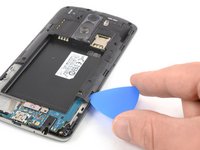
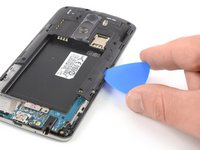
  6. LG G3 Motherboard Cover Assembly Replacement: step 6, image 1 of 2 LG G3 Motherboard Cover Assembly Replacement: step 6, image 2 of 2
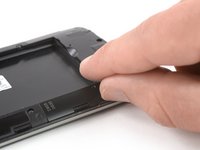
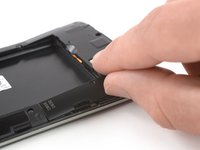
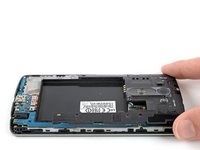
    • Insert a thumbnail, or a prying tool like a spudger, into the notch at the bottom left of the back cover you used earlier to remove the back cover.

    • Pry up the plastic panel, including the loudspeaker, until you can get a good grip.

    Ask FixBot

    Add Comment

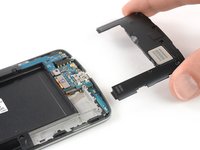
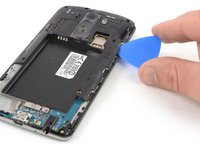
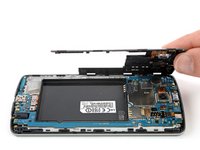
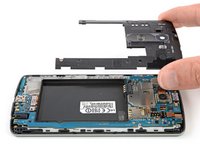
  7. LG G3 Motherboard Cover Assembly Replacement: step 7, image 1 of 3 LG G3 Motherboard Cover Assembly Replacement: step 7, image 2 of 3 LG G3 Motherboard Cover Assembly Replacement: step 7, image 3 of 3
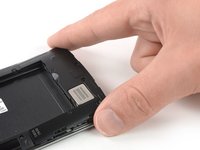
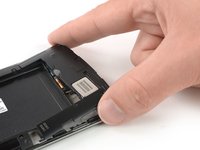
    • Carefully remove the plastic panel including the loudspeaker by gently pulling it away from the phone assembly.

    Ask FixBot

    Add Comment

  8. LG G3 Motherboard Cover Assembly Replacement, Motherboard Cover Assembly: step 8, image 1 of 1
    • Remove the eight Phillips #00 screws (4 mm length).

    Ask FixBot

    Add Comment

  9. LG G3 Motherboard Cover Assembly Replacement: step 9, image 1 of 3 LG G3 Motherboard Cover Assembly Replacement: step 9, image 2 of 3 LG G3 Motherboard Cover Assembly Replacement: step 9, image 3 of 3
    • Insert an opening pick between the bottom right corner of the motherboard cover and the motherboard.

    • Pry up the motherboard cover to open the plastic clips which hold the cover in its place.

    • The clips can be a bit resistive. If you're having trouble prying up the motherboard cover, slightly rotate the opening pick sideways to make the process easier.

    • Work your way along the right edge.

    Ask FixBot

    Add Comment

  10. LG G3 Motherboard Cover Assembly Replacement: step 10, image 1 of 3 LG G3 Motherboard Cover Assembly Replacement: step 10, image 2 of 3 LG G3 Motherboard Cover Assembly Replacement: step 10, image 3 of 3
    • Carefully lift the right edge of the motherboard cover.

    • The remaining plastic clips should open during this process or can be unhinged easily by hand.

    • Remove the motherboard assembly.

    Ask FixBot

    Add Comment

Conclusion

If possible, turn on your device and test your repair before installing new adhesive and resealing.

Take your e-waste to an R2 or e-Stewards certified recycler.

Repair didn’t go as planned? Try some basic troubleshooting, or ask our Answers Community for help.


Cancel: I did not complete this guide.

Dominik Schnabelrauch

Member since: 11/23/16

260,167 Reputation

682 Guides authored

Team

iFixit Member of iFixit

Staff

122 Members

26,591 Guides authored

0 Guide Comments

Add Comment

View Statistics:

Past 24 Hours: 1

Past 7 Days: 26

Past 30 Days: 95

All Time: 1,234