
LG G Pad 7.0 Battery Replacement

GadgetERService and 6 other contributors
Last updated on Aug 5, 2024
Views: 3.3K
View statistics:
- Past 24 Hours:
- 2
- Past 7 Days:
- 20
- Past 30 Days:
- 110
- All Time:
- 3,302
Comments: 2
2 guide comments.
Go to guide commentsCompleted: 2 3
2 people have marked this guide "completed." Will you be next?
3 people have marked this guide "completed." Including you — great job!
Favorites: 1 2
1 person has favorited (and subscribed to) this guide. Will you be next?
2 people have favorited (and subscribed to) this guide — including you!
Community-Contributed Guide
An awesome member of our community made this guide. It was not created by iFixit staff.
Introduction
Go to step 1 ↓This guide will show you step by step how to access the internals of a LG G Pad 7.0(LG-V410) and replace the battery.
What you need
Tools


-
-
-
First things first, use the handy pick iFixit sells on their online store. Carefully pry the frame apart in between the screen assembly an back cover. Be extremely careful, you don't want to damage the motherboard..
-
-
-
Vuala! We're in! Carefully slide the screen assembly away from the back cover.
-
-
-
Here's the inside of the tablet. Pretty straight forward, nothing to spectacular.
-
-
Tool used on this step:Tweezers$4.99
-
Grab your * Tweezers, the best tweezers you can get!
-
-
Tool used on this step:Tweezers$4.99
-
Carefully pry up the charging port connection from the bottom left with your Tweezers.
-
-
Tool used on this step:iSesamo Opening Tool$10.99
-
Grab your iSesamo Opening Tool and break the adhesive around the edges of the battery.
-
-
-
-
After removing the faulty/dead battery, make sure you properly dispose it.
-
-
-
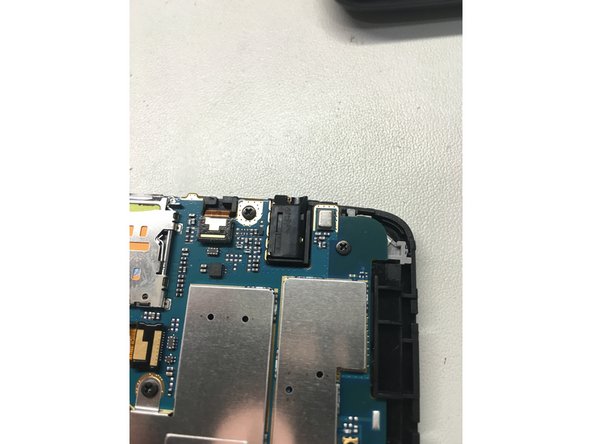
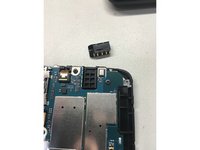
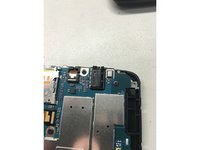
After reconnecting the new battery and charging flex cable, make sure you put the headphone jack back into place.
-
-
-
There you go! A quick battery replacement on your LG G-Pad.
-

 Ask FixBot


To reassemble your device, follow these instructions in reverse order.
Cancel: I did not complete this guide.
2 other people completed this guide.

Team

2 Guide Comments
Big thanks to the Author for this, I used it on my v410, worked perfect !
My G pad 7.0 wont turn on. Do I have to do some kind or re-boot or restart it? Cause one time when I changed mi iPhone 5c's battery I had to restart it the phone.
