Free Shipping on Domestic Orders $75+

LG EnV Touch VX11000 Keyboard Replacement

What you need

  1. LG EnV Touch VX11000 Keyboard Replacement, Battery: step 1, image 1 of 1
    • Turn the phone off.

    • Flip it over so the front screen is facing down.

    Ask FixBot

    Add Comment

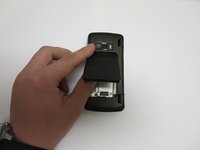
  2. LG EnV Touch VX11000 Keyboard Replacement: step 2, image 1 of 1
    • Slide the release latch down and toward you while lifting up on the left side of the battery cover.

    Ask FixBot

    Add Comment

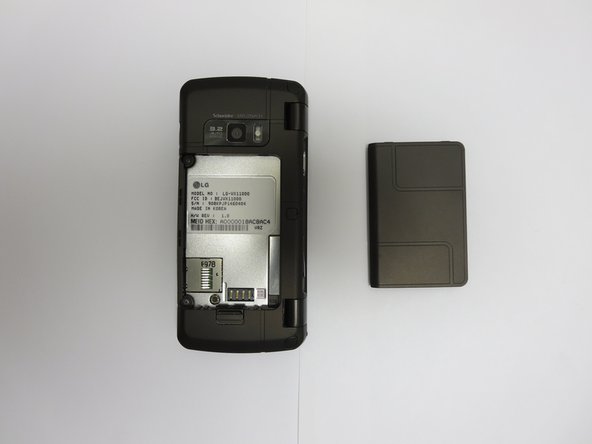
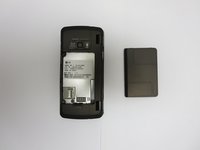
  3. LG EnV Touch VX11000 Keyboard Replacement: step 3, image 1 of 2 LG EnV Touch VX11000 Keyboard Replacement: step 3, image 2 of 2
    • Lift the edge of the battery to remove it.

    Ask FixBot

    Add Comment

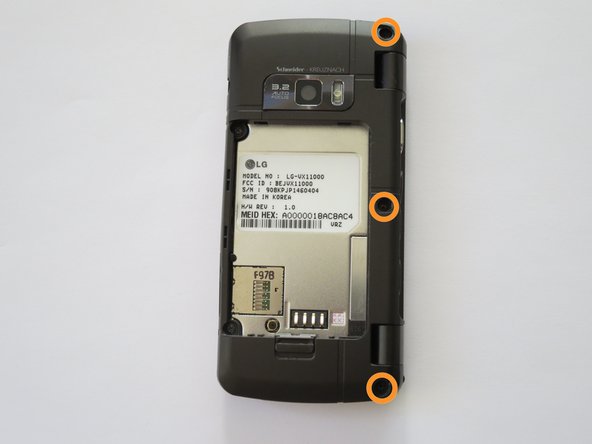
  4. LG EnV Touch VX11000 Keyboard Replacement, Volume and Camera Buttons: step 4, image 1 of 2 LG EnV Touch VX11000 Keyboard Replacement, Volume and Camera Buttons: step 4, image 2 of 2
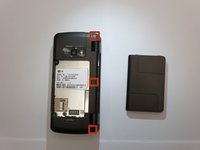
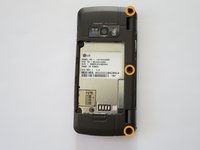
    • Locate the three screw covers on the back of the phone. Using your fingernail (or a spudger, pry off screw covers.

    • Using a Phillips #000 Screwdriver, remove the 1.5mm #000 Phillips screws that were under the screw covers.

    Ask FixBot

    Add Comment

  5. LG EnV Touch VX11000 Keyboard Replacement: step 5, image 1 of 1
    • Locate the two inner 1.5mm #000 Phillips screws and remove them using a Phillips #000 screwdriver.

    Ask FixBot

    Add Comment

  6. LG EnV Touch VX11000 Keyboard Replacement: step 6, image 1 of 2 LG EnV Touch VX11000 Keyboard Replacement: step 6, image 2 of 2
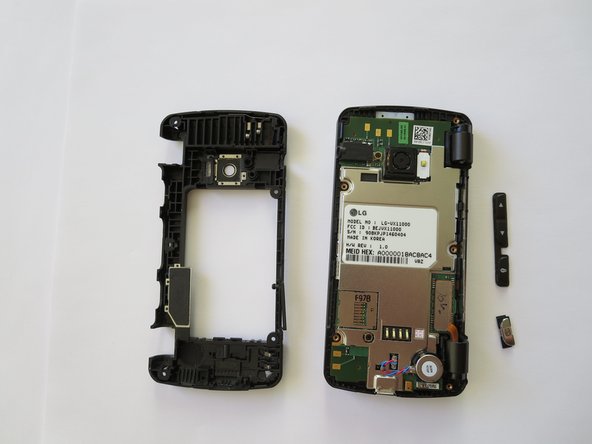
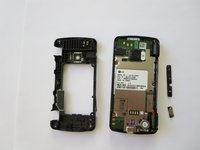
    • Use a plastic opening tool or your fingernail to pry off the back case.

    • The camera and volume keys will fall off.

    Ask FixBot

    Add Comment

  7. LG EnV Touch VX11000 Keyboard Replacement, Keyboard: step 7, image 1 of 1
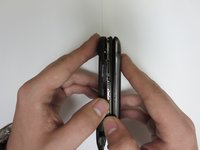
    • Use your hands to open the phone, separating the keyboard frame from the screen.

    • Using your thumbs, gently separate the motherboard from the frame, and the keyboard will fall out.

    Ask FixBot

    Add Comment

Conclusion

To reassemble your device, follow these instructions in reverse order.

Cancel: I did not complete this guide.

One other person completed this guide.

Rachel Smith

Member since: 09/30/13

593 Reputation

5 Guides authored

Team

Cal Poly, Team 13-2, Forte Fall 2013 Member of Cal Poly, Team 13-2, Forte Fall 2013

CPSU-FORTE-F13S13G2

4 Members

15 Guides authored

0 Guide Comments

Add Comment

View Statistics:

Past 24 Hours: 1

Past 7 Days: 3

Past 30 Days: 13

All Time: 680