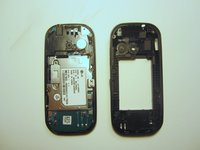
Free Shipping on Domestic Orders $75+

LG Cosmos 2 Motherboard Replacement

What you need

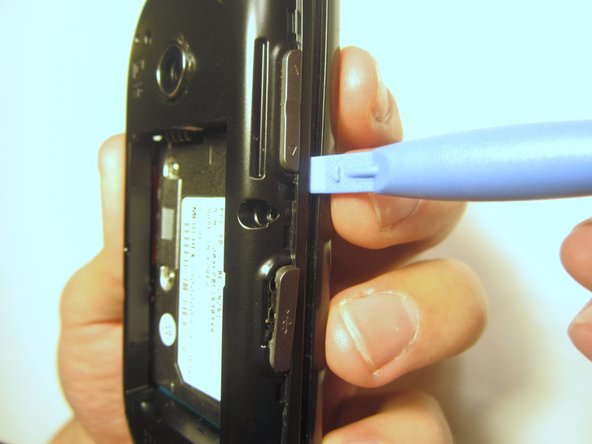
  1. LG Cosmos 2 Motherboard Replacement, Battery: step 1, image 1 of 3 LG Cosmos 2 Motherboard Replacement, Battery: step 1, image 2 of 3 LG Cosmos 2 Motherboard Replacement, Battery: step 1, image 3 of 3
    • Insert the plastic opener into the slot at the top of the device.

    • Apply gentle pressure with the plastic tool to pop the back case off.

    Ask FixBot

    Add Comment

  2. LG Cosmos 2 Motherboard Replacement: step 2, image 1 of 3 LG Cosmos 2 Motherboard Replacement: step 2, image 2 of 3 LG Cosmos 2 Motherboard Replacement: step 2, image 3 of 3
    • Use the plastic opener to lift, and remove, the device battery.

    Ask FixBot

    Add Comment

  3. LG Cosmos 2 Motherboard Replacement, Rear Case: step 3, image 1 of 1
    • Use a screwdriver and corresponding bit to remove the six 2mm screws that are located along the edge of the rear case. Set the screws aside.

    Ask FixBot

    Add Comment

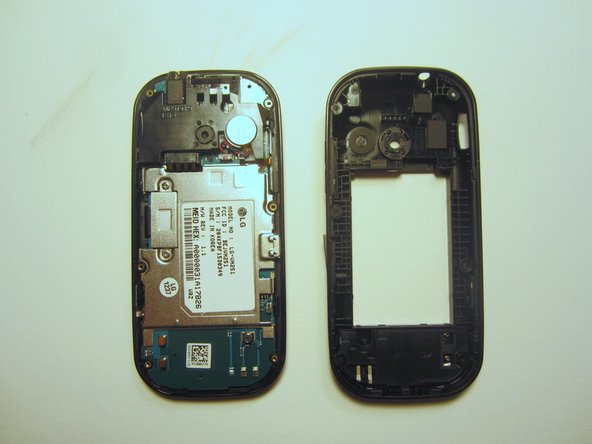
  4. LG Cosmos 2 Motherboard Replacement: step 4, image 1 of 3 LG Cosmos 2 Motherboard Replacement: step 4, image 2 of 3 LG Cosmos 2 Motherboard Replacement: step 4, image 3 of 3
    • Use the plastic opener to pry the rear case loose.

    • This can be difficult. You will need to pry around the entire edge of the rear case, not just in one place.

    Ask FixBot

    Add Comment

  5. LG Cosmos 2 Motherboard Replacement, Motherboard: step 5, image 1 of 1
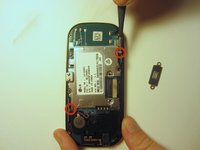
    • Use a screwdriver and corresponding bit to remove the two 3mm screws that attach the motherboard to the front case. Set the screws aside

    Ask FixBot

    Add Comment

  6. LG Cosmos 2 Motherboard Replacement: step 6, image 1 of 1
    • Rotate the phone 180 degrees and use the plastic opener to lift the metal piece that covers the ribbon cable.

    Ask FixBot

    Add Comment

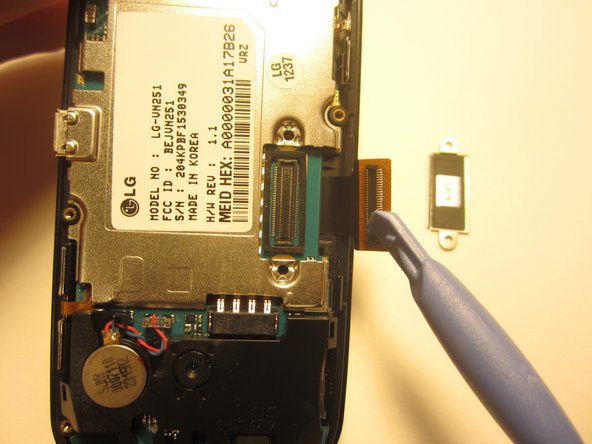
  7. LG Cosmos 2 Motherboard Replacement: step 7, image 1 of 2 LG Cosmos 2 Motherboard Replacement: step 7, image 2 of 2
    • Use the plastic opener to disconnect the ribbon cable.

    Ask FixBot

    Add Comment

  8. LG Cosmos 2 Motherboard Replacement: step 8, image 1 of 2 LG Cosmos 2 Motherboard Replacement: step 8, image 2 of 2
    Tool used on this step:
    Tweezers
    $4.99
    Buy
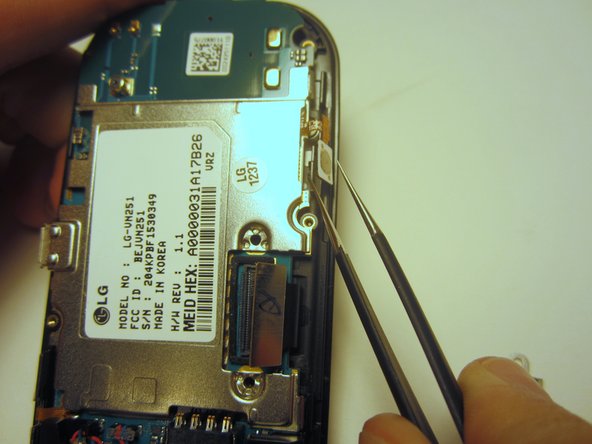
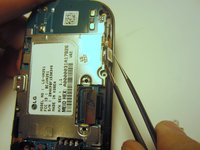
    • Use tweezers to disconnect the two cables that attach the motherboard to the case.

    • Note: Pull on the cables gently to prevent damage for future use.

    Ask FixBot

    Add Comment

  9. LG Cosmos 2 Motherboard Replacement: step 9, image 1 of 1
    • Remove the motherboard from the front case.

    Ask FixBot

    Add Comment

Conclusion

To reassemble your device, follow these instructions in reverse order.

Cancel: I did not complete this guide.

Nick White

Member since: 10/18/13

866 Reputation

8 Guides authored

Team

Clemson, Team 13-1, Benson Fall 2013 Member of Clemson, Team 13-1, Benson Fall 2013

CLEM-BENSON-F13S13G1

3 Members

26 Guides authored

0 Guide Comments

Add Comment

View Statistics:

Past 24 Hours: 1

Past 7 Days: 6

Past 30 Days: 45

All Time: 1,577