
LG Chocolate LCD Screen Replacement

Charles Yoon and 6 other contributors
Last updated on Jan 10, 2018
Views: 1.3K
View statistics:
- Past 24 Hours:
- 2
- Past 7 Days:
- 14
- Past 30 Days:
- 86
- All Time:
- 1,258
Comments: 0
No one has left comments on this guide. Will you be first?
Go to guide commentsCompleted: 2 3
2 people have marked this guide "completed." Will you be next?
3 people have marked this guide "completed." Including you — great job!
Favorites: 0 1
No one has favorited (and subscribed to) this guide. Will you be the first?
1 person has favorited (and subscribed to) this guide — and that's you!
Needs Better Images
Better photos will improve this guide. Help out by taking, editing, or uploading new ones!
Needs More Images
A few more images would make this guide's procedures crystal clear.
Better Introduction
Improve this guide by completing or revising its introduction.
What you need
Tools
-
Spudger4.9


-
-
-
Find a sliding button on the lower back side of the device and with your finger, slide it to the left firmly.
 Ask FixBot
-
-
-
-
-
You will need to use a Phillips #00 screwdriver.
-
Remove the four screws located at the corners beneath the battery.
-
Detach the back case from the phone.
-
-
-
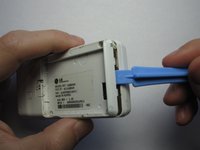
Take the case off by using a plastic opening tool.
-
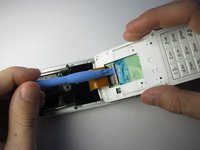
Continue using the plastic opening tool around the sides of the device.
-
Unhook the eight tabs securing the back cover to the rest of the phone as seen in the second photo.
-
The back speaker will be connected to the motherboard.
-
This must be disconnected in order to remove the case.
-
-
-
-
-
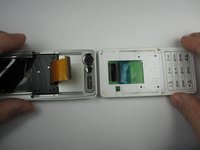
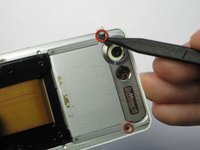
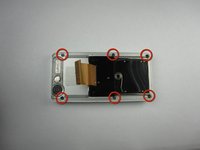
Unscrew the 4 Phillips 00 screws that connect the two halves of the phone together.
-
-
-
Between the two halves is a ribbon. Use a plastic opening tool to flip up the lock and disconnect it.
-
-
-
Pry off the plastic tabs that cover two screws, as shown in the first picture.
-
Then, remove the 6 Phillips 00 screws from the back of the case, as shown in the second picture.
-
-
-
Pry off the back cover from the front of the case using a plastic opening tool.
-
-
-
-
-
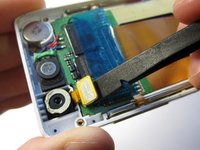
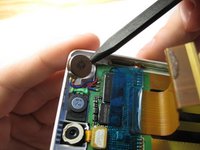
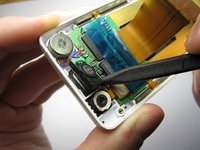
Pry the front speaker and wireless receiver out of the front case using a spudger.
-
-
-
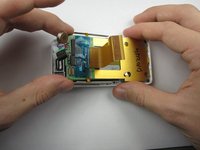
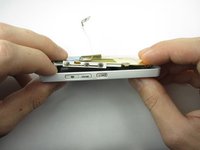
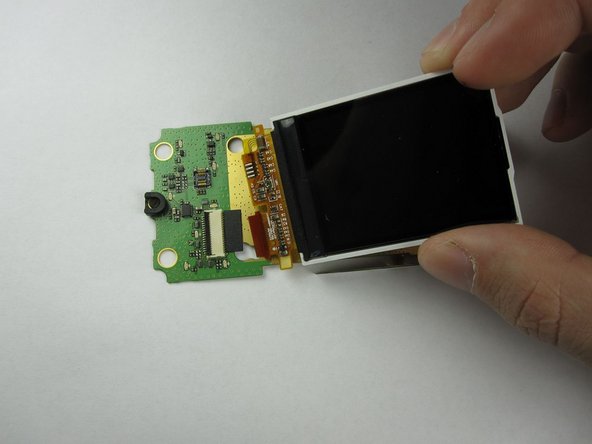
Starting with the side that has the speaker and receiver, carefully lift the LCD Board out of the case.
-
-
-
-
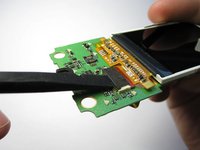
Finally, flip up the black switch to unhook the LCD screen from the LCD board using a spudger.
-
The LCD Board in now accessible.
-
-
-












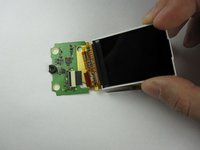

To reassemble your device, follow these instructions in reverse order.
Cancel: I did not complete this guide.
2 other people completed this guide.

Team

Cal Poly, Team 19-46, Regan Winter 2013 Member of Cal Poly, Team 19-46, Regan Winter 2013
CPSU-REGAN-W13S19G46
4 Members
132 Guides authored
