Free Shipping on Domestic Orders $75+

LG Chocolate 3 Side Buttons Replacement

Views: 612

View statistics:

Past 24 Hours:
1
Past 7 Days:
10
Past 30 Days:
42
All Time:
612
Comments: 0

No one has left comments on this guide. Will you be first?

Go to guide comments
Completed: 0

No one has marked this guide "completed." Will you be the first?

Favorites: 1

1 person has favorited (and subscribed to) this guide. Will you be next?

Time Required: 50 minutes
Difficulty: Moderate
Better Introduction

Improve this guide by completing or revising its introduction.

LG Chocolate 3 Side Buttons Replacement

Introduction

Go to step 1 ↓

Use this guide to replace the side buttons. Be prepared to deal with small parts, including screws and the buttons themselves.

What you need

Tools

    1. LG Chocolate 3 Side Buttons Replacement, Battery: step 1, image 1 of 1
      • Turn the phone off before starting the replacement process.

      • Place the phone face down.

      • Press your finger down on the indentation and slide the back plate off.

      Ask FixBot

      Add Comment

    2. LG Chocolate 3 Side Buttons Replacement: step 2, image 1 of 3 LG Chocolate 3 Side Buttons Replacement: step 2, image 2 of 3 LG Chocolate 3 Side Buttons Replacement: step 2, image 3 of 3
      • Using your index finger lift and remove the battery from the phone.

      Ask FixBot

      Add Comment

    1. LG Chocolate 3 Side Buttons Replacement, Rear Case: step 3, image 1 of 1
      • Use the pointed end of the spudger to pull out the plastic inserts that are located on the left and right-hand corners.

      • If needed, use the tip of a push pin instead of the spudger to remove the plastic inserts.

      Ask FixBot

      Add Comment

    2. LG Chocolate 3 Side Buttons Replacement: step 4, image 1 of 1
      Tool used on this step:
      Tweezers
      $4.99
      Buy
      • Using a Phillips #00 screwdriver, remove the six 3mm long screws found along the edges of the phone.

      • If needed, use tweezers to remove loose screws from the recessed holes.

      • Screws are small, therefore, they should be placed in a secure location to prevent misplacement.

      Ask FixBot

      Add Comment

    3. LG Chocolate 3 Side Buttons Replacement: step 5, image 1 of 2 LG Chocolate 3 Side Buttons Replacement: step 5, image 2 of 2
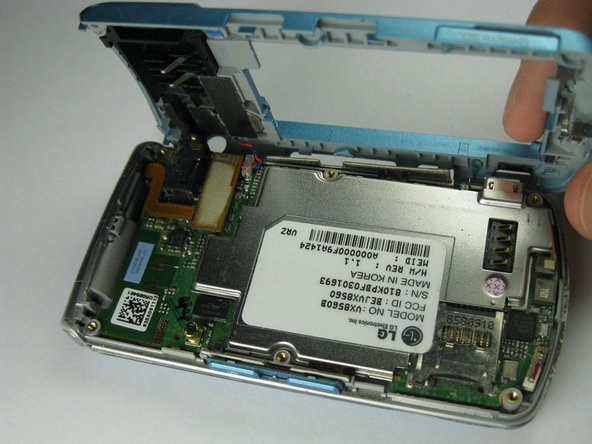
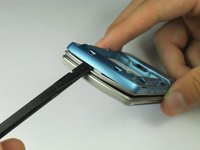
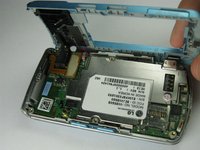
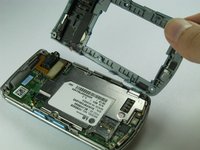
      • Pull the rear case up using the spudger.

      • The rear case is connected to the right side of the phone via red and blue cables, be careful not to pull these cables out.

      • The volume control buttons on the side might fall out of their sockets. Carefully replace them with a pair of tweezers before you reassemble the rear case.

      Ask FixBot

      Add Comment

    4. LG Chocolate 3 Side Buttons Replacement: step 6, image 1 of 1
      • Use tweezers to pull the clear end of the red and blue speaker cables away from motherboard.

      Ask FixBot

      Add Comment

    5. LG Chocolate 3 Side Buttons Replacement: step 7, image 1 of 2 LG Chocolate 3 Side Buttons Replacement: step 7, image 2 of 2
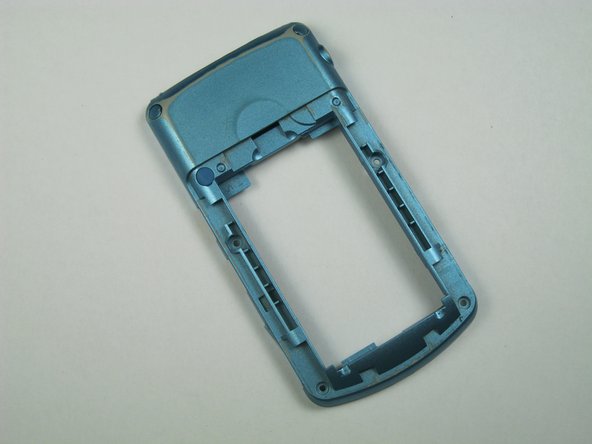
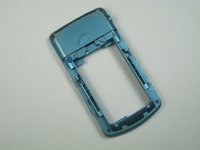
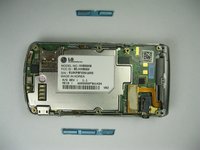
      • Carefully remove the rear case from the phone.

      Ask FixBot

      Add Comment

    1. LG Chocolate 3 Side Buttons Replacement, Side Buttons: step 8, image 1 of 1
      Tool used on this step:
      Tweezers
      $4.99
      Buy
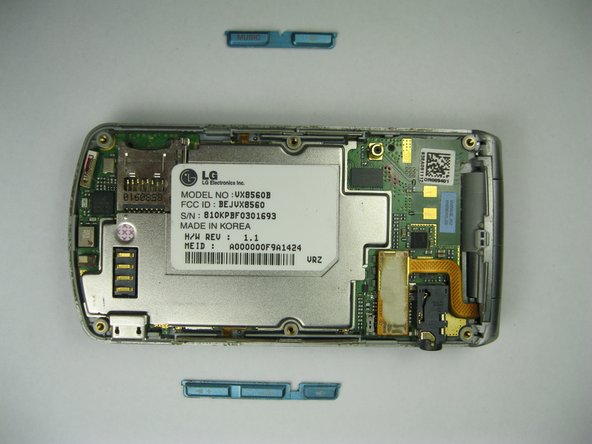
      • Use tweezers to remove the music button found on the side of the phone.

      Ask FixBot

      Add Comment

    2. LG Chocolate 3 Side Buttons Replacement: step 9, image 1 of 2 LG Chocolate 3 Side Buttons Replacement: step 9, image 2 of 2
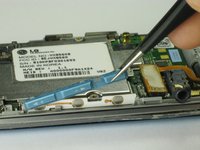
      • Use tweezers to remove the volume control buttons on the opposite side of the phone.

      Ask FixBot

      Add Comment

Conclusion

To reassemble your device, follow these instructions in reverse order.

Cancel: I did not complete this guide.

Brenna Yagade

Member since: 04/15/13

40 Reputation

6 Guides authored

Team

Cal Poly, Team 12-35, Amido Spring 2013 Member of Cal Poly, Team 12-35, Amido Spring 2013

CPSU-AMIDO-S13S12G35

5 Members

72 Guides authored

0 Guide Comments

Add Comment

View Statistics:

Past 24 Hours: 1

Past 7 Days: 10

Past 30 Days: 42

All Time: 612