
LG CF360 LCD Screen Replacement

Ricky Wai and 4 other contributors
Last updated on May 7, 2024
Views: 1.8K
View statistics:
- Past 24 Hours:
- 3
- Past 7 Days:
- 12
- Past 30 Days:
- 81
- All Time:
- 1,808
Comments: 0
No one has left comments on this guide. Will you be first?
Go to guide commentsCompleted: 2 3
2 people have marked this guide "completed." Will you be next?
3 people have marked this guide "completed." Including you — great job!
Favorites: 6 7
6 people have favorited (and subscribed to) this guide. Will you be next?
7 people have favorited (and subscribed to) this guide — including you!
Featured Guide
This guide has been found to be exceptionally cool by the iFixit staff.
Featured Student Guide
This guide has been the hard work of our awesome students and is found to be exceptionally cool by the iFixit staff.
Introduction
Go to step 1 ↓This guide will help you replace the LCD screen on your LG CF360 phone. It is a lengthy process, but don't let the number of steps intimidate you! Follow along and you will have a brand-new LCD screen installed in about an hour.
Please note that you will need a soldering iron to complete the replacement. If you need help on soldering, take a look at iFixit's Soldering Guide before you start.
What you need
Tools


-
-
-
On the back of the phone, place your thumb on the three raised bumps and slide the back cover upward.
 Ask FixBot
-
-
-
-
Tool used on this step:Tweezers$4.99
-
Remove the two screw covers at the top of phone with tweezers.
-
-
-
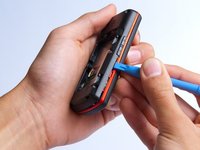
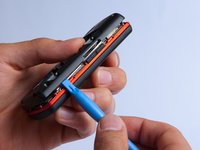
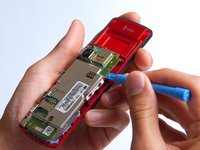
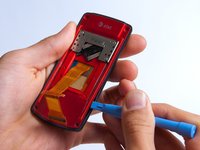
Use the plastic opening tool to pry the back cover off. Insert the tool between the back cover and red mid section and go around the entire phone.
-
-
-
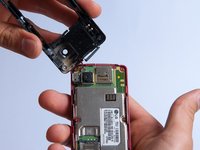
Use the tweezers to remove the red and black wires connecting the speaker to the green motherboard by pinching the sides of the plastic base near the motherboard.
-
Set the back cover with the speaker aside.
-
-
-
-
-
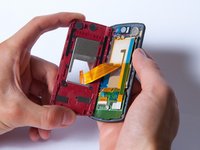
Use the plastic opening tool to gently lift the snapped-in motherboard from the front panel.
-
-
-
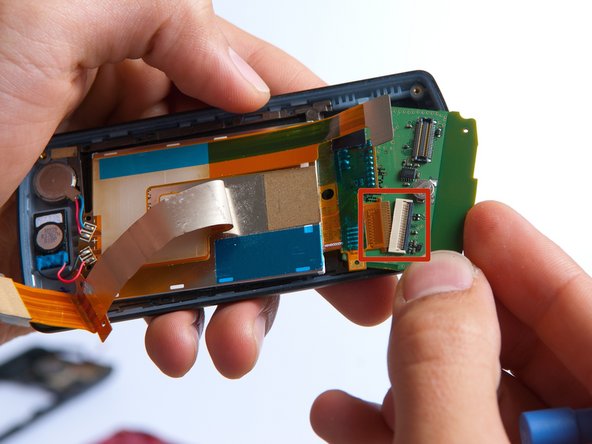
With the plastic opening tool, gently pry the LCD connector from the motherboard.
-
Set the motherboard aside.
-
-
-
-
-
Take the front case and unscrew the four Phillips #000 (1mm) screws around the ribbon.
-
-
-
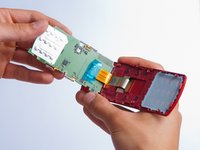
Gently pull the orange ribbon from the number pad casing.
-
Set the number pad case to the side once it is detached from the ribbon.
-
-
Tool used on this step:Tweezers$4.99
-
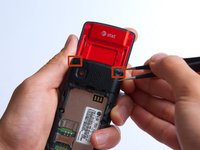
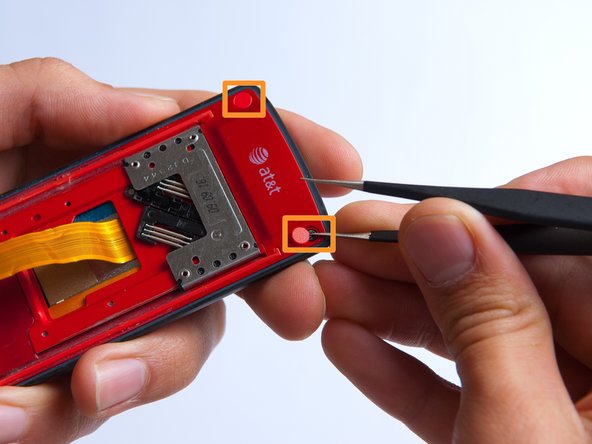
Remove the two red sticker screw coverings at the top corners with tweezers.
-
-
-
-
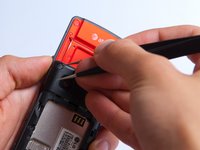
Pry the red sliding backing from the front cover by inserting the plastic opening tool in between the two sections and going around the entire phone.
-
Set the red sliding backing and front cover to the side.
-
-
-
-
-
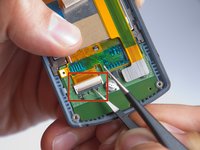
Use a plastic opening tool to carefully disconnect the silver L-shaped LCD screen ribbon.
-
-
Tool used on this step:Tweezers$4.99
-
Use tweezers to carefully pry up the black retainer on the connector.
-
-
-
Lift the keypad board away from the phone casing using a plastic opening tool.
-
Slowly rotate the keypad board towards you to disconnect the second orange LCD screen ribbon and remove the board.
-
-
-
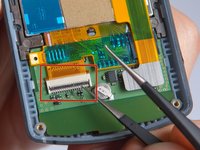
Use a soldering iron and a solder wick to de-solder the 4 wires connected to the LCD screen.
-
The LCD screen can easily be removed at this point by lifting it from the phone casing.
-
-














To reassemble your device, follow these instructions in reverse order.
Cancel: I did not complete this guide.
2 other people completed this guide.

Team

Cal Poly, Team 4-27, Amido Fall 2013 Member of Cal Poly, Team 4-27, Amido Fall 2013
CPSU-AMIDO-F13S4G27
4 Members
96 Guides authored
