
LG 440G Keypad Replacement

JP Belanger and 6 other contributors
Last updated on Dec 22, 2021
Views: 1.3K
View statistics:
- Past 24 Hours:
- 3
- Past 7 Days:
- 16
- Past 30 Days:
- 100
- All Time:
- 1,260
Comments: 4
4 comments on steps.
Completed: 0 1
No one has marked this guide "completed." Will you be the first?
1 person has marked this guide "completed." It's you — great job!
Favorites: 0 1
No one has favorited (and subscribed to) this guide. Will you be the first?
1 person has favorited (and subscribed to) this guide — and that's you!
Step Trimmer
This guide has unnecessary steps. Trim them to be more concise!
Needs Better Images
Better photos will improve this guide. Help out by taking, editing, or uploading new ones!
Better Introduction
Improve this guide by completing or revising its introduction.
Introduction
Go to step 1 ↓If the keypad on your LG 440G phone has worn out or unresponsive, you may want to replace it, Use this step-by-step guide to learn how to change the keypad.
What you need
Tools


-
-
-
Turn the device off.
-
To do so, press and hold the red button.
 Ask FixBot
-
-
-
Slide the rear cover downward
-
Lift it off to access the battery
-
-
-
Locate the small rounded recess to get access to the battery
-
Gently, lift the battery
-
-
-
-
-
Use a Phillips #00 screw driver to remove six screws.
-
-
-
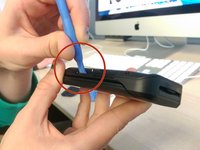
Run the plastic opening tool along the edge of the phone to release the casing cover.
-
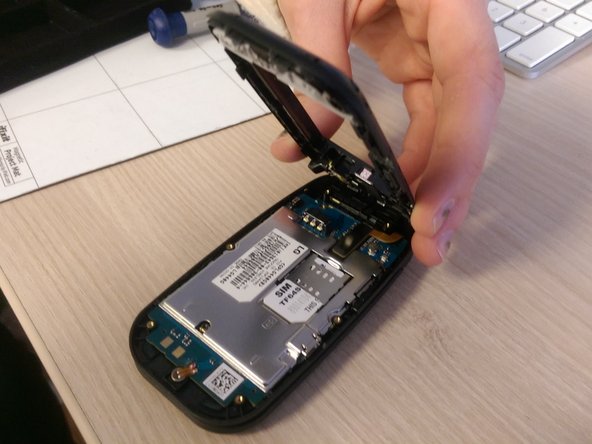
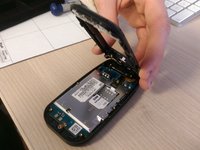
Lift the casing cover.
-
-
-
-
-
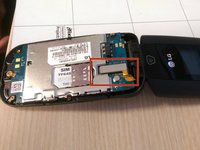
Use the plastic opening tool or fingernail to lift the rectangular piece up. The piece can be identified by the orange tape attached to it.
-
-
-
-
-
-
Remove the keypad from the phone by pushing the keypad itself out from the front of the phone. Then, lift the keypad out of the casing to separate the keypad from the casing.
-
-




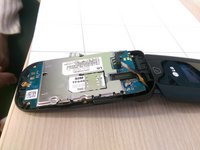


To reassemble your device, follow these instructions in reverse order.

Team

Ohio State, Team 1-1, Buehl Winter 2015 Member of Ohio State, Team 1-1, Buehl Winter 2015
OSU-BUEHL-W15S1G1
4 Members
48 Guides authored
