
LG 1010 Front Cover Replacement

Nicholas Schmidt and 6 other contributors
Last updated on Feb 5, 2018
Views: 1.5K
View statistics:
- Past 24 Hours:
- 3
- Past 7 Days:
- 14
- Past 30 Days:
- 96
- All Time:
- 1,522
Comments: 0
No one has left comments on this guide. Will you be first?
Go to guide commentsCompleted: 1 2
1 person has marked this guide "completed." Will you be next?
2 people have marked this guide "completed." Including you — great job!
Favorites: 0 1
No one has favorited (and subscribed to) this guide. Will you be the first?
1 person has favorited (and subscribed to) this guide — and that's you!
Incorrect Tools
Help make this guide better by using the correct tools in images and/or text.
Missing Prerequisites
This guide is missing information on how to start the process. Make a prerequisite guide!
What you need
Tools
-
Spudger4.9
-


-
-
-
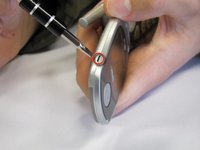
Use a Spudger to remove the two front plastic covers to reveal screws.
 Ask FixBot
-
-
-
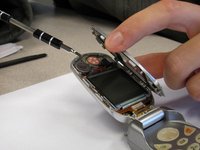
Insert a small flathead screwdriver into the hinge and separate hinge connection.
-
-
-
-
Pry off the speaker which is glued on to the front cover using a small flathead screwdriver.
-
-




To reassemble your device, follow these instructions in reverse order.
Cancel: I did not complete this guide.
One other person completed this guide.

Team

Cal Poly, Team 3-25, Regan Fall 2010 Member of Cal Poly, Team 3-25, Regan Fall 2010
CPSU-REGAN-F10S3G25
4 Members
84 Guides authored
