Introduction
In this guide we will be replacing the back camera lens on the Kyocera DuraXV Extreme plus model number E4811. If your photos are blurry or camera not focusing is when the back lens would need to be replaced.
What you need
-
-
-
Use a coin to unscrew the big silver screw on bottom middle back of the phone counterclockwise until you hear a click.
-
Gently pull the backing off by inserting an iFixit opening tool into the notch under the screw.
 Ask FixBot
-
-
-
-
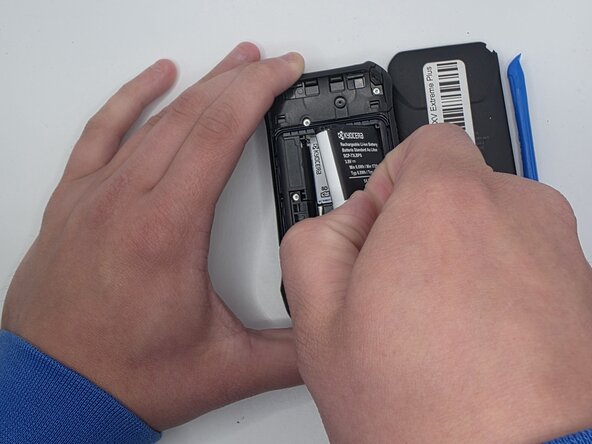
Grip the edge of the white pull tab on the battery.
-
Gently pull the white pull tab to remove the battery.
-
-
-
-
-
Pry up the lens with a an iFixit opening tool.
-
Remove the camera lens.
-
-




To reassemble your device, follow these instructions in reverse order.

Team

University of North Texas, Team 1-7, Kilpatrick Spring 2026 Member of University of North Texas, Team 1-7, Kilpatrick Spring 2026
UNT-KILPATRICK-S26S1G7
5 Members
60 Guides authored
