Free Shipping on Domestic Orders $75+

Kodak PixPro AZ251 Back Cover Replacement

Views: 1.3K

View statistics:

Past 24 Hours:
1
Past 7 Days:
10
Past 30 Days:
70
All Time:
1,349
Comments: 1

1 comment on steps.

Completed: 1

1 person has marked this guide "completed." Will you be next?

Favorites: 0

No one has favorited (and subscribed to) this guide. Will you be the first?

Time Required: 10 minutes
Difficulty: Moderate
Kodak PixPro AZ251 Back Cover Replacement

Introduction

Go to step 1 ↓

Removing the back cover of your Kodak PixPro AZ251 gives you access to the camera's LCD screen and motherboard. This guide will instruct you on how to remove the back cover of your Kodak PixPro AZ251.

What you need

Tools

    1. Kodak PixPro AZ251 Back Cover Replacement, Batteries: step 1, image 1 of 2 Kodak PixPro AZ251 Back Cover Replacement, Batteries: step 1, image 2 of 2
      • Slide switch to open lock position.

      Ask FixBot

      Add Comment

    2. Kodak PixPro AZ251 Back Cover Replacement: step 2, image 1 of 2 Kodak PixPro AZ251 Back Cover Replacement: step 2, image 2 of 2
      • Press down on the battery cover and slide outwards to open.

      Ask FixBot

      Add Comment

    3. Kodak PixPro AZ251 Back Cover Replacement: step 3, image 1 of 1
      • Remove the batteries.

      Ask FixBot

      Add Comment

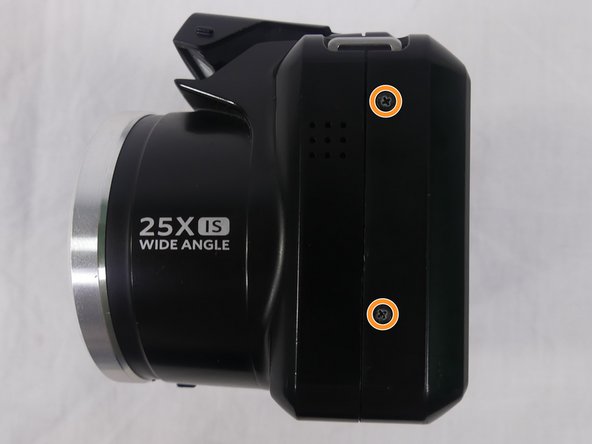
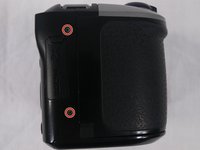
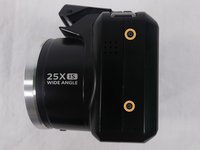
    1. Kodak PixPro AZ251 Back Cover Replacement, Back Cover: step 4, image 1 of 3 Kodak PixPro AZ251 Back Cover Replacement, Back Cover: step 4, image 2 of 3 Kodak PixPro AZ251 Back Cover Replacement, Back Cover: step 4, image 3 of 3
      • Remove a total of four 5mm JIS #000 screws from around the camera:

      • Two screws from the right side.

      • Two screws from the left side.

      Ask FixBot

      Add Comment

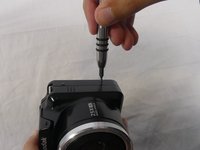
    2. Kodak PixPro AZ251 Back Cover Replacement: step 5, image 1 of 1
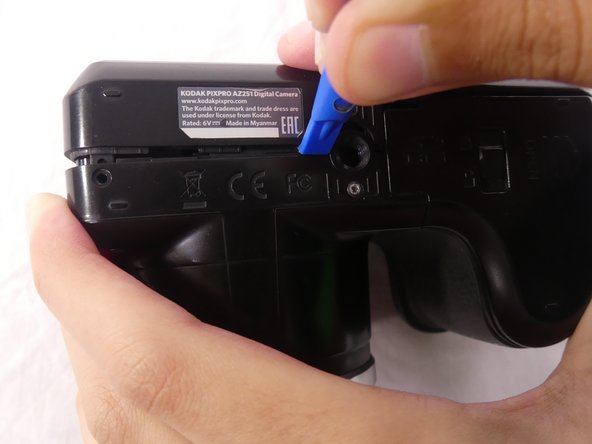
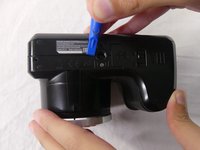
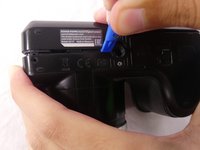
      • Remove the single 5mm Phillips #00 screw from the bottom.

      Ask FixBot

      Add Comment

    3. Kodak PixPro AZ251 Back Cover Replacement: step 6, image 1 of 2 Kodak PixPro AZ251 Back Cover Replacement: step 6, image 2 of 2
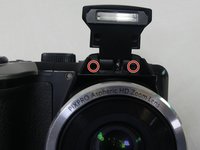
      • Open the flash module.

      • Remove the two 6mm JIS #00 screws found inside of the flash housing.

      Ask FixBot

      Add Comment

    4. Kodak PixPro AZ251 Back Cover Replacement: step 7, image 1 of 3 Kodak PixPro AZ251 Back Cover Replacement: step 7, image 2 of 3 Kodak PixPro AZ251 Back Cover Replacement: step 7, image 3 of 3
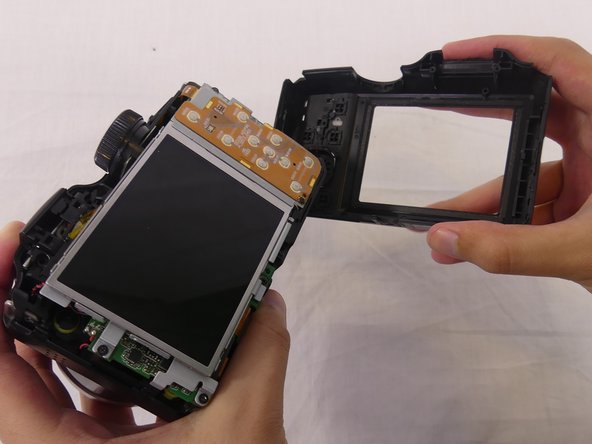
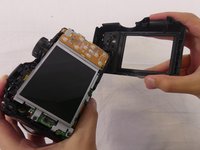
      • Use a plastic opening tool to pry apart both halves of the camera.

      • Remove the back panel.

      Ask FixBot

      Add Comment

Conclusion

To reassemble your device, follow these instructions in reverse order.

Cancel: I did not complete this guide.

One other person completed this guide.

Luiza Oliveira

Member since: 02/22/18

298 Reputation

2 Guides authored

Team

USF Tampa, Team S1-G1, Cagle Spring 2018 Member of USF Tampa, Team S1-G1, Cagle Spring 2018

USFT-CAGLE-S18S1G1

4 Members

84 Guides authored

0 Guide Comments

Add Comment

View Statistics:

Past 24 Hours: 1

Past 7 Days: 10

Past 30 Days: 70

All Time: 1,349