Introduction
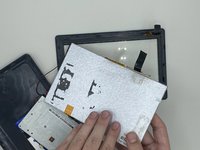
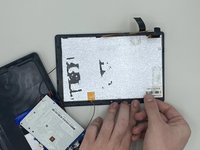
This Kocaso M750B guide will show you how to replace the display assembly of your tablet. If you dropped your device and cracked the display, you may need to replace the screen to continue using it.
This repair requires soldering soldering and desoldering connections. For safety purposes, there are guidelines on how to solder, visit this page for more information.
Before you begin this repair, power off your tablet and unplug it from the charging adaptor.
What you need
-
-
-
-
Remove three 1.2 mm screws from the motherboard using a Phillips #000 screwdriver.
-
-
-


 Ask FixBot


To reassemble your device, follow these instructions in reverse order.

Team

University of North Texas, Team 4-9, Harold Fall 2023 Member of University of North Texas, Team 4-9, Harold Fall 2023
UNT-HAROLD-F23S4G9
4 Members
72 Guides authored
