Introduction
Use this guide to replace the battery in your Kobo Libra Colour (N428B model) eReader.
Important: There are two Libra Colour versions: N428 and N428B. Check your eReader's model number (printed on the edge of the device with the USB‑C port) before starting this guide. This guide is for the N428B model.
If your battery isn't holding a charge or is starting to swell, it's time to change your battery!
Following this guide will remove your eReader's IP (Ingress Protection) rating, making it susceptible to water damage.
If your battery is swollen, take appropriate precautions.
Kobo supports their eReaders with a warranty. If your device is still under warranty, Kobo may be able to help. Before starting a repair, review your warranty information or check support documentation.
What you need
-
-
Unplug all cables and fully shut down your eReader.
-
Your screen should be black and say Powered off.
 Ask FixBot
-
-
-
Flip your eReader over so the screen is facing down.
-
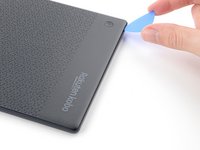
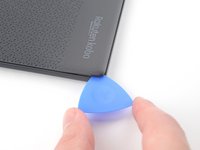
Angle an opening pick straight down, and insert its tip under the top right corner of the back cover, near the power button.
-
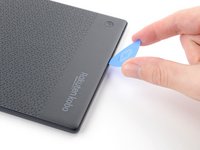
Push downward and pry up with the pick until you feel it slide between one of the clips and the frame.
-
-
-
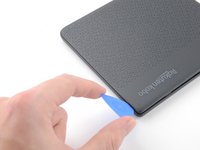
Slide the pick toward the bottom right corner to release the clips along the right edge.
-
-
-
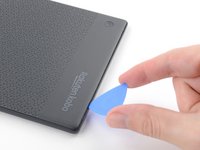
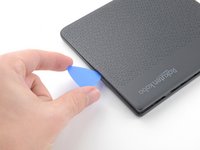
Angle the pick flat under the back cover and rotate it around the bottom right corner to release its clips.
-
-
-
-
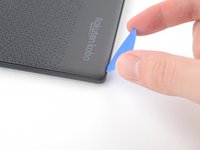
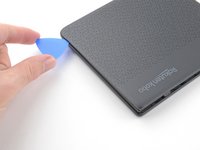
Slide the pick toward the bottom left corner to release the clips along the bottom edge.
-
-
-
Grip the right edge of the back cover and lift it away from the eReader to release the remaining clips.
-
Remove the back cover.
-
-
-
The coating is brittle and can flake into many small pieces. Heating the coating helps, but working with it is still a time-consuming process.
-
Depending on your repair, you might have to remove the coating from ZIF connectors and their cables.
-
-
-
Use a spudger to pry up and disconnect the battery press connector.
-
-
-
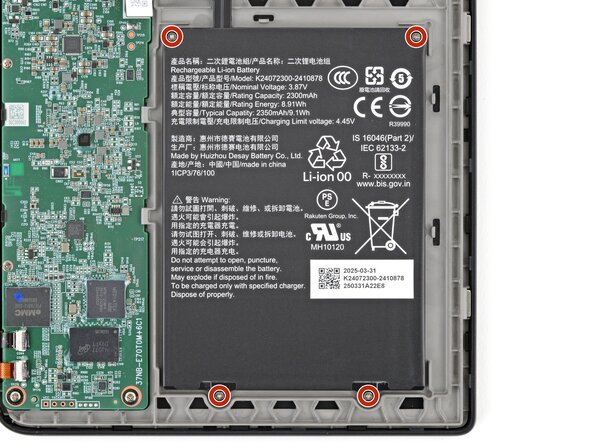
Use a Phillips screwdriver to remove the four 2.1 mm‑long screws securing the battery.
-
-
-
Use your fingers to lift and remove the battery.
-
If you're transferring the battery to a new screen, inspect the battery for any dents or deformations.
-










To reassemble your device, follow these instructions in reverse order.
Remember: after repairs, your eReader is no longer IPX8 waterproof.
Compare your new replacement part to the original part—you may need to transfer remaining components or remove adhesive backings from the new part before you install it.
Make sure each of your device's main functions still work, e.g., LED backlight, touch, Wi-Fi, etc.
For optimal performance, calibrate your newly installed battery after completing this guide.
Take your e-waste to an R2 or e-Stewards certified recycler.
Repair didn’t go as planned? Try some basic troubleshooting, or ask our Answers Community for help.

