Free Shipping on Domestic Orders $75+

Kobo Glo HD Motherboard Replacement

What you need

  1. Kobo Glo HD Motherboard Replacement, Rear Cover: step 1, image 1 of 3 Kobo Glo HD Motherboard Replacement, Rear Cover: step 1, image 2 of 3 Kobo Glo HD Motherboard Replacement, Rear Cover: step 1, image 3 of 3
    • If you haven't done so already, power off your eReader by holding down the power button for 3 seconds until the display refreshes to indicate that it has powered off.

    • Opening picks are required for this step as opening tools can be too wide to get into the gap between the rear cover and the side/front.

    • Start by inserting the pick into the area around the power button or Micro USB port.

    • Don't insert it too far, as that could result in damage to the power button, status indicator, and/or Micro USB port.

    • Then, slide the pick around to undo these clips.

    Ask FixBot

    Add Comment

  2. Kobo Glo HD Motherboard Replacement: step 2, image 1 of 3 Kobo Glo HD Motherboard Replacement: step 2, image 2 of 3 Kobo Glo HD Motherboard Replacement: step 2, image 3 of 3
    • The rear cover should then pop off.

    Ask FixBot

    Add Comment

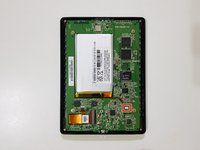
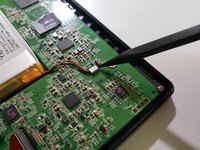
  3. Kobo Glo HD Motherboard Replacement, Mainboard - Disconnect the battery: step 3, image 1 of 3 Kobo Glo HD Motherboard Replacement, Mainboard - Disconnect the battery: step 3, image 2 of 3 Kobo Glo HD Motherboard Replacement, Mainboard - Disconnect the battery: step 3, image 3 of 3
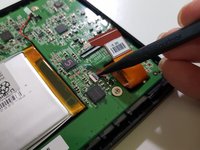
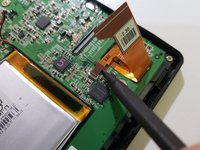
    • Using the pointed end of your spudger, while holding your eReader using your other hand or a weight, disconnect the battery.

    Ask FixBot

    Add Comment

  4. Kobo Glo HD Motherboard Replacement, Remove the internal memory card: step 4, image 1 of 2 Kobo Glo HD Motherboard Replacement, Remove the internal memory card: step 4, image 2 of 2
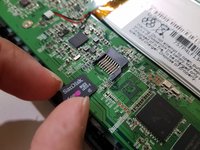
    • If your eReader has a memory card instead of a storage chip, remove the memory card.

    • Don't lose, misplace, or damage this memory card, as it not only contains any books and any other data you downloaded or copied over, but it also contains the firmware, as well as the serial number and important files required for your eReader to be able to start up.

    • Image needed in position 1: innards after disconnecting the battery

    Ask FixBot

    Add Comment

  5. Kobo Glo HD Motherboard Replacement, Disconnect the display: step 5, image 1 of 2 Kobo Glo HD Motherboard Replacement, Disconnect the display: step 5, image 2 of 2
    Tool used on this step:
    Tweezers
    $4.99
    Buy
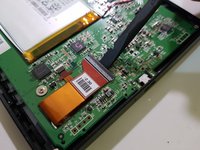
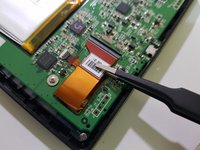
    • Using the flat end of your spudger and a pair of flat-bladed tweezers, disconnect the display.

    • Image needed: innards after disconnecting the battery and removing the start-up memory card

    Ask FixBot

    Add Comment

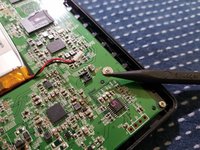
  6. Kobo Glo HD Motherboard Replacement, Disconnect the frontlight: step 6, image 1 of 2 Kobo Glo HD Motherboard Replacement, Disconnect the frontlight: step 6, image 2 of 2
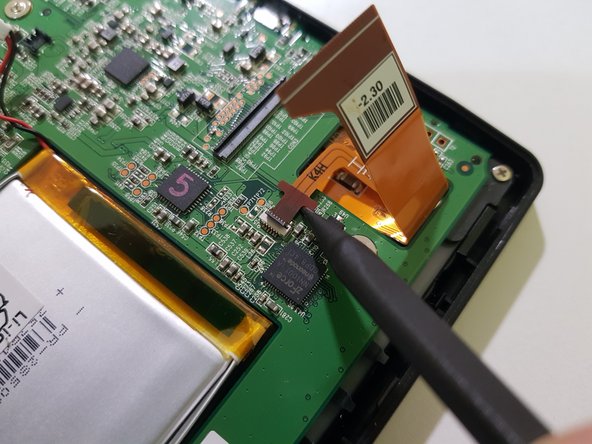
    • Using the pointed end of your spudger, disconnect the frontlight.

    • Image needed: innards after disconnecting the battery, removing the start-up memory card, and disconnecting the display

    Ask FixBot

    Add Comment

  7. Kobo Glo HD Motherboard Replacement, Remove the mainboard: step 7, image 1 of 2 Kobo Glo HD Motherboard Replacement, Remove the mainboard: step 7, image 2 of 2
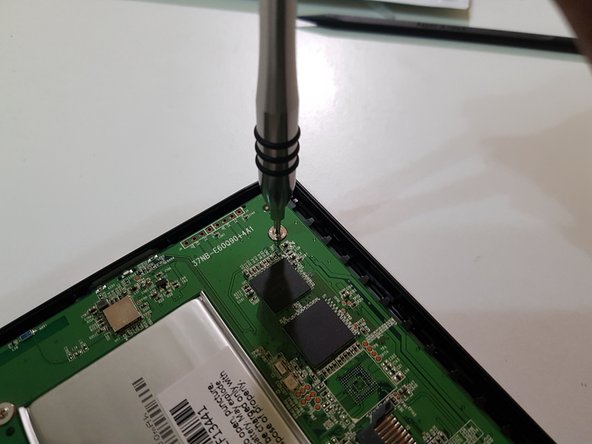
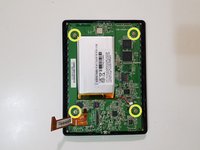
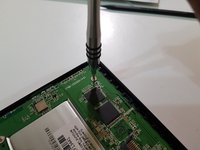
    • Using your screwdriver with a PH00 tip, remove these screws and set them aside.

    Ask FixBot

    Add Comment

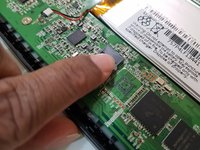
  8. Kobo Glo HD Motherboard Replacement: step 8, image 1 of 1
    • Use the flat end of your spudger to lift the top of the mainboard, and your fingers to slowly pull out the bottom.

    • Image needed: me pulling out the mainboard

    Ask FixBot

    Add Comment

  9. Kobo Glo HD Motherboard Replacement: step 9, image 1 of 3 Kobo Glo HD Motherboard Replacement: step 9, image 2 of 3 Kobo Glo HD Motherboard Replacement: step 9, image 3 of 3
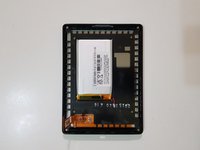
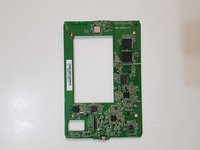
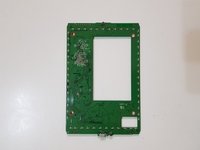
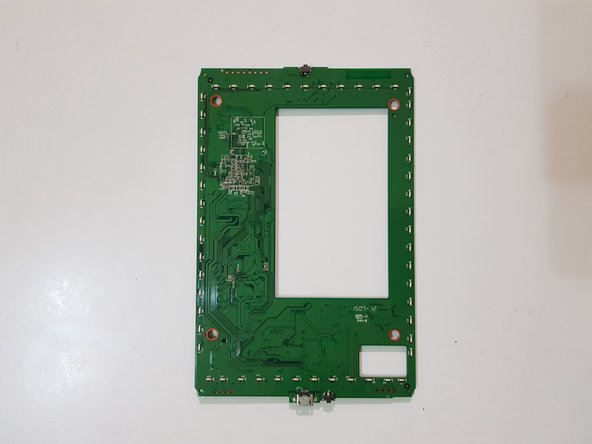
    • The mainboard has been removed.

    Ask FixBot

    Add Comment

Conclusion

To reassemble your device, follow these instructions in reverse order.

Cancel: I did not complete this guide.

Kevin Bhasi

Member since: 12/26/14

1,355 Reputation

9 Guides authored

2 Guide Comments

hello, where can I buy a motherboard for the KOBO GLO HD MODEL N437 ?

lamia.kharchach - Reply Share
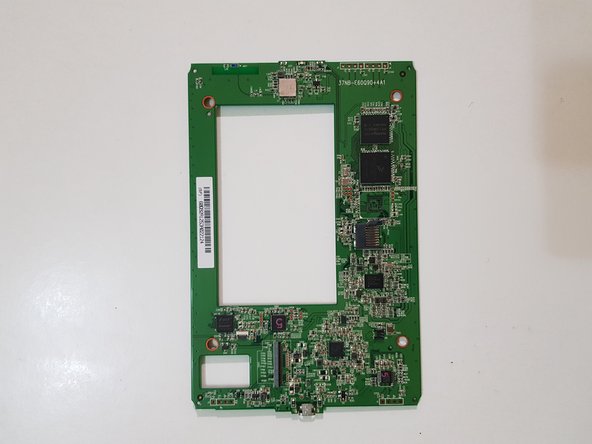
tell me what the component is near the display loop marked "F"

Дмитрий Дигтярь - Reply Share
Add Comment

View Statistics:

Past 24 Hours: 2

Past 7 Days: 11

Past 30 Days: 57

All Time: 2,001