Free Shipping on Domestic Orders $75+

Kobo Arc K107 Screen Replacement

What you need

  1. Kobo Arc K107 Screen Replacement, Battery: step 1, image 1 of 1
    • Peel the back cover off of the Kobo Arc by finding the lip in the cover and pulling back on it.

    Ask FixBot

    Add Comment

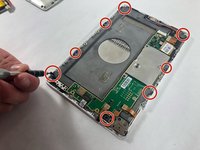
  2. Kobo Arc K107 Screen Replacement: step 2, image 1 of 1
    • Remove the screws from the midframe.

    Ask FixBot

    Add Comment

  3. Kobo Arc K107 Screen Replacement: step 3, image 1 of 1
    • Use a nylon spudger to pry up the battery from the device.

    • It will give some resistance as it is glued down.

    • Always use plastic or nylon prying tools around the battery. Metal tools can puncture a battery, potentially causing a fire.

    Ask FixBot

    Add Comment

  4. Kobo Arc K107 Screen Replacement: step 4, image 1 of 1
    • Unplug the battery connector from the rest of the tablet.

    • Remove the battery from the tablet.

    Ask FixBot

    Add Comment

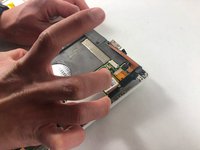
  5. Kobo Arc K107 Screen Replacement, Speaker: step 5, image 1 of 2 Kobo Arc K107 Screen Replacement, Speaker: step 5, image 2 of 2
    • Remove the screws that are attached to the grey plastic layer.

    • Remove the gray plastic layer.

    Ask FixBot

    Add Comment

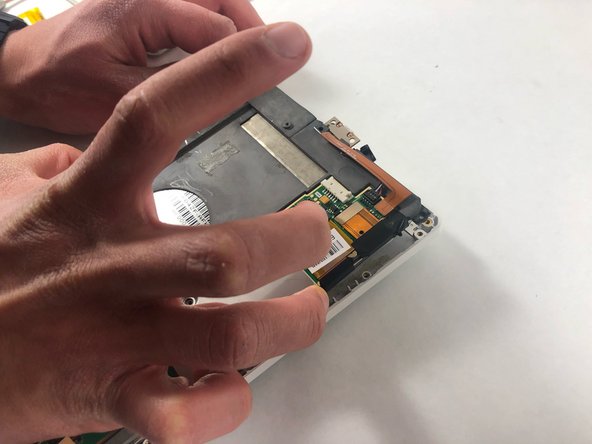
  6. Kobo Arc K107 Screen Replacement: step 6, image 1 of 1
    • Disconnect the speakers from the tablet.

    Ask FixBot

    Add Comment

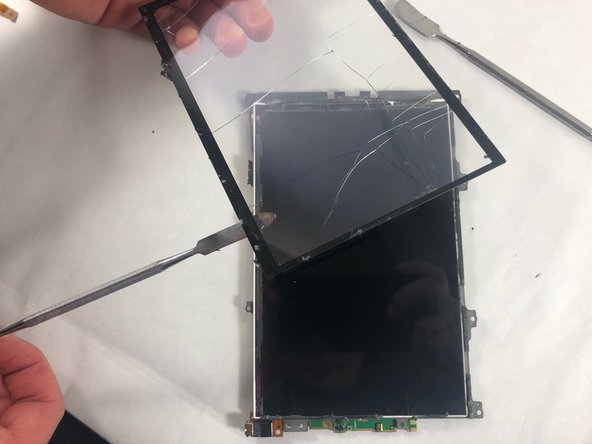
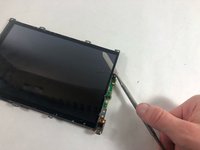
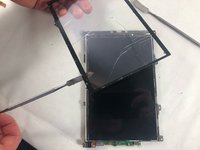
  7. Kobo Arc K107 Screen Replacement, Screen: step 7, image 1 of 2 Kobo Arc K107 Screen Replacement, Screen: step 7, image 2 of 2
    • Wedge a nylon spudger between the screen and the tablet.

    • Slide the spudger around the edges of the screen and remove it from the device.

    Ask FixBot

    Add Comment

Conclusion

To reassemble your device, follow these instructions in reverse order.

Cancel: I did not complete this guide.

Stephen Pehl

Member since: 10/28/21

303 Reputation

2 Guides authored

Team

3 Guide Comments

Hi, what is the part number for the screen?

Toryy - Reply Share

is there any the software reset boot looking error not Wi-Fi, type doing manual software relish, software find on the kobo, page on the way back machine, but version same old the I think coursing all the problems Have already?

D H - Reply Share

Where did you find the replacement screen? I've been looking all over the internet for a replacement and the ones I fixit has arent for the arc??? Someone help a poor guy out I'm lost

Devilman86 - Reply Share

Add Comment

View Statistics:

Past 24 Hours: 0

Past 7 Days: 12

Past 30 Days: 36

All Time: 849