Kindle Fire HDX 7" Micro USB Charging Port Replacement

Last updated on Oct 3, 2018
Views: 7.7K
View statistics:
- Past 24 Hours:
- 0
- Past 7 Days:
- 13
- Past 30 Days:
- 94
- All Time:
- 7,709
Comments: 2
2 comments on steps.
Completed: 6 7
6 people have marked this guide "completed." Will you be next?
7 people have marked this guide "completed." Including you — great job!
Favorites: 1 2
1 person has favorited (and subscribed to) this guide. Will you be next?
2 people have favorited (and subscribed to) this guide — including you!
Introduction
Go to step 1 ↓Replacement guide for the micro USB charging port on a Kindle Fire HDX 7” tablet.
The home button and micro USB are part of the same ribbon cable and are replaced at the same time.
What you need


-
-
-
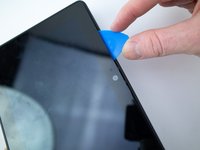
Insert an opening pick underneath the speaker bezel, and slide it along the perimeter to separate it from the tablet.
 Ask FixBot
-
-
-
-
-
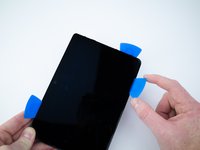
Wedge opening picks around the perimeter between the display and back case.
-
Work the opening picks around the perimeter until the two halves disengage from each other.
-
-
-
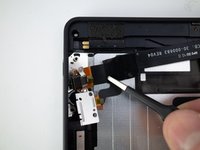
Use the flat end of a spudger to pry up and disconnect the rear panel press-fit connector from the motherboard.
-
-
-
There may be a glue strip between the battery and the outside case. Gently pry the case open and use the flat end of a spudger to separate the glue strip.
-
-
-
-
-
Remove the four 2.3mm T5 Torx screws from the micro USB port and power button assembly.
-
-
-
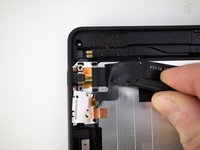
Pry up the ribbon cable from the rear panel with the flat end of a spudger.
-
Remove the micro USB port and power button ribbon cable.
-
-




To reassemble your device, follow these instructions in reverse order.
Cancel: I did not complete this guide.
6 other people completed this guide.