Introduction
If your Kindle Fire HD 10 7th Generation camera is malfunctioning or damaged, use this guide to replace the camera. This guide gives instructions on how to access the rear camera. The camera allows you to take pictures or videos. While using your camera, if there are error messages, a black screen, or see physical damage to the lens, you may be unable to capture photos or videos. Use caution when removing tablet components. Before beginning, make sure to power off your device completely and disconnect from any external power source.
What you need
-
-
-
Pry open the case using the iFixit opening tool.
-
Make sure to go around the whole case before removing the whole case.
 Ask FixBot
-
-
-
-
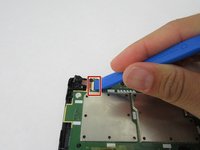
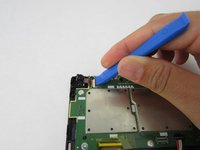
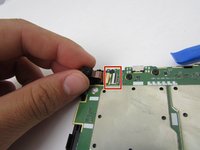
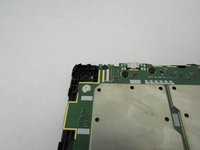
Gently flip over the black latch with the iFixit opening tool. Disconnect the camera's connector to the circuit board.
-
-
Tool used on this step:Tweezers$4.99
-
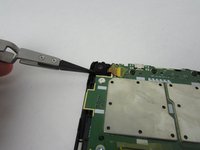
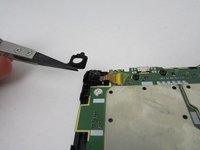
Remove the rubber casing around the camera lens using a set of tweezers.
-
-





To reassemble your device, follow these instructions in reverse order.
Cancel: I did not complete this guide.
One other person completed this guide.

Team

Embry-Riddle Aeronautical University, Team S1-G5, Watkins Fall 2019 Member of Embry-Riddle Aeronautical University, Team S1-G5, Watkins Fall 2019
ERAU-WATKINS-F19S1G5
4 Members
60 Guides authored
