Free Shipping on Domestic Orders $75+

Kindle 10 Battery Replacement

What you need

    1. Kindle 10 Battery Replacement, Battery: step 1, image 1 of 2 Kindle 10 Battery Replacement, Battery: step 1, image 2 of 2
      • Gently use a metal spudger to pry, twist, and lift the bezel away from the display.

      Ask FixBot

      Add Comment

    2. Kindle 10 Battery Replacement: step 2, image 1 of 1
      • Remove the eight 2.6 mm screws using a T5 Torx screwdriver.

      Ask FixBot

      Add Comment

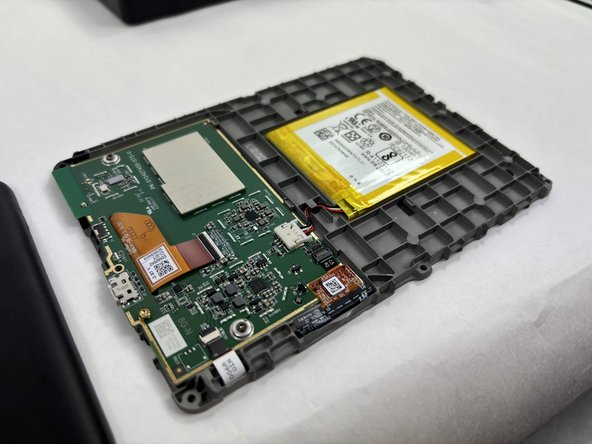
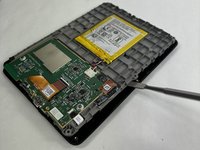
    3. Kindle 10 Battery Replacement: step 3, image 1 of 2 Kindle 10 Battery Replacement: step 3, image 2 of 2
      • Use the metal spudger to gently lift the screen out of the back frame.

      Ask FixBot

      Add Comment

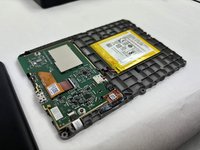
    4. Kindle 10 Battery Replacement: step 4, image 1 of 1
      • Detach the battery connector from the motherboard.

      • The battery pack may be glued on to the gray plastic frame. Take care when prying it out not to rip the battery, since it is made of a lithium polymer which is flammable and deforms easily.

      Ask FixBot

      Add Comment

Conclusion

To reassemble your device, follow these instructions in reverse order.

Cancel: I did not complete this guide.

2 other people completed this guide.

hzheng2

Member since: 10/21/24

603 Reputation

4 Guides authored

Team

UMass Dartmouth, Team 1-2, Konn Fall 2024 Member of UMass Dartmouth, Team 1-2, Konn Fall 2024

UMASSD-KONN-F24S1G2

3 Members

60 Guides authored

3 Guide Comments

Do you have any replacements if we break the case ?

Calixte Marbach - Reply Share

The affiliate-linked battery is incorrect. Don’t make the mistake I made. Do not purchase it.

dj TA630 - Reply Share

@djta630 I just found this out the hard way as well. Fortunately, it’s only a few bucks, but definitely frustrating.

kennethbaese - Reply Share

Add Comment

View Statistics:

Past 24 Hours: 12

Past 7 Days: 105

Past 30 Days: 478

All Time: 5,213