
Kenmore 80 Series Washing Machine Lid Switch Replacement

unsubstantiated and 2 other contributors
Last updated on Jun 14, 2023
Views: 16K
View statistics:
- Past 24 Hours:
- 13
- Past 7 Days:
- 93
- Past 30 Days:
- 318
- All Time:
- 16,133
Comments: 1
1 comment on steps.
Completed: 5 6
5 people have marked this guide "completed." Will you be next?
6 people have marked this guide "completed." Including you — great job!
Favorites: 0 1
No one has favorited (and subscribed to) this guide. Will you be the first?
1 person has favorited (and subscribed to) this guide — and that's you!
Community-Contributed Guide
An awesome member of our community made this guide. It was not created by iFixit staff.
Introduction
Go to step 1 ↓Electric clothing-washing machines have sensor switches about doors. A switch is a moving mechanical part. In Kenmore 80, this switch can wear-out, or its plastic screw bosses can break. Workspace: have room in front of your washing machine, enough space such that it could tip over forward so its front is on floor, in front of its present position.
What you need
Parts
Tools
-
cruciform turnscrew
such as PHILLIPS #2
-
prise bar
or cheap chisel or other nonmalleable tool
-
5/16 inch wrench
socket or spanner et cetera
-
-
-
Control panel console is fastened with two screws. Remove screws, pull bottom end of control panel forward (towards you), swing it upward, rest it in flipped position.
 Ask FixBot
-
-
-
Press on tab to release clip/latch. Grip connector, not wires, and pull it off of fixed connector.
-
-
-
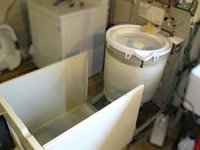
Use prise tool to remove two case clips. Pull top of case towards you, rock case (almost whole cabinet: case top, front, left & right) on its bottom front edge as axis, lower front of case until it rests on floor.
-
-
-
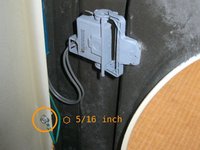
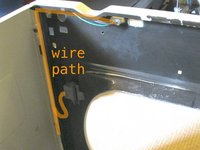
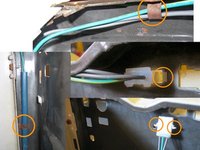
Case grounding wire is fastened on with one screw, 5/16 (five sixteenths) inch hexagon head. Unhook wires from the guide hooks.
-
-
-
-
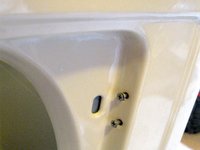
Switch is fastened on with two screws.
-
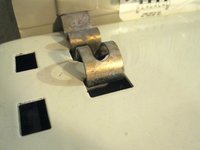
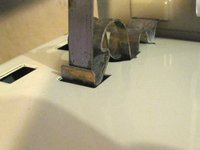
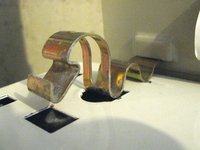
Remove connector from case top, squeezing connector's panel mount tabs to free it. when replacing: Face connector with its wedge bump facing frontward.
-
-






To reassemble your device, follow these instructions in reverse order.
Cancel: I did not complete this guide.
5 other people completed this guide.

