
Kenmore 110 Series Washing Machine Water Level Sensor Replacement

Robert Trout and 7 other contributors
Last updated on Jan 15, 2026
Views: 44K
View statistics:
- Past 24 Hours:
- 6
- Past 7 Days:
- 43
- Past 30 Days:
- 181
- All Time:
- 44,011
Comments: 5
1 comment on steps, 4 guide comments.
Go to guide commentsCompleted: 5 6
5 people have marked this guide "completed." Will you be next?
6 people have marked this guide "completed." Including you — great job!
Favorites: 4 5
4 people have favorited (and subscribed to) this guide. Will you be next?
5 people have favorited (and subscribed to) this guide — including you!
Action Shots
Be an action hero! This guide needs images that better demonstrate how to perform specific actions.
Missing Steps
Oops! This guide is currently missing one or more important steps.
Better Introduction
Improve this guide by completing or revising its introduction.
Introduction
Go to step 1 ↓Use this guide to replace a faulty water level sensor.
What you need
Tools


-
-
-
Using a 5/16" socket wrench or an adjustable wrench, remove the three screws from the top rear of the washer.
-
Lifting from the rear, remove the top panel.
 Ask FixBot
-
-
-
Using a 5/16" socket wrench or a hand wrench, remove the two screws from the component cover.
-
From the bottom, pull out and remove the component cover.
-
-
-
-
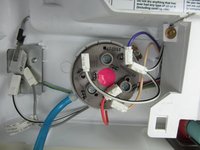
Remove wires from water level sensor.
-
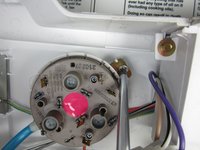
With a Phillips screwdriver remove the mounting screw.
-
Cut the zip tie and remove water level hose.
-
-


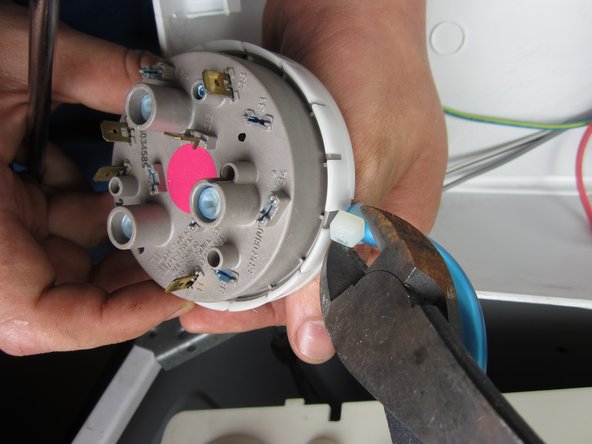
To reassemble your device, follow these instructions in reverse order.
Cancel: I did not complete this guide.
5 other people completed this guide.

Team

Cal Poly, Team 15-43, Forte Fall 2012 Member of Cal Poly, Team 15-43, Forte Fall 2012
CPSU-FORTE-F12S15G43
5 Members
60 Guides authored
4 Guide Comments
how to test water level switch??
how to test water level switch?
What is the water sensor part # for a Kenmore model #11029842990?
Who has that part 4the best price?
Hi,
I replaced the water-level pressure switch with a new kit but it did not resolve my problem. After installing the switch and line, I selected the lowest level but the tub continued to fill beyond the smallest wash level. I have a Kenmore Model # 110.20902. What other part or solution could resolve my issue?
BTW: I read replacing the water inlet valve night be involved but I already did that within the last six months and everything worked fine until I noticed the water level had changed the last two washes to a large load only. In fact, the water looked above the large level during my last wash.
I would appreciate any insight.
Shannon
