Free Shipping on Domestic Orders $75+

Jazz UltraTab C1059-HL Screen Replacement

What you need

    1. Jazz UltraTab C1059-HL Screen Replacement, Screen: step 1, image 1 of 1
      • First step is to remove screws from top and bottom of device.

      Ask FixBot

      Add Comment

    2. Jazz UltraTab C1059-HL Screen Replacement: step 2, image 1 of 1
      • Remove the back panel of the device.

      • Be careful not to brake/bend the plastic cover of your device.

      Ask FixBot

      Add Comment

    3. Jazz UltraTab C1059-HL Screen Replacement: step 3, image 1 of 1
      • Upon removing the back panel, place the device screen down on the table.

      Ask FixBot

      Add Comment

    4. Jazz UltraTab C1059-HL Screen Replacement: step 4, image 1 of 1
      • Remove all data strips attached to the motherboard.

      Ask FixBot

      Add Comment

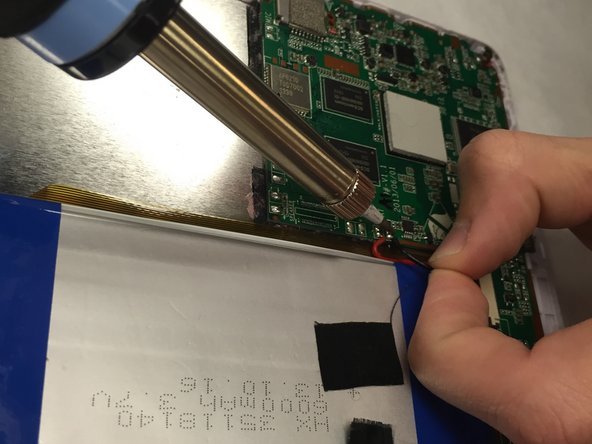
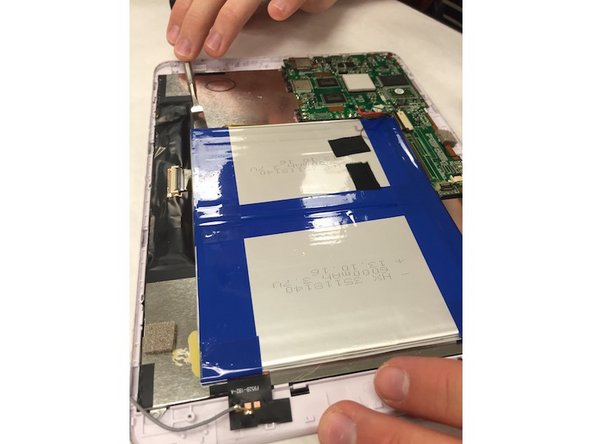
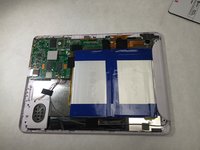
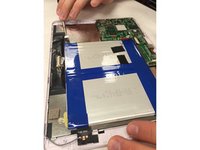
    5. Jazz UltraTab C1059-HL Screen Replacement: step 5, image 1 of 3 Jazz UltraTab C1059-HL Screen Replacement: step 5, image 2 of 3 Jazz UltraTab C1059-HL Screen Replacement: step 5, image 3 of 3
      • Remove the tape around the battery.

      • One of these pieces of tape holds down the battery connection to the mainboard.

      • Use the soldering iron to disconnect these wires.

      • You will need to use a tool to pry off the battery. It will have a good amount of adhesive holding it down.

      • Be cautious not to bend the battery when prying.

      Ask FixBot

      Add Comment

    6. Jazz UltraTab C1059-HL Screen Replacement: step 6, image 1 of 1
      • Once the battery is removed, make sure to remove any and all data strips that are attached.

      • Then begin to unscrew the mother board.

      Ask FixBot

      Add Comment

    7. Jazz UltraTab C1059-HL Screen Replacement: step 7, image 1 of 1
      • Remove the motherboard chip off of the device.

      Ask FixBot

      Add Comment

    8. Jazz UltraTab C1059-HL Screen Replacement: step 8, image 1 of 1
      • Your board should look like this after taking all of the components off the screen panel.

      Ask FixBot

      Add Comment

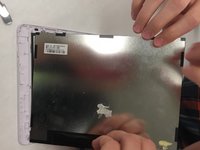
    9. Jazz UltraTab C1059-HL Screen Replacement: step 9, image 1 of 2 Jazz UltraTab C1059-HL Screen Replacement: step 9, image 2 of 2
      • Remove the Display Module from the screen cover.

      Ask FixBot

      Add Comment

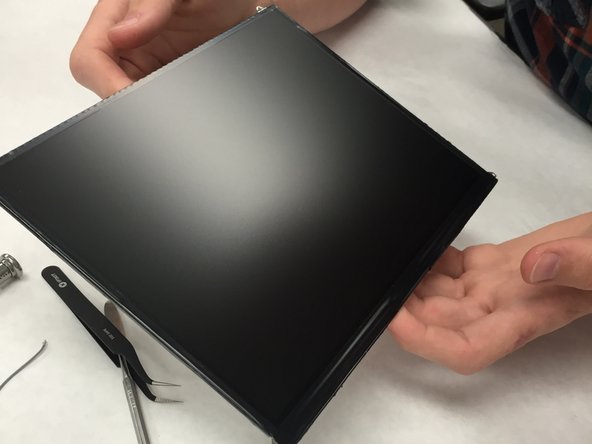
    10. Jazz UltraTab C1059-HL Screen Replacement: step 10, image 1 of 1
      • Now, you can replace your broken or damaged screen!

      Ask FixBot

      Add Comment

Conclusion

To reassemble your device, follow these instructions in reverse order.

Cancel: I did not complete this guide.

One other person completed this guide.

Amanda Justiniano

Member since: 09/19/15

231 Reputation

2 Guides authored

Team

IUPUI, Team 1-3, Wilson Fall 2015 Member of IUPUI, Team 1-3, Wilson Fall 2015

IUPUI-WILSON-F15S1G3

4 Members

72 Guides authored

0 Guide Comments

Add Comment

View Statistics:

Past 24 Hours: 2

Past 7 Days: 28

Past 30 Days: 52

All Time: 716