
Jabra Freeway Speaker Replacement

Alec Wilson and 3 other contributors
Last updated on Dec 22, 2016
Views: 1.6K
View statistics:
- Past 24 Hours:
- 3
- Past 7 Days:
- 14
- Past 30 Days:
- 94
- All Time:
- 1,568
Comments: 6
3 comments on steps, 3 guide comments.
Go to guide commentsCompleted: 1 2
1 person has marked this guide "completed." Will you be next?
2 people have marked this guide "completed." Including you — great job!
Favorites: 0 1
No one has favorited (and subscribed to) this guide. Will you be the first?
1 person has favorited (and subscribed to) this guide — and that's you!
Introduction
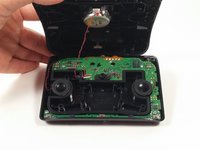
Go to step 1 ↓This guide explains how to replace one of the 3 main speakers in the Freeway, however all 3 speakers are removed using this guide and the process is identical. Be sure the device is completely powered off before continuing.
What you need
Tools
-
Spudger4.9
-
-


-
-
-
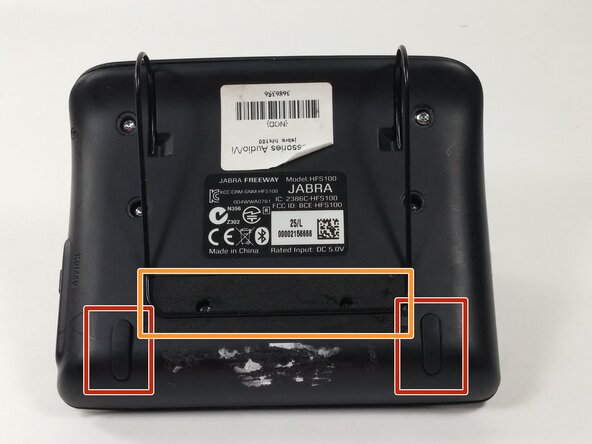
Remove the rubber pads from the bottom of the device using the spudger.
-
Remove the foam tape covering 2 hidden screws from the back of the device.
 Ask FixBot
-
-
-
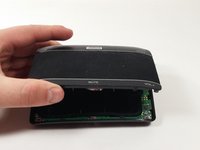
Gently lift the front panel off of the device and carefully rest it to the side.
-
-
-





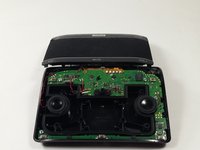


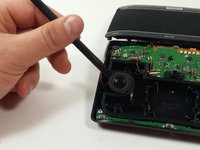
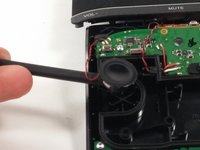

To reassemble your device, follow these instructions in reverse order.
Cancel: I did not complete this guide.
One other person completed this guide.

Team

UMass Dartmouth, Team 4-8, Catania Fall 2016 Member of UMass Dartmouth, Team 4-8, Catania Fall 2016
UMASSD-CATANIA-F16S4G8
2 Members
72 Guides authored
3 Guide Comments
This guide is missing something. It is titled Speaker Replacement not just removal. Useful information to complete the replacement of a faulty speaker would include where to find a replacement part or at least a part number to search for. Removing the speaker without replacing it with another is of little use. But thank you for your time and effort.
ماهو الوات والاوم لكل سماعة
What are the exact technical specifications (Wattage and Ohms) for the three internal speakers used in the Jabra Freeway
