Introduction
The motherboard is the brain of the Jabra Evolve2 65. If this part were to get damaged, the whole functionality of the headphones would be hindered. If you've tried the troubleshooting guides and other repairs but are still having issues with the headphones, a bad motherboard could be the cause.
Listed below are the steps to remove and replace the motherboard. The disassembly itself is relatively straightforward, and by the end of this guide you will know how to access and replace the motherboard on your Jabra Evolve2 65 headphones.
This guide requires soldering. If you're unfamiliar with soldering, review the How to Solder and Desolder Connections guide and take appropriate precautions before beginning.
What you need
-
-
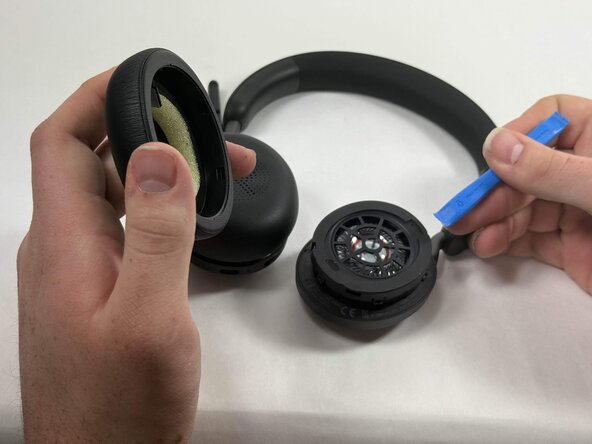
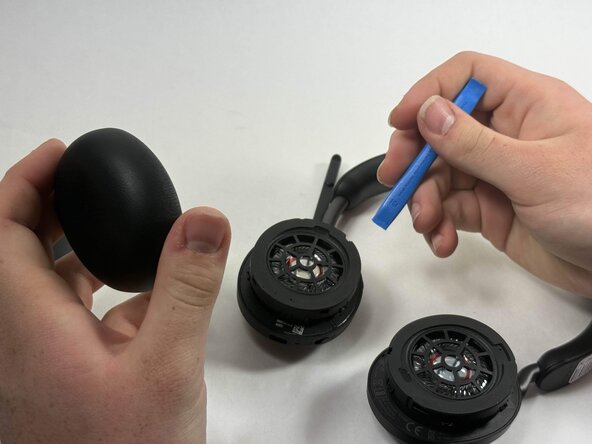
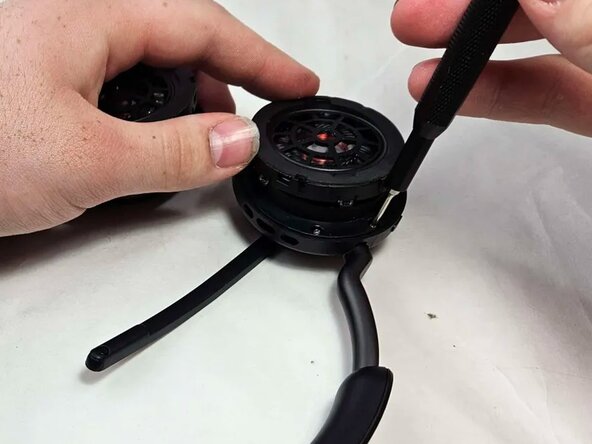
Insert an opening tool into the seam between the ear pad and driver housing, near the hinge.
-
Gently pry the ear pad away from the driver housing until it releases.
-
-
-
-
Peel back the tape where the microphone's base connects to the headband.
-
Use a T6 Torx screwdriver to remove the single 2 mm screw.
-
-
-
Go about a third of the way around the first screw and peel back the tape to locate the second screw.
-
Use T6 Torx screwdriver to remove the single 2 mm screw.
-
-
-
Locate the third screw after peeling the tape off entirely after removing the second screw.
-
Use a T6 Torx screwdriver to remove the final 2 mm screw.
-
-
-
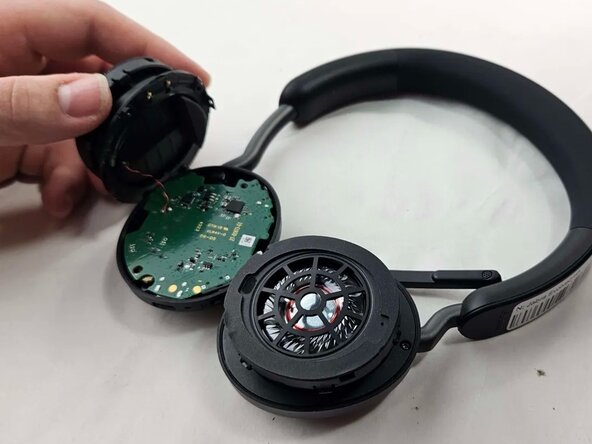
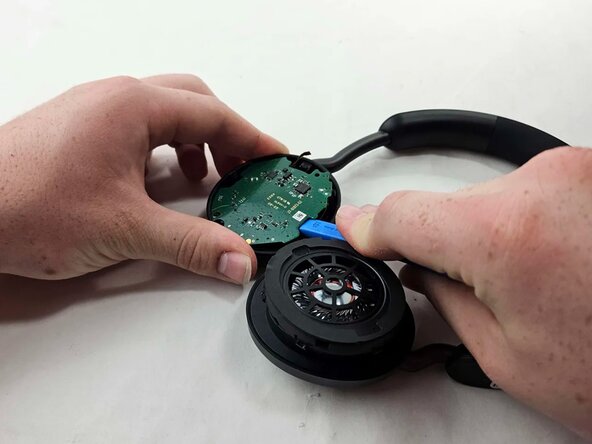
Use an opening tool to pry up and set aside the driver housing.
-
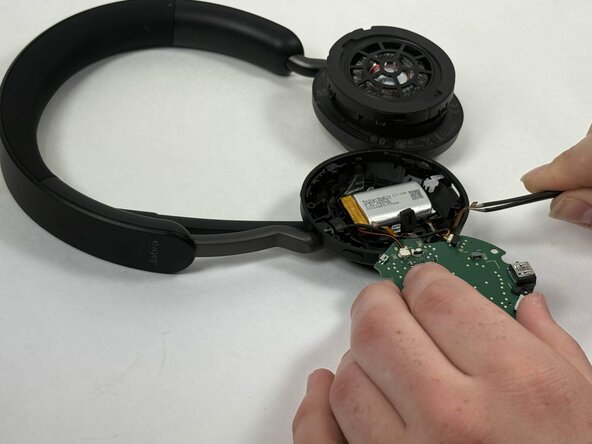
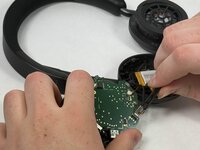
Gently remove the motherboard from the housing..
-
-
-
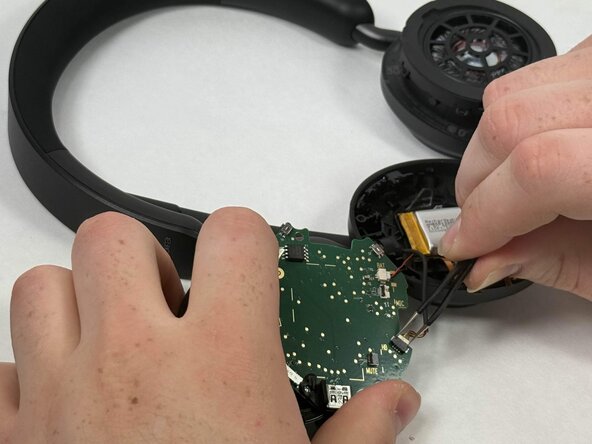
After locating the battery underneath, use a pair of tweezers to disconnect all connected cables.
-
-
-
Using a soldering iron, desolder the driver connections from the motherboard.
-

 Ask FixBot








To reassemble your device, follow the above steps in reverse order.
Take your e-waste to an R2 or e-Stewards certified recycler.
Repair didn’t go as planned? Try some basic troubleshooting or ask our Answers community for help.
Cancel: I did not complete this guide.
One other person completed this guide.

Team

UMass Dartmouth, Team 3-2, Botvin Spring 2025 Member of UMass Dartmouth, Team 3-2, Botvin Spring 2025
UMASSD-BOTVIN-S25S3G2
4 Members
15 Guides authored
